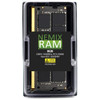
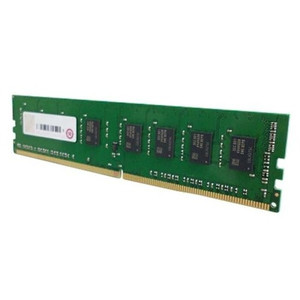
QNAP RAM-32GDR4D1-SO-3200 32GB DDR4 SODIMM Memory Module
Overview
The RAM-32GDR4D1-SO-3200 is a 32GB DDR4-3200 SODIMM memory module sourced factory-new for use in compatible QNAP NAS systems. Adding or upgrading RAM in a QNAP unit directly impacts how many simultaneous virtual machines, containers, or surveillance channels the system can handle without swapping to disk — 32GB in a single module is the practical answer for workloads that would otherwise saturate a smaller configuration. This module is designed to pair with QNAP's own validated memory slots, reducing compatibility risk versus generic third-party SODIMM alternatives.
Compatibility
This module is intended for QNAP NAS enclosures and NAS-based servers that accept DDR4 SODIMM memory at 3200MHz. Specific compatible units span QNAP's higher-end tower and rackmount NAS families, including select TVS, TBS, and TS series models with DDR4 SODIMM slots — consult the QNAP memory compatibility list for your exact model before ordering, as not all enclosures support 32GB per-slot population. Pairing two RAM-32GDR4D1-SO-3200 modules in a dual-channel configuration (where supported) delivers additional throughput benefit for memory-bandwidth-sensitive workloads like transcoding or running multiple NVR software instances within QVR Pro. Do not mix with DDR3 or DDR4 modules at other speeds in the same channel — QNAP systems will typically default to the slower speed or may not POST with mismatched pairs.
Installation Notes
Power down and unplug the NAS fully before installing — QNAP SODIMMs are not hot-swappable. Ground yourself to the chassis before handling the module. Seat the SODIMM at a 45-degree angle into the slot and press flat until both retention clips engage. After reinstall, confirm the module is recognized at full capacity in the QNAP Storage Manager memory panel before returning the unit to service. Check QNAP's memory upgrade guidelines for torque or enclosure-specific access steps on rackmount models, which may require partial disassembly of drive trays to reach the SODIMM slots.