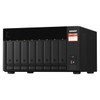
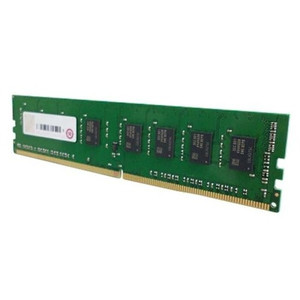
QNAP RAM-16GDR4D1-SO-3200 16GB DDR4 SODIMM Memory Module
Overview
The RAM-16GDR4D1-SO-3200 is a 16GB DDR4-3200MHz SODIMM memory module designed for QNAP NAS systems that support user-upgradeable RAM. Adding memory directly affects how many simultaneous virtual machines, containers, or concurrent user connections a network-attached storage device can handle — the base RAM that ships with most QNAP units is often the first bottleneck in production deployments running QuTS hero or QTS with Docker or Virtualization Station workloads. This module uses DDR4 D1 (unbuffered, non-ECC) at 3200MHz in SODIMM form factor, matching the slot type found in compact and mid-range QNAP enclosures.
Compatibility
This module is intended for QNAP NAS enclosures that specify DDR4-3200 SODIMM (non-ECC, unbuffered) memory support. Verify your specific enclosure's memory compatibility list before ordering — QNAP publishes per-model RAM support matrices, and not all enclosures accept non-ECC SODIMM at 3200MHz. Common compatible families include select QNAP TS-x73A, TS-x77, and TVS-series units built on AMD Ryzen or Intel platforms that expose SODIMM slots for user upgrade. Cross-reference your enclosure's hardware user guide or QNAP's official compatibility list against this module's D1 unbuffered specification before purchasing — using an unsupported memory type can cause boot failures or system instability. For full-catalog options, browse the broader QNAP NAS accessories line to confirm alternative capacities or speeds if this module does not match your platform's requirements.
Installation Notes
Power down the NAS completely and disconnect power before accessing memory slots — QNAP does not support hot-swap memory installation. Ground yourself with an anti-static wrist strap before handling the module; ESD damage to SODIMM contacts is not covered under manufacturer warranty. Insert the module at approximately a 30-degree angle, press down until both retention clips engage, then confirm the system recognizes the full 16GB via the QNAP system information panel on first boot. If the system does not POST or reports less memory than installed, reseat the module and verify slot compatibility in your enclosure documentation.