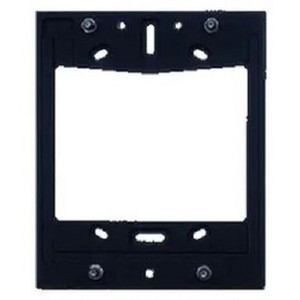
2N 02530-001 IP Phone D7A Wall Mount Bracket
The 2N 02530-001 is a dedicated wall mounting bracket engineered to secure the 2N IP Phone D7A in commercial and industrial telephony deployments. This accessory eliminates the need for desktop placement, freeing desk space while positioning the handset at eye level for better ergonomics and accessibility in reception areas, service centers, and office communication hubs.
Key Features
- Purpose-built for D7A compatibility: The 02530-001 is engineered specifically for the 2N IP Phone D7A, ensuring proper weight distribution and mechanical stability. This eliminates guesswork about mounting compatibility and reduces installation time.
- Secure wall installation: Provides rigid, stable mounting that prevents drift or movement during daily use — important in high-traffic reception and service environments where phones must remain consistently positioned.
- Integrated cable management: The bracket design routes network and power cabling neatly, reducing clutter and tripping hazards while maintaining a professional appearance in customer-facing areas. This is particularly valuable where multiple phones share a limited wall space.
- Accessible placement: Enables mounting at comfortable eye level or within reach of seated receptionists and support staff, improving usability compared to overhead or awkwardly positioned installations. Proper ergonomics reduces user fatigue during extended shifts.
- Standard wall-compatible installation: Uses conventional fastening methods compatible with drywall, plaster, and masonry — no proprietary rails or specialized infrastructure required for deployment. You select fasteners appropriate to your wall material and load capacity.
- Professional aesthetics: Clean mounting profile keeps the phone flush against the wall surface, maintaining the neat, corporate appearance required in front-office and client-facing locations.
Integration & Compatibility
The 02530-001 mounts the 2N IP Phone D7A, a network telephony device designed for integration into standard VoIP and network communication ecosystems. The bracket itself carries no power or network requirements — all connectivity flows through the mounted D7A handset. Ensure your installation site has available network connectivity (standard RJ-45 PoE or power supply per the D7A requirements) and suitable wall surface for anchor installation.
Deployment Scenarios
Typical deployments include reception desks, service counters, emergency dispatch centers, building entrance intercoms, and office communication hubs where fixed IP phone placement is required. The bracket supports both standard stud-mounted wall installation and installation on finished surfaces with appropriate anchoring hardware (not included). In warehouse automation and facility management environments, wall-mounted phones at fixed points provide reliable staff communication without desktop clutter.
Installation Considerations
Wall surface preparation and fastener selection depend on your building construction — drywall fasteners differ from masonry anchors. Verify available wall space and confirm cable routing paths before mounting. The 02530-001 (often searched as 02530 001) requires no power or network configuration itself; all power and connectivity flow through the mounted D7A handset. Consult a qualified installer if your wall material is unfamiliar or if you require reinforcement for high-traffic environments.
Frequently Asked Questions
Q: Is the 2N 02530-001 compatible with other 2N phone models?
A: No. The 02530-001 is engineered specifically for the 2N IP Phone D7A. Using it with other phone models may result in improper support or damage. Verify your handset model before ordering.
Q: What fasteners are required to mount the 02530-001 to drywall?
A: The bracket itself does not include wall fasteners. You will need to source appropriate anchors (toggle bolts, molly bolts, or stud fasteners) based on your wall material and load requirements. Consult local building codes or a qualified installer for your specific application.
Q: Can the 02530-001 be mounted on masonry or concrete?
A: Yes, masonry anchors or expansion bolts compatible with your wall material can be used. Ensure anchors are rated for the weight of the D7A handset plus the bracket.
Q: Does the 02530-001 require any configuration or setup?
A: No. The bracket is a passive mechanical accessory. Once mounted securely to the wall, simply attach the D7A handset and route its network and power cables through the integrated cable channels.
Q: Can I use the 02530-001 in outdoor or wet environments?
A: The bracket is designed for indoor commercial installations. If you require outdoor mounting, verify that your wall surface and fastener selection are appropriate for weather exposure, and ensure the D7A itself is protected from direct rain.
Ted PerryPerspective based on aggregated IP Security Depot and affiliated engineering team experience.
The 2N 02530-001 is a straightforward mounting solution — no surprises, no exotic materials. It's engineered to handle the weight and geometry of the D7A handset without flex or drift. For reception areas and service counters where a phone needs to stay put and stay accessible, this is the right bracket.
Technical Highlights:
- Integrated cable routing: Built-in channels manage RJ-45 network and power lines, reducing visible cable runs and eliminating a common tripping hazard in busy front-desk environments. Clean cable management also extends phone lifespan by reducing mechanical stress on connectors.
- Standard fastening compatibility: Works with common wall anchors and stud fasteners — drywall toggles, masonry expansion bolts, or direct stud mounting. No proprietary hardware means you source fasteners locally and get the job done without waiting for special kits.
- Rigid mounting profile: The bracket design keeps the D7A flush against the wall, preventing creep or movement from repeated daily use. This matters in high-traffic areas where users grab or bump the handset.
Deployment Considerations:
- Wall surface preparation is your responsibility — confirm studs or use rated anchors for your wall type. A molly bolt rated for drywall will not hold in hollow brick; verify before drilling.
- The bracket carries no power or network — all infrastructure responsibility sits with the D7A handset and your network plan. Plan your PoE switch capacity and cable runs accordingly.
Best deployment fit: any front-office, reception, or service-center environment where the D7A needs to remain fixed, accessible, and professional-looking. If your site does not yet have D7A handsets in place, confirm that model choice before ordering this bracket — there are no universal workarounds.