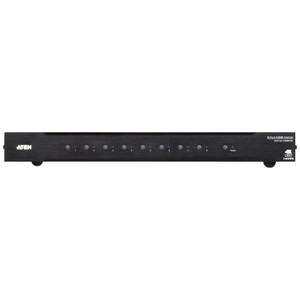
ATEN VC1280 2-Port HDMI/VGA to HDMI 4K Converter Switch
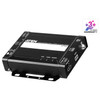
The ATEN VC1280 solves one of the most persistent AV integration headaches: a presentation environment where a legacy VGA source (laptop, document camera, older PC) and a modern HDMI source both need to feed a single 4K display or projector — without a manual cable swap every time the presenter changes. This compact converter switch accepts one HDMI input at up to 3840×2160@30Hz and one VGA input at up to 1920×1200, then outputs a unified HDMI signal across up to 15 meters to your display — farther than the 3m input cable run, which matters when your switcher lives at the podium and the screen is across the room. The VC1280 is part of the broader ATEN AV and KVM product line, and it fits directly into fixed-installation AV racks, lecterns, and presentation furniture.
Key Features
- 4K HDMI output at 15m: The output leg supports 3840×2160 at 30Hz across a 15-meter HDMI cable run — giving integrators enough reach to place the switcher at the source desk while the display is mounted across a conference room or classroom without signal degradation.
- Dual-format inputs — HDMI and VGA: Accepting both HDMI (Type A Female) and VGA simultaneously means you don't have to choose between supporting legacy equipment and modern sources. A single device handles the mixed-format AV switching that multi-generational meeting rooms demand.
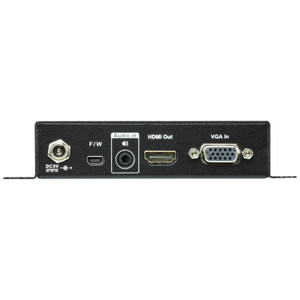
- 3.5mm stereo audio input: The VGA path doesn't carry audio, so the VC1280 includes a dedicated 3.5mm stereo jack alongside the VGA input. Analog audio from a laptop headphone jack or external audio system embeds into the HDMI output stream — one cable to the display instead of a separate audio run.
- Three switching modes — AUTO, HDMI, VGA: A front-panel push button cycles through source modes. AUTO mode detects an active signal and switches without operator input, which matters in classrooms and boardrooms where the presenter just plugs in and expects the display to follow. HDMI and VGA manual modes lock the source when you need predictability over automation.
- RS-232 control via terminal block: The 3-pole terminal block at 19200 baud integrates the VC1280 into a control processor (Crestron, AMX, RTI) or room automation system without adding a USB-serial adapter. This is the spec that separates a consumer HDMI switch from a unit you can actually commission into a managed AV system.
- Front and top LED status indicators: Six LEDs give at-a-glance status — three on the front (AUTO/HDMI/VGA switching state, orange) and three on top (HDMI active, VGA active, Power). In a rack or furniture installation where the top panel is visible, the top LEDs tell you source status without pulling the unit out to check the front.
- Compact, bracket-ready form factor: At 14.32 × 12.30 × 3.00 cm with bracket and just 0.43 kg (0.95 lb), the VC1280 installs inside lecterns, under-table AV bays, and rack shelves without consuming meaningful space. The locking DC power connector prevents accidental disconnection in environments where cables get bumped.
- VGA input cable reach to 1.8m: VGA at 1920×1200 is supported up to 1.8 meters. This is a practical limit — plan your VGA cable run accordingly, especially in podium installations where the source may be below the switcher.
Integration and Compatibility
The VC1280 is designed for fixed AV installations — classrooms, boardrooms, training rooms, and hospitality environments — where a control system manages the room. The RS-232 terminal block (19200 baud, 8 data bits, 1 stop bit, no parity, no flow control) connects directly to a control processor's RS-232 port or a USB-to-serial adapter if the processor requires it. The output is standard HDMI, compatible with any display, projector, or HDMI distribution system that accepts 4K@30Hz. Pair this with a compatible ATEN HDMI extender or matrix switch downstream if you need to distribute the converted signal to multiple displays. Firmware upgrades are delivered via RS-232 using the ATEN firmware upgrade utility — the current release is v1.0.063.
Frequently Asked Questions
Q: Can the VC1280 switch sources automatically without pressing a button?
A: Yes. In AUTO mode, the VC1280 detects an active signal on the HDMI or VGA input and switches to it automatically. You can also lock to a specific source using the HDMI or VGA modes via the front-panel push button.
Q: What is the maximum output cable distance on the VC1280?
A: The HDMI output supports up to 15 meters at 3840×2160@30Hz. The HDMI input is limited to 3 meters, and the VGA input to 1.8 meters.
Q: Does the VC1280 support audio from a VGA source?
A: VGA does not carry audio, but the VC1280 includes a dedicated 3.5mm stereo audio input jack. Audio from this jack is embedded into the HDMI output, so your display receives both video and audio over a single HDMI cable.
Q: Can the VC1280 be controlled by a room automation system like Crestron or AMX?
A: Yes. The VC1280 includes an RS-232 control port via a 3-pole terminal block at 19200 baud, making it compatible with third-party control processors for source switching and firmware upgrades.
Q: What resolution does the VC1280 support on the VGA input?
A: The VGA input supports up to 1920×1200 at a maximum cable distance of 1.8 meters.
Q: How is firmware updated on the VC1280?
A: Firmware is upgraded via the RS-232 terminal block using the ATEN firmware utility. The current firmware version is v1.0.063.
The spec that sold me on the VC1280 for fixed AV installs is the 15-meter HDMI output distance at full 3840×2160@30Hz — most passive converter switches drop to 1080p at that length. Combined with RS-232 terminal block control at 19200 baud, this unit actually belongs in a commissioned AV system rather than a cable drawer.
Technical Highlights:
- 15m 4K output reach: At 15 meters on the output, you can place the VC1280 at the podium or lectern and still drive a 4K display mounted at the far end of a mid-size conference room without an extender in the signal path.
- RS-232 terminal block at 19200 baud: Three-pole terminal block integration means direct wiring to a control processor — no dongle, no adapter, no USB-serial driver headache. Crestron and AMX integrators will recognize this as a proper commercial AV interface.
- AUTO switching mode: Signal-presence detection on AUTO mode means a presenter plugging in a laptop triggers a source switch without operator intervention — practical for classrooms and boardrooms where no AV tech is in the room.
Deployment Considerations:
- The VGA input cable run is capped at 1.8 meters — plan podium furniture layout with this in mind. A VGA source more than 1.8m from the switcher will need a VGA extender or cable booster in front of the VC1280.
- The 3.5mm audio jack covers VGA-source audio, but HDMI sources carry embedded audio natively — verify your control system mute/unmute logic accounts for both audio paths if you're automating room-on/off sequences.
This is the right unit for a university lecture hall or corporate training room where a document camera or older podium PC (VGA) shares screen time with a presenter laptop (HDMI), and the room control system needs RS-232 source switching without manual intervention.