ATEN CL1000N 19-Inch Rack-Mount LCD KVM Console
Overview
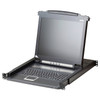
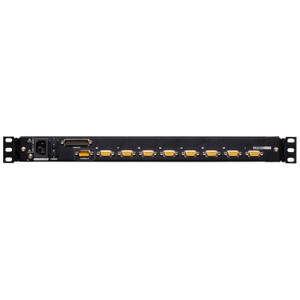
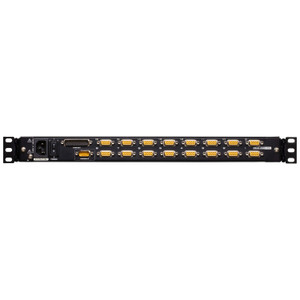
The ATEN CL1000N is a 1U rack-integrated LCD console combining a 19-inch display, keyboard, and touchpad into a single slide-out unit for data center and server room deployments. Designed for direct-connect KVM access, the CL1000N eliminates the need for a separate monitor, keyboard, and mouse at the rack — a practical solution for colocation bays, edge server racks, and any dense deployment where space at the rack face is at a premium. The panel supports input resolutions up to 1920 x 1200 at 60 Hz and 1280 x 1024 at 75 Hz with DDC2B signaling, so connected servers render at their native resolution rather than being forced to a lowest-common-denominator display mode. A 250 cd/m² luminance rating delivers enough brightness for typical raised-floor environments without washing out in ambient lighting. Power input accepts 100–240 VAC at 50–60 Hz, making the unit compatible with both North American and international rack PDUs — no step-down transformer needed in mixed-voltage facilities. The IEC 60320/C14 inlet is the standard data center power connector, so it mates directly with rack PDU outlets without an adapter.
Compatibility
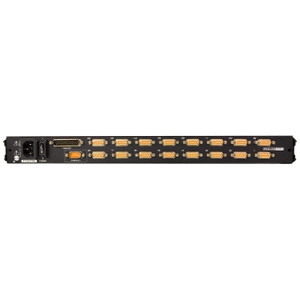
The CL1000N connects to servers and KVM switches via PS/2 or USB keyboard and mouse interfaces using ATEN 2L-520xUP series cables — specify the correct cable length for your rack depth before ordering, as the console does not include KVM interface cables. The USB path covers modern servers that have dropped PS/2 entirely; the PS/2 path covers legacy hardware still common in government and industrial environments. This console is compatible with ATEN KVM switches that use a standard 15-pin VGA video output alongside PS/2 or USB HID ports. Verify your KVM switch or server's video output is VGA — DVI, DisplayPort, or HDMI sources require an active adapter not included with this unit.
Installation Notes
Mount in a standard 19-inch EIA rack; the unit occupies 1U of rack space. Operating humidity must remain below 80% RH non-condensing — avoid installations near CRAC unit discharge zones where condensation risk is elevated. The LED illumination light assists low-light access during maintenance windows. Power the unit via the C14 inlet using a C13-to-C14 cord from your rack PDU; draw is rated at 1A maximum, well within a single PDU outlet's capacity. KVM interface cables (2L-520xUP series) are sold separately — confirm cable length matches your rack's server-to-console run before provisioning.