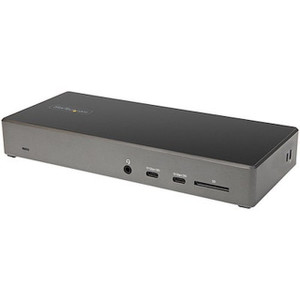
Product images are provided for reference and may not represent the exact model, configuration, or included components.

No Bots, Just Experts

Questions about this product? Free pre-sales support from a senior specialist — product questions, compatibility checks, BOM quotes, price confirmation — typically answered within one business day. Need camera placement or system design work? Engineering time is $175 per hour (qty 1 = 1 hour). Hardware buyers get up to one hour ($175) credited back on their order.

Description

StarTech DKT31CHDVCM USB-C Mini Dock - Single 4K 60Hz DisplayPort 1.4 Host

Overview

The StarTech DKT31CHDVCM is a compact USB-C mini dock designed to enhance the connectivity of modern laptops, particularly those with Thunderbolt 3 or USB-C ports supporting DisplayPort Alternate Mode. It addresses the common issue of limited ports on slim ultrabooks and mobile workstations by providing essential video output and data connectivity. This dock is ideal for professionals who require a single, high-resolution external display at 60Hz for demanding visual tasks, such as graphic design, video editing, or complex data analysis, without compromising on performance. The DKT31CHDVCM enables a more productive and organized workspace by consolidating multiple peripherals through a single USB-C connection.

Compatibility

This mini dock is compatible with laptops and devices featuring a USB-C port that supports DisplayPort 1.4 Alternate Mode and Power Delivery (PD) 3.0. It functions with Windows 10 (and later), macOS 10.14 (and later), and ChromeOS. Specific compatibility extends to laptops from major manufacturers like Dell (XPS, Latitude), HP (Spectre, EliteBook), Lenovo (ThinkPad), Apple (MacBook Pro, MacBook Air), and others that meet the USB-C DP Alt Mode requirements. It is designed to work with host devices requiring up to 60W of power for charging via PD 3.0, provided the host laptop's USB-C port supports this capability.

Installation Notes

Ensure the host laptop's USB-C port supports DisplayPort 1.4 Alternate Mode and USB Power Delivery 3.0 for full functionality, including 4K 60Hz video output and laptop charging. For 4K 60Hz resolution, a DisplayPort 1.4 or HDMI 2.0 compliant cable and a monitor capable of supporting these specifications are required. If using the HDMI output, ensure your system's HDMI port supports HDMI 2.0 for 4K 60Hz. The dock draws power from the host device or an optional USB-C power adapter (not included) if the host port does not provide sufficient power or if charging is desired.

What's in the Box

  • 1x USB-C Mini Dock
  • 1x Quick Start Guide
Specifications
Brand: StarTech
MPN: DKT31CHDVCM
Type: Power Supply
Connectivity: USB
Power: 60W
Warranty: 3 Years
Fast-Charge Port(s: Yes
Displays Supported: 1
Ports: 6
Audio: No
Interface: USB 3.2 Gen 2 - 10 Gbit/s
Bus Type: USB 3.2 Gen 2
USB Pass-Through: Yes
Industry Standards: 1 Gigabit connectivity to any 1000Base-T device (IEEE802.3ab
Chipset ID: Genesys Logic GL9510
Maximum Data Transfer: 10 Gbps
Maximum Digital: 4K 60Hz
Type and Rate: USB 3.2 Gen 2 - 10 Gbit/s
Connector Type(s: 1 - HDMI
Host Connectors: 1 - USB 3.2 USB Type C (10 pin, Gen 2, 10 Gbps)
OS Compatibility: Windows 11, Windows 11 ARM, Windows 10, Windows 8.1,
System and Cable: Host laptop with an available USB-C port (to ensure full
Requirements: functionality, the laptop's USB-C port must support DP alt mode).
Power Delivery: 75W
Output Voltage: 5 DC
Operating Temperature: 0 to 50C
Storage Temperature: -20 to 70C
Humidity: 0% to 95%(non-condensing) at 25C
Color: Black & Gray
Q&A
Reviews

StarTech 10GBPS Usb-c Mini Dock - Single 4K 60HZ - DKT31CHDVCM

$52.99

RELATED PRODUCTS

System Design, Deployment & Technical Support

Support services and planning resources for commercial surveillance, access control, and infrastructure deployments.

Fixed scope • Fixed price

System Design Assistance

  • Get help validating product compatibility
  • Coverage requirements
  • Storage planning and deployment architecture before you buy.
Request Design Help

Deployment & Configuration Support

  • Access fixed-scope support for rollout planning
  • User setup guidance
  • Migration and system standardization across single-site or multi-site deployments
View Support Services

Guides, Tools & Calculators

  • PoE requirements
  • Storage retention
  • Camera selection and deployment methodology
Open Technical Resources