
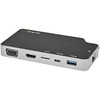

StarTech Usb-c Multiport Adapter (10GBPS USB - DKT31CHPDL
Usually Ships in 2-3 Weeks
Free shipping over $499
$81.99


Manufacturer-verified compatible cameras, recorders, mounts, accessories, and licenses for this product. Adjust quantities and add the entire bundle to your cart in one click.
Questions about this product? Free pre-sales support from a senior specialist — product questions, compatibility checks, BOM quotes, price confirmation — typically answered within one business day. Need camera placement or system design work? Engineering time is $175 per hour (qty 1 = 1 hour). Hardware buyers get up to one hour ($175) credited back on their order.
The StarTech CDP2HVGUASPD is a versatile USB-C multiport adapter designed to extend the capabilities of laptops and workstations. It addresses the need for expanded connectivity in mobile and desktop environments, enabling simultaneous connection to external displays, high-speed peripherals, and wired networks. This adapter is particularly useful for users with USB-C-only laptops who require access to legacy ports like VGA and USB-A, along with modern interfaces like 4K HDMI and 10Gbps USB-C. The integrated Gigabit Ethernet port ensures reliable network access, while the USB-A port supports fast charging for compatible devices. The CDP2HVGUASPD is engineered for professional use, offering a robust solution for docking stations and mobile workstations.
This adapter is compatible with laptops and devices featuring a USB-C port that supports USB Power Delivery (PD) and DisplayPort Alternate Mode (DP Alt Mode). It functions with operating systems including Windows 8/10/11, macOS 10.12+, Linux, and Chrome OS. It supports a maximum digital resolution of 3840 x 2160p @ 30Hz via HDMI and a maximum analog resolution of 1920 x 1080p @ 60Hz via VGA. The USB-A port operates at USB 3.2 Gen 2 speeds (10Gbps), and the USB-C port supports 10Gbps data transfer. The Gigabit Ethernet port provides 10/100/1000 Mbps network connectivity. The adapter supports up to 100W Power Delivery (85W laptop charging) when a PD-enabled USB-C power adapter is connected to the adapter's USB-C input port.
Connect the integrated USB-C cable to a compatible USB-C port on your host device. For optimal performance, ensure the host device supports DisplayPort Alternate Mode and USB Power Delivery. To enable laptop charging and power the adapter's ports, connect a USB-C power adapter (sold separately) to the adapter's USB-C PD input port. The operating temperature range is 0 to +70°C (32 to 158°F), and storage temperature is -10 to +55°C (14 to 131°F). Humidity should be maintained between 5% and 90% RH (non-condensing).

Manufacturer-verified compatible cameras, recorders, mounts, accessories, and licenses for this product. Adjust quantities and add the entire bundle to your cart in one click.
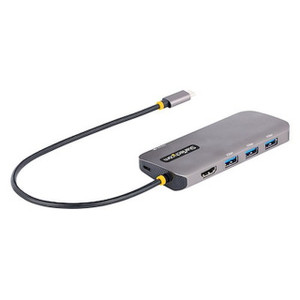

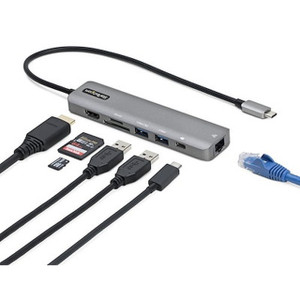

Looking for more StarTech products? Shop the full StarTech catalog →
Support services and planning resources for commercial surveillance, access control, and infrastructure deployments.
Fixed scope • Fixed price