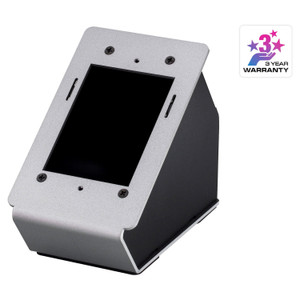
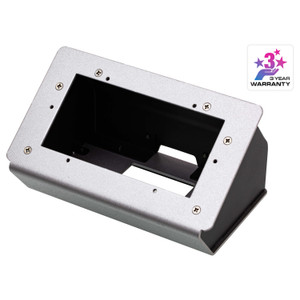
Product images are provided for reference and may not represent the exact model, configuration, or included components.

Overview

SKU: VK430
UPC: 672792013393
Condition: New
Write a Review 39% OFF

ATEN 10.1 Touch Panel Room Booking System - VK430

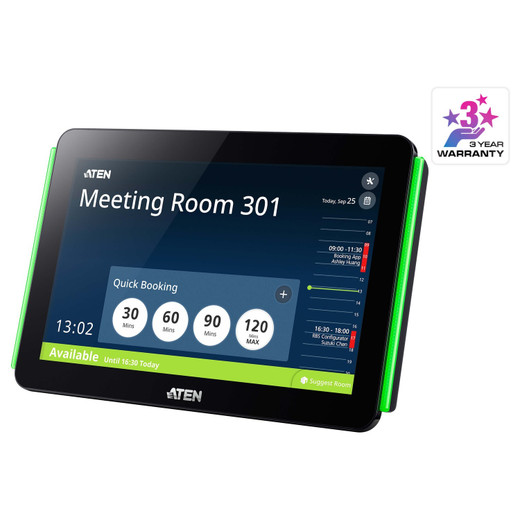
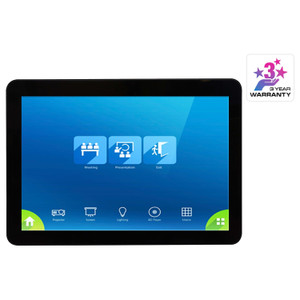
ATEN VK430 10.1-Inch Touch Panel Room Booking SystemOverviewThe ATEN VK430 is a wall-mount touch panel purpose-built for conference room and workspace…

$1,632.00 $990.99 SAVE $641
Ships same business day
In stock

Quantity:

Adding to cart… The item has been added
Compatibility guidance available for your deployment
Senior specialists for pre and post-sales support
Authorized sourcing and documentation support
Shipping and lead-time confirmation before install

Laura Bennett, IPSD Senior Specialist

Talk to Laura

200+ hrs training • U.S - based

Senior Specialist • 877-277-7147

ATEN 10.1 Touch Panel Room Booking System - VK430

$1,632.00
$990.99

Overview

SKU: VK430
UPC: 672792013393
Condition: New

No Bots, Just Experts

Questions about this product? Free pre-sales support from a senior specialist — product questions, compatibility checks, BOM quotes, price confirmation — typically answered within one business day. Need camera placement or system design work? Engineering time is $175 per hour (qty 1 = 1 hour). Hardware buyers get up to one hour ($175) credited back on their order.

Description

ATEN VK430 10.1-Inch Touch Panel Room Booking System

Overview

The ATEN VK430 is a wall-mount touch panel purpose-built for conference room and workspace booking displays. Powered entirely over a single Ethernet cable via PoE+ (802.3at), the VK430 eliminates the need for a local power supply — simplifying installation at any doorway or corridor mounting point where a PoE-capable switch port is reachable. The panel runs ATEN's Room Booking System software with no per-device license fee required, though calendar service providers (such as Microsoft 365 or Google Workspace) may apply their own resource account costs. The VK430 ships with firmware v1.11.18y (released 2025-09-02), the current production baseline.

Compatibility

The VK430 is designed to integrate with ATEN's Room Booking System platform. Calendar service integration depends on the provider in use — confirm your organization's Microsoft Exchange, Microsoft 365, or Google Workspace account provisioning before deployment, as resource account costs are billed separately by those providers. The panel's Gigabit Ethernet port (1 x RJ-45, 10/100/1000 BaseT) connects to any 802.3at PoE+ capable switch; standard 802.3af switches will not supply sufficient power and must not be used. The USB Type-A port supports peripheral connectivity per the deployment configuration.

Installation Notes

PoE+ (802.3at) is mandatory — the VK430 draws more than the 15.4W ceiling of standard 802.3af, so verify your switch's per-port power budget before cabling. Ambient humidity must remain within 10–80% RH non-condensing; avoid installations adjacent to HVAC discharge points or exterior doors in humid climates. The 500 cd/m² panel brightness is suited to typical indoor office lighting; direct sunlight or high-glare environments will reduce legibility. The quad-core processor and 16GB flash support local application execution without an external compute source.

Specifications
Poe Power: PoE+ (802.3at)
Processor: Quad-core
Storage: 16GB
Ethernet Rate: 1 x RJ-45 Female, 10 / 100 / 1000 BaseT
Operating System: Description | Ver. | Release Date | File Name
Flash: 16GB
Luminance: 500 cd/m²
Ethernet: 1 x RJ-45 Female, 10 / 100 / 1000 BaseT
Usb: 1 x USB Type A
Power Over Ethernet (Poe: 802.3 at PoE+
Humidity: 10 - 80% RH, Non-Condensing
Firmware Upgrade: v1.11.18y
Os: Description
Q&A
Reviews
Have Questions?

RELATED PRODUCTS

System Design, Deployment & Technical Support

Support services and planning resources for commercial surveillance, access control, and infrastructure deployments.

Fixed scope • Fixed price

System Design Assistance

  • Get help validating product compatibility
  • Coverage requirements
  • Storage planning and deployment architecture before you buy.
Request Design Help

Deployment & Configuration Support

  • Access fixed-scope support for rollout planning
  • User setup guidance
  • Migration and system standardization across single-site or multi-site deployments
View Support Services

Guides, Tools & Calculators

  • PoE requirements
  • Storage retention
  • Camera selection and deployment methodology
Open Technical Resources