
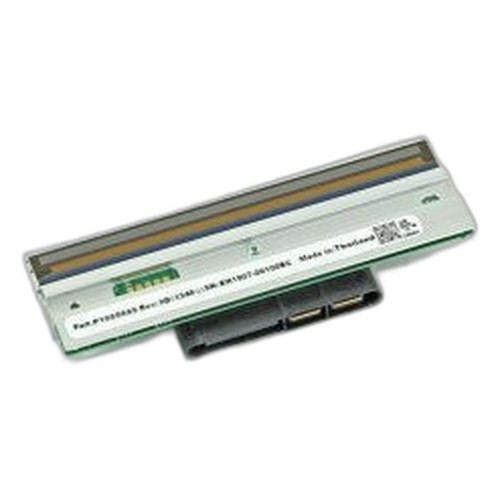


Product images are provided for reference and may not represent the exact model, configuration, or included
components.
Overview
SKU:
P1083347-033
Condition:
New
Availability:
Usually ships in 24 hours
Warranty
1-Year Limited Warranty

Zebra P1083347-033 Catch Tray Kit for ZT510 Cutter
Zebra P1083347-033 Catch Tray Kit for Cutter Overview The Zebra P1083347-033 is a dedicated catch tray kit designed specifically for the ZT510 indust…

Zebra P1083347-033 Catch Tray Kit for ZT510 Cutter
$144.99
Your recommended setup
Review items below — quantities update pricing automatically.
Item
Qty
Status
Price
Optional Add-Ons recommended
Services optional
Bundle Summary
Bundle Subtotal:
$0.00
Optional Add-Ons:
$0.00
Services:
$0.00
Total:
$0.00
Overview
SKU:
P1083347-033
Condition:
New
Availability:
Usually ships in 24 hours
Warranty
1-Year Limited Warranty
Description

Zebra P1083347-033 Catch Tray Kit for Cutter
Overview
The Zebra P1083347-033 is a dedicated catch tray kit designed specifically for the ZT510 industrial thermal printer cutter assembly. This accessory addresses waste material management by capturing trim and debris during automated label cutting operations. The catch tray integrates seamlessly with ZT510 cutters to maintain clean operation and reduce manual cleanup during high-volume production runs.
Key Features
- Purpose-built catch tray for ZT510 cutter assembly
- Captures cut trim and label waste during automated cutting
- Reduces manual cleanup and operational downtime
- Maintains printer workspace organization during production
- Direct-fit compatibility with ZT510 cutter configurations
- Replacement/upgrade kit format for existing installations
Integration and Compatibility
The P1083347-033 catch tray kit is engineered for the Zebra ZT510 industrial thermal printer platform. This accessory supports cutter operations on the ZT510 and is part of Zebra's comprehensive accessory ecosystem for this printer class. Organizations running ZT510 systems with integrated or optional cutter modules can deploy this catch tray to standardize waste collection across their printing environment.
Operational Considerations
The catch tray serves as an essential component in managed label printing workflows. When integrated with ZT510 cutter assemblies, it captures trim waste during automated cutting cycles, reducing the need for frequent manual intervention. This is particularly valuable in high-volume label production environments where continuous cutting generates substantial scrap material. Regular emptying of the tray maintains optimal cutter performance and prevents overflow conditions that could interrupt production.
Installation of the P1083347-033 kit on existing ZT510 systems is straightforward, as it mounts directly to the cutter assembly without requiring significant reconfiguration. Technical teams can incorporate this accessory during initial printer setup or as an upgrade to existing deployments. The catch tray design accommodates standard label trim widths generated by ZT510 cutting operations across typical industrial label formats.
Maintenance and Support
As a consumable-adjacent accessory, the catch tray requires periodic emptying depending on production volume and label format. The tray is designed for durability through extended use cycles. Replacement kits, including the P1083347-033 configuration, are available through Zebra's parts and consumables distribution network for organizations maintaining long-term ZT510 printer fleets.
Karl Wilson
From a print systems integration perspective, the Zebra P1083347-033 catch tray addresses a practical operational need in ZT510 deployments. When customers implement automated label cutting, waste management becomes part of the overall workflow design. This kit provides the hardware foundation for that waste containment.
Technical Highlights:
- Waste Containment: Dedicated tray captures trim material from ZT510 cutter operations, reducing manual cleanup intervals
- ZT510 Integration: Direct-mount design ensures compatibility with ZT510 cutter assemblies without adapter requirements
Deployment Considerations:
- Install the catch tray during cutter setup to establish proper waste flow from day one
- Schedule regular tray emptying based on production volume to prevent overflow and maintain cutting performance
- Include tray replacement planning in long-term ZT510 fleet maintenance budgets
For organizations deploying ZT510 cutters at scale, the P1083347-033 is a practical inclusion that simplifies operational management and reduces the labor cost of continuous cleanup during production shifts.
Specifications
Product Type:
Catch tray kit for printer cutter
Have Questions?
Ask an Expert.
RELATED PRODUCTS


System Design, Deployment & Technical Support
Support services and planning resources for commercial surveillance, access control, and infrastructure deployments.
Fixed scope • Fixed price
System Design Assistance
- Get help validating product compatibility
- Coverage requirements
- Storage planning and deployment architecture before you buy.
Deployment & Configuration Support
- Access fixed-scope support for rollout planning
- User setup guidance
- Migration and system standardization across single-site or multi-site deployments
Guides, Tools & Calculators
- PoE requirements
- Storage retention
- Camera selection and deployment methodology