


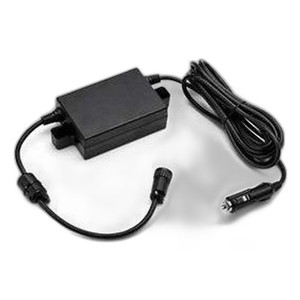

Product images are provided for reference and may not represent the exact model, configuration, or included
components.
Overview
SKU:
P1072539-013
Condition:
New
Availability:
Usually ships in 24 hours
Warranty
1-Year Limited Warranty

Zebra P1072539-013 Connector Door I/O Kit for ZQ520
Zebra P1072539-013 Connector Door I/O Kit for ZQ520 Overview The Zebra P1072539-013 is an original equipment manufacturer (OEM) connector door and I/…
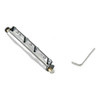
Zebra P1072539-013 Connector Door I/O Kit for ZQ520
$61.99
Your recommended setup
Review items below — quantities update pricing automatically.
Item
Qty
Status
Price
Optional Add-Ons recommended
Services optional
Bundle Summary
Bundle Subtotal:
$0.00
Optional Add-Ons:
$0.00
Services:
$0.00
Total:
$0.00
Overview
SKU:
P1072539-013
Condition:
New
Availability:
Usually ships in 24 hours
Warranty
1-Year Limited Warranty
Description

Zebra P1072539-013 Connector Door I/O Kit for ZQ520
Overview
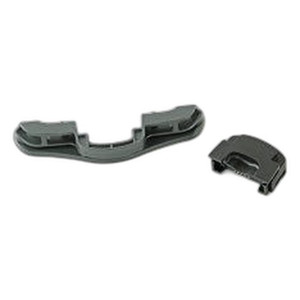
The Zebra P1072539-013 is an original equipment manufacturer (OEM) connector door and I/O kit specifically designed for the ZQ520 mobile printer. This genuine accessory provides replacement or additional connector door interfaces for managing input/output connections on ZQ520 devices deployed in warehouse, logistics, and field service environments. The kit contains 15 units, making it suitable for fleet deployments or bulk replacement scenarios where connector wear or damage requires field service intervention.
Key Features
- OEM Genuine Component: Factory-manufactured Zebra part ensures compatibility and reliability with ZQ520 mobile printers
- Connector Door Assembly: Provides protective housing and interface management for I/O connections on ZQ520 devices
- Bulk Quantity: Kit includes 15 units, enabling fleet-wide replacement or maintenance planning for multi-device deployments
- ZQ520 Compatibility: Precision-engineered specifically for ZQ520 mobile thermal printer integration
- Field Service Ready: Designed for quick installation by trained technicians in warehouse and logistics environments
- Wear Replacement: Addresses connector port degradation common in high-frequency mobile printing operations
Integration & Compatibility
The P1072539-013 connector door kit is engineered exclusively for integration with Zebra ZQ520 mobile printers. ZQ520 devices are widely deployed in warehouse management systems (WMS), delivery logistics, inventory management, and field service applications where portable thermal printing is required. The connector door assembly manages interfaces critical to device connectivity and charging, making replacement inventory essential for organizations maintaining ZQ520 fleets.
Package Contents
This kit contains 15 connector door and I/O assemblies per order, providing sufficient quantity for single-device replacement, multi-device maintenance cycles, or fleet-wide preventive service programs. Each unit is genuine OEM stock.
James Everett
From my perspective managing ZQ520 printer deployments across warehouse and logistics operations, the Zebra P1072539-013 connector door kit addresses a critical maintenance gap. Mobile thermal printers in high-volume picking and shipping environments experience repeated physical connection cycles—docking for charging, peripheral attachment, and cable management. Connector degradation is not a question of if, but when, in these demanding applications. Having genuine OEM replacement inventory on hand prevents downtime and simplifies field service workflows.
Technical Highlights:
- OEM Specification Compliance: Engineered to Zebra factory tolerances, ensuring seamless fit and electrical continuity with ZQ520 devices
- Fleet Maintenance Planning: The 15-unit quantity aligns with typical preventive maintenance cycles for mid-sized printer fleets (50-200 devices), reducing per-unit cost and ensuring spares availability
Deployment Considerations:
- Stock this part proactively in environments with 10+ ZQ520 devices to avoid emergency procurement delays when connectors fail mid-shift
- Integrate replacement into scheduled device maintenance windows rather than relying on reactive repairs, which disrupts logistics operations
For logistics integrators supporting large ZQ520 fleets, the P1072539-013 represents a straightforward, cost-effective approach to maintaining device uptime. OEM sourcing eliminates compatibility risk and simplifies support conversations with operations teams unfamiliar with aftermarket alternatives.
Specifications
Product Type:
Connector Door I/O Kit
Have Questions?
Ask an Expert.
RELATED PRODUCTS



System Design, Deployment & Technical Support
Support services and planning resources for commercial surveillance, access control, and infrastructure deployments.
Fixed scope • Fixed price
System Design Assistance
- Get help validating product compatibility
- Coverage requirements
- Storage planning and deployment architecture before you buy.
Deployment & Configuration Support
- Access fixed-scope support for rollout planning
- User setup guidance
- Migration and system standardization across single-site or multi-site deployments
Guides, Tools & Calculators
- PoE requirements
- Storage retention
- Camera selection and deployment methodology