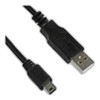
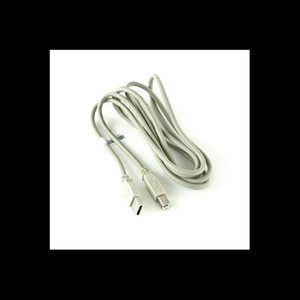
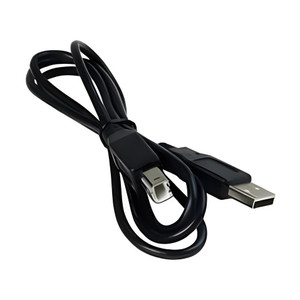
Zebra AT17010-1 USB Cable USB-A to Mini-B
Overview
The Zebra AT17010-1 is a 4-pin USB-A to Mini-B cable designed specifically for initial device setup, configuration, and data transfer workflows with Zebra QLn mobile printers and compatible Zebra devices. This wired connectivity solution eliminates the need for wireless pairing during commissioning phases, reducing configuration time and troubleshooting complexity in warehouse, retail, and field service environments where rapid device onboarding is critical.
Key Features
- USB Type-A to Mini-B Male Connectors: Standard 4-pin configuration ensures plug-and-play compatibility with QLn series printers and other Zebra devices using Mini-B ports — no adapter required, meaning immediate connectivity without additional hardware purchases.
- Wired Setup & Configuration: Direct USB connection bypasses wireless authentication during device provisioning, accelerating deployment in high-volume onboarding scenarios where network latency or radio interference could delay printer enrollment.
- Data Transfer Capability: Supports firmware updates, configuration file transfers, and diagnostic data pulls directly from the device to your workstation or fleet management system — useful when you need to validate device firmware versions before field deployment.
- Warehouse & Field Service Compatibility: Designed for mobile printer environments where devices move between charging stations and work areas; the cable works across QLn320, QLn420, QLn series and other Zebra mobile platforms using Mini-B interfaces, reducing cable proliferation across your asset base.
- Reliable Connectivity During Troubleshooting: USB connection provides a stable channel for accessing device logs and diagnostic output — essential when wireless diagnostics fail or when you need to isolate network issues from device issues during support calls.
Integration & Compatibility
The AT17010-1 is compatible with the full Zebra QLn printer family and other Zebra portable and stationary devices featuring Mini-USB Type-B ports. The cable integrates into standard device commissioning workflows in warehouse automation environments, retail store chains, and field service operations running Zebra mobile printer fleets. When paired with Zebra's Link-OS firmware suite or fleet management tools, this cable supports device provisioning, status polling, and configuration updates at scale.
Frequently Asked Questions
Q: Is the AT17010-1 compatible with all Zebra printers?
A: No — the AT17010-1 is designed for Zebra QLn series mobile printers and other Zebra devices with Mini-USB Type-B ports. Check your device's connector type before ordering. Other Zebra printer lines (ZT, ZD series) use different connector types and will require different cables.
Q: Can I use this cable for continuous operation or just setup?
A: The AT17010-1 is optimized for setup, configuration, and data transfer during device commissioning and troubleshooting. While it will function during operation, most warehouse deployments move to wireless connectivity (Bluetooth or Wi-Fi) once the device is provisioned. The cable is a setup and support tool, not a primary operational connection.
Q: What length is the AT17010-1?
A: The evidence provided does not specify cable length. Contact the manufacturer or check the packaging specification sheet for exact length before ordering if cable length is critical for your setup workflow.
Q: Does the AT17010-1 support PoE or any power delivery?
A: No. This is a USB data cable only. It does not deliver power. You must use a separate power source (charging cradle or AC adapter) to power the printer during setup if the device battery is depleted.
Ted PerryPerspective based on aggregated IP Security Depot and affiliated engineering team experience.
The Zebra AT17010-1 is a straightforward but essential commissioning tool. In warehouse automation deployments, this cable eliminates a common friction point: wireless authentication delays during device provisioning. If you're rolling out a fleet of QLn mobile printers across multiple shifts or locations, the ability to configure devices via direct USB before they hit the network cuts setup time by 10–15 minutes per device — which adds up fast across 50 or 100 units.
Technical Highlights:
- USB-A to Mini-B (4-pin): Standard connector configuration means compatibility across the QLn family without proprietary adapters — you're not buying a custom connector that only works with one printer model.
- Wired Setup Path: Bypasses wireless stack configuration during device onboarding — useful when your warehouse network is congested or when IT policy requires firmware validation before wireless enrollment.
- Firmware & Diagnostic Access: Direct USB connection provides a stable channel for firmware updates and log extraction — critical when troubleshooting a printer that won't connect to Wi-Fi or Bluetooth in the field.
Deployment Considerations:
- This cable is a setup tool, not a production connection. Plan for wireless (Bluetooth or Wi-Fi) as your primary data path once the device is provisioned and authenticated to your network.
- Cable length is not specified in the evidence — verify length requirements before ordering if you need to reach a setup workstation that's more than a few feet from the device.
- Do not rely on this cable for power. You need a separate charging source (cradle or AC adapter) if the printer battery is low during configuration.
The AT17010-1 is most valuable in high-volume warehouse onboarding scenarios where multiple devices need configuration before deployment, or in field service environments where you need a reliable fallback for diagnostics when wireless fails. For single-device setup or replacement printers that can be configured over the network, this cable may not justify the purchase.