StarTech USB2VGAE3 USB 2.0 to VGA Display Adapter
Overview
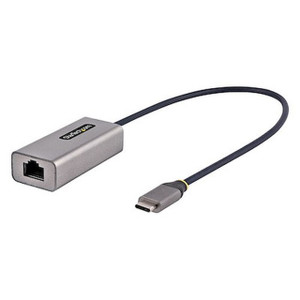
The StarTech USB2VGAE3 is a compact USB 2.0 to VGA adapter that lets you add or extend a monitor on any Windows x86 or x64 machine without opening the chassis or installing a discrete GPU. At 3.5 inches long and weighing just 3.3 oz, it plugs directly into a spare USB 2.0 Type-A port and outputs up to 1920x1200 resolution on a VGA display. If you're running a Windows-based monitoring station, dispatch console, or digital signage setup that needs an additional screen without a PCIe slot to spare, this is the adapter to reach for — provided your OS is Windows. macOS, ChromeOS, and Linux are not supported.
Key Features
- 1920x1200 Maximum Resolution: Full WUXGA output covers standard 16:10 and 16:9 monitors without downscaling. For a secondary status or map display next to a primary camera view, this is enough pixel density to read text and watch video feeds clearly without stepping up to a more expensive adapter.
- USB 2.0 Type-A Connector: No USB 3.0 or Thunderbolt port required. Nearly every Windows workstation, thin client, or legacy console machine has at least one USB 2.0 Type-A port available, which keeps deployment friction low in retrofit environments.
- Up to 5 Total Displays: The USB2VGAE3 supports configurations with up to five simultaneous displays when multiple adapters are used on the same host. For multi-screen dispatch consoles or operator workstations that need dedicated windows for alarms, maps, and live feeds, this gives you room to scale without a high-end GPU.
- 32MB Onboard Memory: The adapter carries its own 32MB of dedicated video memory, offloading display rendering from the adapter's controller rather than leaning entirely on system RAM. This keeps the adapter functional even on hosts with modest integrated graphics.
- 4GB System RAM Requirement: The driver stack requires at least 4GB of system memory. On older or stripped-down hardware, verify RAM before deployment — this is the most common overlooked requirement on thin-client installs.
- 50cm Integrated Cable: The 19.7-inch attached cable provides enough reach to route from a rear USB port to a monitor input without an extension in most rack-mounted or desktop configurations, while keeping cable management tidy.
- -10°C to 55°C Operating Range: This covers standard indoor environments including server rooms and operator stations. The adapter won't be a concern in temperature-controlled spaces, but it isn't rated for outdoor or industrial enclosure use.
- 2-Year Manufacturer Warranty: StarTech backs the USB2VGAE3 with a 2-year warranty, which aligns with typical enterprise peripheral replacement cycles and reduces procurement risk on multi-unit console deployments.
Integration and Compatibility
The USB2VGAE3 is strictly a Windows x86/x64 peripheral. The driver software that handles display output is Windows-native and will not install or function on macOS, ChromeOS, or Linux — this is a hard platform limitation, not a workaround situation. Before specifying this adapter for a deployment, confirm the host OS. For Windows-based VMS workstations, dispatch consoles, or security operations centers running standard Windows 10 or 11 builds, integration is straightforward: install the driver, connect the adapter, and assign the display in Windows display settings.
The adapter connects via USB 2.0 and outputs via VGA — both connector types are ubiquitous in legacy and mid-range commercial hardware. If your monitors use HDMI or DisplayPort inputs only, you will need a passive VGA-to-HDMI or VGA-to-DP adapter at the monitor end, which may introduce slight signal conversion overhead. Plan accordingly when specifying monitor pairings.
Because USB 2.0 bandwidth caps at 480 Mbps, the adapter is suited for relatively static secondary displays — dashboards, map overlays, status boards — rather than high-frame-rate primary camera viewing windows. For live video-heavy layouts, reserve this adapter for the supporting displays and run your primary camera feeds through the host's native GPU output.
Frequently Asked Questions
Q: Does the USB2VGAE3 work with macOS, ChromeOS, or Linux?
A: No. The USB2VGAE3 is Windows x86/x64 only. macOS, ChromeOS, and Linux are explicitly not supported. There is no driver available for those platforms.
Q: What is the maximum resolution the USB2VGAE3 supports?
A: The USB2VGAE3 supports a maximum output resolution of 1920x1200, which covers both WUXGA (16:10) and 1080p (16:9) displays.
Q: How many displays can I run using the USB2VGAE3?
A: The adapter supports configurations of up to 5 total displays on a single host when multiple USB2VGAE3 adapters are used together.
Q: What are the minimum system requirements?
A: The host system must be running Windows (x86 or x64) and have at least 4GB of system RAM. A USB 2.0 Type-A port is required.
Q: What is the warranty on the USB2VGAE3?
A: StarTech covers the USB2VGAE3 with a 2-year manufacturer warranty.
Q: Is the USB2VGAE3 suitable for running live video surveillance feeds?
A: The adapter works over USB 2.0, which limits available bandwidth. It is best suited for secondary or supporting displays — dashboards, maps, status screens — rather than primary high-frame-rate camera viewing windows.
The USB2VGAE3 comes up regularly in security operations center builds where someone needs a third or fourth display on a Windows workstation and there are no PCIe slots left. The hard ceiling here is USB 2.0 bandwidth — 480 Mbps total — so this is not the right port to hang your 30fps primary camera feed on. What it does well is extend a 1920x1200 secondary display for alarm consoles, floor maps, or access control dashboards where the content refreshes slowly and pixel-perfect static rendering matters more than raw throughput.
Technical Highlights:
- 1920x1200 Output: Covers WUXGA panels at full native resolution — no downscaling artifacts on text-heavy status displays or GIS map overlays.
- 32MB Onboard Memory: The adapter manages its own frame buffer, which reduces the load on the host system's integrated graphics and keeps performance predictable even on older thin-client hardware.
- Up to 5 Displays: Stack multiple USB2VGAE3 adapters on one Windows host to reach a 5-display configuration — useful for building a low-cost multi-screen console without installing a discrete multi-head GPU.
Deployment Considerations:
- Confirm 4GB system RAM on the host before deployment — this is the minimum driver requirement and the most frequently missed spec on thin-client retrofits running stripped Windows images.
- Windows x86/x64 exclusively — if there is any chance the workstation will be re-imaged to Linux or managed via ChromeOS, this adapter will become a paperweight. Verify and document the OS before specifying it on a multi-unit order.
The USB2VGAE3 fits cleanly in Windows-based security dispatch workstations where you need to add a dedicated alarm or map screen without a hardware upgrade — particularly in retrofit installs where PCIe expansion is off the table.