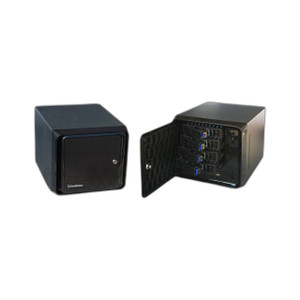
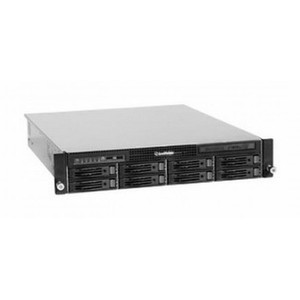
Geovision 94-NC7C4-C32 NVR Cube Series I7 With 4 Hotswap Bays
Overview
The Geovision 94-NC7C4-C32 is a compact NVR cube appliance built around the Intel Core i7 processor, designed for commercial surveillance systems that need flexible storage scaling. The four hotswap bay configuration means you can swap or upgrade drives without powering down the system — critical in 24/7 monitoring environments where downtime costs money. Deploy this where you need a balance between processing power and physical footprint: smaller server rooms, distributed recording nodes, or multi-site operations running independent recording clusters.
Compatibility
The 94-NC7C4-C32 integrates with network video recorders and camera systems using standard IP surveillance protocols. Confirm compatibility with your camera manufacturer's ONVIF certification status and your chosen video management software before deployment. Geovision cameras and IP devices sourced from compatible ONVIF-certified manufacturers will integrate with this platform. If you are standardizing on a specific VMS (Milestone, Axis Camera Station, or manufacturer-proprietary software), verify license support and camera count limits with your integrator.
Installation Notes
Mount the cube in a secure, climate-controlled space — standard equipment rack or shelf placement works. Ensure adequate ventilation around the unit, particularly if all four bays are populated with drives. The hotswap mechanism allows drive replacement during operation; follow Geovision's documented procedure for safe insertion and removal to avoid data corruption. Network the unit to your LAN with a standard gigabit Ethernet connection; PoE injection is not required (this is a powered appliance, not a camera). If you are planning high-throughput multi-camera recording, consult network bandwidth calculations — dense sensor deployments can saturate standard gigabit uplinks.
What's in the Box
Specific package contents not detailed in available evidence. Confirm included items (power cable, mounting brackets, documentation) with your supplier before installation.