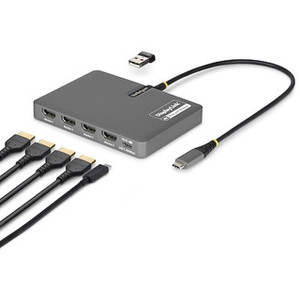
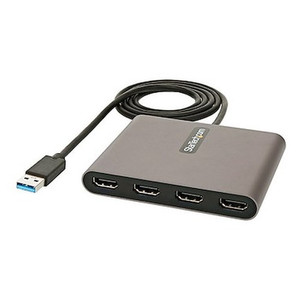
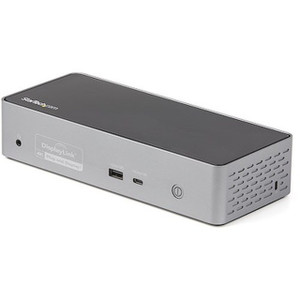
StarTech QUAD-USB-DP-ADAPT USB-C to Quad-Monitor DisplayPort Adapter
Overview
The StarTech QUAD-USB-DP-ADAPT is a USB-C dock-class adapter built to drive four independent displays off a single USB-C cable — the kind of setup security operations centers, NOC workstations, and multi-camera VMS review stations need when one screen isn't enough real estate for live views, maps, and event queues. Instead of running four separate video cables to a laptop or thin client, QUAD-USB-DP-ADAPT consolidates video, power, and USB into one connection point, which matters when you're wiring up a control room desk and want fewer points of failure at the workstation.
Key Features
- 4-Display Support via DisplayLink DL7400: The DL7400 chipset handles the compression and display management for up to four simultaneous monitors from one host connection — a real advantage in VMS command centers where an operator needs separate feeds for live video, playback, mapping, and alarm queues without a GPU with four native outputs.
- Flexible Resolution Allocation: Configure 4x 4K at 60Hz, 1x 4K at 144Hz, 3x 4K at 120Hz, 2x 8K at 60Hz, or 1x 10K at 60Hz depending on how you split bandwidth across the DisplayPort 1.2 outputs. That range means the same adapter covers a standard four-monitor wall or a single high-refresh display for fast-motion review, without swapping hardware.
- 140W Power Delivery Pass-Through: The upstream USB-C input passes through up to 140W, so a single cable can both feed the display outputs and charge a laptop at the same time — no separate power brick cluttering the desk in a control room build-out.
- DisplayPort 1.2 Output x4: Four native DisplayPort connectors keep the signal digital end-to-end into standard commercial monitors, which is the connector type most enterprise displays already expect on the security operations bench.
- 2-Channel Audio over DisplayPort: Audio rides the same DisplayPort connection, useful when an operator needs alarm or intercom audio tied to a specific monitor feed rather than routing a separate audio cable.
- USB 2.0 Type-A and USB Type-C Pass-Through Ports: One USB 2.0 Type-A and one USB Type-C output let you hang a keyboard, mouse, or badge reader off the same adapter instead of eating additional host ports — practical for a compact operator station with limited USB availability.
- Single USB Type-C Host Input: One upstream USB-C connector is all QUAD-USB-DP-ADAPT needs from the host machine, simplifying cable management versus a multi-cable docking setup.
- Compact Footprint: At 4.7 x 3.4 x 0.6 in and 5.2 oz, the adapter sits flat on a desk or tucks behind a monitor mount without adding bulk to a control room console.
- 0% to 95% Non-Condensing Humidity Tolerance: Rated for standard indoor environmental swings, which covers most office and NOC installations without added enclosures.
- 0C to 40C Operating Range: Matches typical conditioned indoor space; storage tolerance extends to -20C to 70C for equipment sitting in a supply closet or shipping between sites.
- 3-Year Warranty: A 3-Year Warranty backs the QUAD-USB-DP-ADAPT, which is worth factoring into total cost of ownership on equipment that runs unattended for years in a monitoring room.
Integration & Compatibility
QUAD-USB-DP-ADAPT (often searched as QUAD USB DP ADAPT) pairs naturally with a VMS review workstation running network video recorders and multiple camera streams, where operators benefit from splitting live view, playback, and map/alarm panels across separate screens instead of tiling everything onto one display. If you're planning a full operator desk, review a VMS architecture guide before finalizing how many displays and what resolution mix a given seat actually needs — that decision drives which of the DL7400's resolution combinations makes sense. Because the adapter uses standard DisplayPort 1.2 output, it works with the same IP camera monitoring monitors already spec'd for a control room, and it complements a broader StarTech accessories catalog if you're also sourcing cabling or additional docks for the same buildout. For sites standardizing on multiple operator stations, pair it with PoE switches for the camera side of the network so video ingestion and display fan-out are planned together rather than as an afterthought.
Frequently Asked Questions
Q: How many monitors can the QUAD-USB-DP-ADAPT drive at once?
A: Up to four displays simultaneously, with configurable resolution splits including 4x 4K at 60Hz, 1x 4K at 144Hz, 3x 4K at 120Hz, 2x 8K at 60Hz, or 1x 10K at 60Hz.
Q: Does the QUAD-USB-DP-ADAPT charge my laptop while driving displays?
A: Yes. The USB-C host connection passes through up to 140W of power delivery, so the same cable can charge a connected laptop while driving the display outputs.
Q: What video connector does the QUAD-USB-DP-ADAPT use for monitors?
A: Four DisplayPort 1.2 outputs, each carrying 2-channel audio alongside video.
Q: What's the warranty on the QUAD-USB-DP-ADAPT?
A: It carries a 3-Year Warranty.
Q: Are there extra USB ports on the QUAD-USB-DP-ADAPT itself?
A: Yes — one USB 2.0 Type-A port and one USB Type-C port are available for peripherals in addition to the single USB-C host input.
Q: What environment is the QUAD-USB-DP-ADAPT rated for?
A: 0C to 40C operating temperature and 0% to 95% non-condensing humidity, consistent with standard indoor office or NOC conditions.
What stands out on the QUAD-USB-DP-ADAPT is the DisplayLink DL7400 chipset doing the heavy lifting for four-display output over a single USB-C cable — I spec this on control room builds where the workstation itself doesn't have four native GPU outputs but the operator still needs a live-view monitor, a playback monitor, a map/GIS monitor, and an alarm queue monitor running independently.
Technical Highlights:
- 4x DisplayPort 1.2 outputs: Configurable up to 4x 4K60, or fewer displays at higher refresh (1x 4K144, 2x 8K60, 1x 10K60) — pick the split based on whether the seat needs resolution or refresh rate.
- 140W USB-C power delivery pass-through: One cable both drives the docking station and charges the host laptop, which cuts a power brick out of the desk build.
- 5.2 oz / 4.7 x 3.4 x 0.6 in footprint: Small enough to zip-tie behind a monitor arm or tuck into a console riser without adding visible clutter to an operator desk.
Deployment Considerations:
- Total bandwidth is shared across the DL7400 chipset, so running all four outputs at full 4K60 uses the full allocation — plan your resolution mix before wiring the room, since 2x 8K60 or 1x 10K60 configurations trade off display count for pixel density.
- Only one USB 2.0 Type-A and one USB-C pass-through port are onboard — if the operator station needs more than two downstream peripherals, plan for an additional hub rather than assuming this adapter covers full docking duty.
QUAD-USB-DP-ADAPT is the right call for a security operations center seat that needs four independent DisplayPort monitors off a single laptop or thin client connection — not a fit for a single ultra-wide gaming-style setup or a workstation that already has native quad-display GPU outputs.