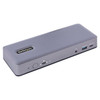
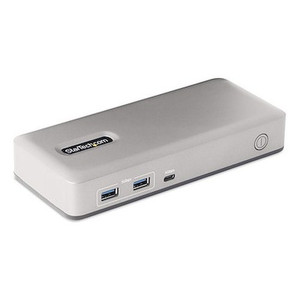
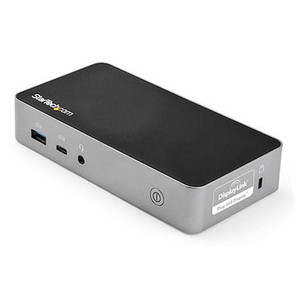
Product images are provided for reference and may not represent the exact model, configuration, or included components.

No Bots, Just Experts

Questions about this product? Free pre-sales support from a senior specialist — product questions, compatibility checks, BOM quotes, price confirmation — typically answered within one business day. Need camera placement or system design work? Engineering time is $175 per hour (qty 1 = 1 hour). Hardware buyers get up to one hour ($175) credited back on their order.

Description

StarTech DK31C3MNCR USB-C Docking Station - Triple 4K Multi-Monitor

Overview

The StarTech DK31C3MNCR is a triple-monitor USB-C docking station designed to expand connectivity for laptops and workstations. It enables you to connect up to three external displays (two via DisplayPort, one via USB-C DP Alt-Mode, or two via HDMI and one via USB-C DP Alt-Mode), a Gigabit Ethernet network, and multiple USB peripherals, all through a single USB-C connection. This dock supports up to 4K resolution at 60Hz on two displays simultaneously, and 4K at 30Hz on a third, making it suitable for demanding visual workflows and multitasking environments. It also provides 60W of Power Delivery, allowing you to charge your host laptop while using the dock, simplifying your desk setup.

Compatibility

This docking station is compatible with USB-C enabled laptops and desktops that support DisplayPort Alternate Mode (DP Alt Mode) and USB Power Delivery 3.0. This includes most modern Windows, macOS, and Linux systems. For triple 4K 60Hz output, the host system must support DisplayPort 1.4 and MST (Multi-Stream Transport). For 4K 30Hz on the third display, the host must support DisplayPort 1.2 or higher. Ensure your host device's USB-C port meets these requirements.

Installation Notes

Connect the dock to your host laptop using the integrated USB-C cable. The dock requires an external power adapter (included) to provide 60W Power Delivery to the host and to power all connected peripherals. Ensure the power adapter is connected before connecting your laptop. The Kensington Nano Security Slot can be used to secure the dock to your workstation, preventing theft.

What's in the Box

  • 1x USB-C Docking Station
  • 1x USB-C Cable
  • 1x Power Adapter
  • 1x Power Cord
  • 1x Kensington Nano Slot Security Cable Lock
  • 1x Quick Start Guide
Specifications
Warranty: 3 Years
Displays Supported: 3
Interface: USB 3.2 Gen 2 - 10 Gbit/s
Bus Type: USB-C
Lock Slot: Kensington Nano Slot
Industry Standards: DisplayPort 1.4, HDMI 2.0b, USB 3.2 Gen 2 (10 Gbps), USB-C Power Delivery 3.0
Maximum Data Transfer Rate: 10 Gbps
Maximum Digital Resolutions: Up to 4K 60Hz
Storage Temperature: -20 to 70C
Humidity: 0% to 95%
Product Length: 8.3 in [21.0 cm]
Product Width: 3.1 in [8.0 cm]
Product Height: 1.3 in [3.2 cm]
Weight of Product: 9.7 oz [275.0 g]
Shipping Weight: 2.3 lb [1.0 kg]
USB Ports: 3x USB-A 10Gbps, 1x USB-A 10Gbps (BC 1.2), 2x USB-A 480Mbps, 2x USB-C 10Gbps
Video Ports: 2x DisplayPort, 2x HDMI, 1x USB-C DP Alt-Mode
Ethernet Port: 1x RJ-45 Gigabit
Audio Port: 1x 3.5mm Stereo
Power Delivery: 60W
Input Voltage: 100 - 240 AC
Input Current: 2.37A
Output Voltage: 20V DC
Output Current: 6.75A
Operating Temperature: 0 to 40C
Brand: StarTech
MPN: DK31C3MNCR
Type: Power Supply
Connectivity: USB
Power: 60W
Q&A
Reviews
Have Questions?

StarTech Usb-c Docking Station - Multi Monitor - DK31C3MNCR

$160.99

RELATED PRODUCTS

System Design, Deployment & Technical Support

Support services and planning resources for commercial surveillance, access control, and infrastructure deployments.

Fixed scope • Fixed price

System Design Assistance

  • Get help validating product compatibility
  • Coverage requirements
  • Storage planning and deployment architecture before you buy.
Request Design Help

Deployment & Configuration Support

  • Access fixed-scope support for rollout planning
  • User setup guidance
  • Migration and system standardization across single-site or multi-site deployments
View Support Services

Guides, Tools & Calculators

  • PoE requirements
  • Storage retention
  • Camera selection and deployment methodology
Open Technical Resources