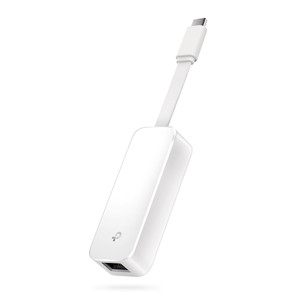
Product images are provided for reference and may not represent the exact model, configuration, or included components.

Overview

SKU: UB400
Condition: New
Availability: Backorder Available — Contact for ETA
Warranty Manufacturer Warranty
Write a Review

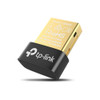
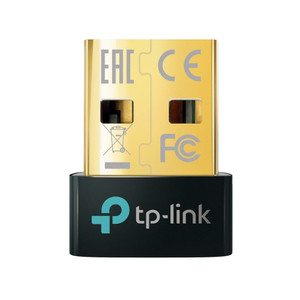
TP-Link UB400 Adapter Nano USB-Bluetooth 4.0

TP-Link UB400 Bluetooth 4.0 Nano USB AdapterOverviewThe UB400 is a compact USB Bluetooth adapter that adds Bluetooth 4.0 wireless capability to deskto…

$14.99
Special Order
Usually Ships in 2-3 Weeks

Quantity:

Adding to cart… The item has been added
Compatibility guidance available for your deployment
Experts for pre and post-sales support
Technical and documentation support
Shipping and lead-time confirmation before install

Laura Bennett, IPSD Senior Specialist

Talk to Laura

Specialized training • U.S - based

Senior Specialist • 877-277-7147

TP-Link UB400 Adapter Nano USB-Bluetooth 4.0

$14.99

Overview

SKU: UB400
Condition: New
Availability: Backorder Available — Contact for ETA
Warranty Manufacturer Warranty

No Bots, Just Experts

Questions about this product? Free pre-sales support from a senior specialist — product questions, compatibility checks, BOM quotes, price confirmation — typically answered within one business day. Need camera placement or system design work? Engineering time is $175 per hour (qty 1 = 1 hour). Hardware buyers get up to one hour ($175) credited back on their order.

Description

TP-Link UB400 Bluetooth 4.0 Nano USB Adapter

Overview

The UB400 is a compact USB Bluetooth adapter that adds Bluetooth 4.0 wireless capability to desktop computers and notebooks lacking native Bluetooth support. It solves the deployment challenge of integrating wireless peripherals—mobile devices, wireless headsets, IoT sensors, or biometric readers—into fixed workstations without requiring hardware replacement or system modification. The nano form factor minimizes port interference and fits behind monitors or within cable runs without protruding.

Compatibility

The UB400 connects via USB 2.0 to any Windows, Linux, or macOS system with available USB ports. It operates across standard Bluetooth 4.0 profiles, supporting pairing with any Bluetooth-enabled device—smartphones, tablets, wireless controllers, access control readers, or inventory scanners. Verify your operating system driver support before deployment; older systems may require manual driver installation from the manufacturer.

When to Choose a Different Model

If your deployment requires Bluetooth 5.0 or higher for extended range, lower latency, or improved interference resilience, consider a newer Bluetooth 5.x adapter from the TP-Link accessory line. For integration with industrial-grade IoT or warehouse automation sensors operating in crowded RF environments, evaluate adapters offering stronger antenna gain or dedicated Bluetooth mesh support.

Installation Notes

Insert the adapter into any available USB 2.0 port. No external power required—the adapter draws power directly from the USB bus. Allow 10–30 seconds for the host OS to detect and enumerate the device. Pair wireless peripherals using your operating system's Bluetooth settings menu. Keep the adapter at least 30 cm (12 inches) from metal enclosures, RF emitters, or 5 GHz wireless access points to minimize interference with the 2.4 GHz Bluetooth band.

Specifications
Source: 1
Product Type: Bluetooth 4.0 USB Adapter
Frequency: 2.4 GHz
Brand: TP-Link
MPN: UB400
Type: Power Supply
Connectivity: USB
Q&A
Reviews
Have Questions? Ask an Expert.

RELATED PRODUCTS

System Design, Deployment & Technical Support

Support services and planning resources for commercial surveillance, access control, and infrastructure deployments.

Fixed scope • Fixed price

System Design Assistance

  • Get help validating product compatibility
  • Coverage requirements
  • Storage planning and deployment architecture before you buy.
Request Design Help

Deployment & Configuration Support

  • Access fixed-scope support for rollout planning
  • User setup guidance
  • Migration and system standardization across single-site or multi-site deployments
View Support Services

Guides, Tools & Calculators

  • PoE requirements
  • Storage retention
  • Camera selection and deployment methodology
Open Technical Resources