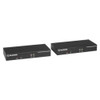
Black Box KVXLCHF-100 HDMI KVM Extender
Overview
The Black Box KVXLCHF-100 is an HDMI KVM extender designed to separate a workstation or server from its keyboard, video display, and mouse — placing the compute hardware at a distance while keeping the operator console nearby and fully functional. This type of solution is common in broadcast control rooms, secure server rooms, industrial environments, and command centers where the host machine needs to be physically isolated from the operator workstation.
The KVXLCHF-100 (often searched as KVXLCHF 100) uses HDMI for video signal transport, making it compatible with modern displays without requiring signal adapters on the video side. The unit ships in black, consistent with rack and AV equipment conventions for control room deployments.
Key Features
- HDMI Connectivity: Native HDMI video transport eliminates the need for DVI or VGA adapters at the display end — straightforward integration with current-generation monitors and KVM consoles.
- KVM Signal Extension: Extends keyboard, video, and mouse signals beyond the limitations of direct USB or PS/2 cabling — useful when compute hardware must be secured in a separate room or rack enclosure away from the operator.
- Black Box Build: Part of Black Box's KVX extender line, designed for enterprise and commercial-grade AV and IT infrastructure environments where signal integrity over distance is a primary requirement.
Integration & Compatibility
Verify compatibility with your specific host system and console configuration prior to purchase. KVM extenders in this class typically require matching local and remote units. Contact pre-sales engineering to confirm interoperability with your existing KVM matrix or switch infrastructure before ordering the KVXLCHF-100.
Frequently Asked Questions
Q: What does the KVXLCHF-100 extend — just video, or full KVM?
A: The KVXLCHF-100 is a KVM extender, meaning it extends keyboard, video (HDMI), and mouse signals, not video alone. This allows the operator console to be located at a distance from the host computer.
Q: Does the KVXLCHF-100 require a matching remote unit?
A: KVM extenders in this product class typically consist of a local transmitter unit and a remote receiver unit sold together or as a matched pair. Confirm the package contents and whether a pairing remote is included before ordering.
Q: What type of cabling does the KVXLCHF-100 use between the local and remote units?
A: The verified evidence does not specify the inter-unit cabling type (fiber, CATx, or other). Contact pre-sales engineering for confirmed cabling requirements before deployment planning.
Q: Is the KVXLCHF-100 compatible with KVM matrix switches?
A: Compatibility with third-party KVM matrix switches is not confirmed in the available evidence. Black Box KVX-series extenders are generally designed to integrate within Black Box KVM infrastructure — confirm your specific matrix compatibility directly.
The KVXLCHF-100 sits in Black Box's KVX extender line and uses HDMI for its video transport path — which matters because it means no signal conversion at the display end in environments already standardized on HDMI monitors or KVM consoles. That said, the product evidence available at time of publication is limited, and I'd strongly recommend pulling the full Black Box datasheet before committing this unit to a control room or secure server room design.
Technical Highlights:
- HDMI Video Transport: Native HDMI signal path keeps video fidelity intact without adapter-stage conversions — relevant in broadcast or command center environments where display resolution and color accuracy matter.
- KVM Signal Scope: Extends keyboard, video, and mouse as a unit — not just video — so the full operator console can be decoupled from the host machine without loss of input control.
- Black Box KVX Platform: Part of an extender family with enterprise-grade heritage; likely designed to pair with Black Box KVM matrix or switching infrastructure for multi-user, multi-host deployments.
Deployment Considerations:
- Confirm whether the KVXLCHF-100 includes both local and remote units or requires a separate matching receiver — KVX-series extenders are sometimes sold as individual endpoints rather than pairs.
- Inter-unit cabling type (fiber vs. CATx) is not confirmed in the available evidence and will directly affect your infrastructure pre-wiring decisions — do not specify cable runs until this is verified from the manufacturer datasheet.
Best fit for secure server room or broadcast control room installations where HDMI-standardized displays are already in place and the operator console needs to be physically separated from the host hardware — pending full spec confirmation from the Black Box product sheet.