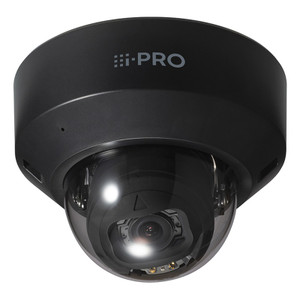
i-PRO WV-QSR100-B Wall-Mount Sunshade for Indoor Domes
Overview
The WV-QSR100-B is a passive optical sunshade designed to suppress ambient light reflection on the lower portion of indoor dome camera images. Install this when ceiling-mounted fixtures, windows, or reflective surfaces below the camera create glare or washout in the lower half of the frame — a common problem in retail corridors, reception areas, and offices with significant overhead lighting. The shade reduces the effect optically without requiring lens adjustment or image processing that can introduce latency or artifacts. Measuring 63.3 mm (W) × 67 mm (H) × 71 mm (D), the WV-QSR100-B is compact and blends into wall installations.
Compatibility
The WV-QSR100-B mounts directly to i-PRO indoor dome cameras. Compatibility depends on your specific camera model and enclosure design — enclosure geometry varies across the i-PRO indoor dome line. Check your camera's installation guide before ordering to confirm the shade will fit your exact model. The shade is designed for wall installation only; do not use on ceiling-mounted domes, as the optical design and shadow pattern are optimized for downward-facing wall-mounted deployment.
Installation Notes
Remove the camera's enclosure part before attaching the shade — refer to your camera's installation guide for the removal procedure. The shade attaches directly to the camera body with minimal fasteners. Installation direction matters: when wall-mounted, the camera wiring direction is either up or down depending on orientation. A thin screwdriver is required for installation. The shade's shadow will appear on the upper portion of the screen; this is normal and expected because the shade is designed to block lower ambient light sources. The product must be securely mounted according to the installation instructions to prevent accidental dislodgement and potential injury. If the shade will no longer be used, remove it completely from the camera.
What's in the Box
- 1x WV-QSR100-B Sunshade
- 1x Thin screwdriver
- 1x Installation Instructions