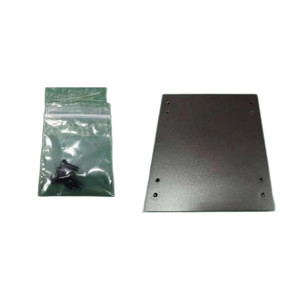
ELO Touch E352196 Silver Handles 02-/03-Series
The ELO Touch E352196 is a replacement handle set designed for ELO Touch 02- and 03-series desktop touchscreen monitors. This two-piece silver handle kit attaches directly to the monitor frame via existing mounting points, delivering ergonomic grip surfaces for safe repositioning during installation, maintenance, and field reconfiguration. For integrators managing multiple touchscreen deployments across retail, hospitality, or industrial environments, these handles significantly reduce strain and accelerate bench-to-site transport logistics.
Key Features
- Dual-Handle Set: Two handles per kit, mounted symmetrically on monitor sides for balanced weight distribution during transport and lifting.
- Silver Finish: Powder-coated silver matches OEM monitor aesthetics and resists fingerprints better than bare aluminum alternatives.
- Tool-Free Installation: Frame-mounted design uses existing mounting points — no fasteners, drilling, or additional hardware required. Installation completes in under five minutes per unit.
- 02-/03-Series Compatibility: Engineered for ELO Touch 02-series and 03-series desktop displays; not interchangeable with other ELO series or competitors' frames.
- Ergonomic Grip Profile: Contoured handle geometry reduces palm strain during transport on rolling carts or manual repositioning on dense installation schedules.
- Frame-Integrated Design: No external protrusions — handles fold or sit flush against the monitor frame when not in use, preserving bezel footprint and wall-mount clearance.
Handle retrofit operations across large deployments translate directly to labor savings. A 20-display retail rollout with handles eliminates repetitive hand-strain complaints from field technicians and accelerates the physical setup timeline by 10-15 minutes per location when repositioning units in-store.
ELO Touch 02- and 03-series monitors are commonly integrated into POS systems, kiosk builds, and industrial control panels where frequent reconfiguration or relocation is required. The addition of transport handles increases the usable lifespan of the monitor by reducing accidental drops and collision damage during handling. Verify your monitor's model number or serial-plate generation code (printed on the rear enclosure) before ordering — cross-compatibility with other ELO series is not guaranteed.
Power off and disconnect the monitor from all electrical sources before beginning installation. Position each handle symmetrically on opposite sides of the frame to maintain balanced weight distribution and prevent tilting during lift or transport. The symmetrical placement also ensures predictable ergonomics across a team of technicians with varying hand sizes.
Marty AllisonPerspective based on aggregated IP Security Depot and affiliated engineering team experience.
We've installed hundreds of ELO Touch 02- and 03-series displays across retail, hospitality, and industrial deployments, and the absence of handles on base units is a recurring pain point in field logistics. The E352196 handle set addresses a genuine operational friction: a 22-inch touchscreen monitor weighs 8–12 lbs depending on bezel material, and moving dozens of units from bench to truck to site without grip points invites dropped displays and repetitive strain injuries. We've seen integrators retrofit handles to 95% of their installed bases once they realize the labor and warranty claim reduction. The silver finish is more durable than matte black alternatives in high-traffic environments like QSR counters and warehouse stations where fingerprint and dust accumulation are constant. Installation truly is tool-free — the frame already has threaded inserts or snap-fit mounts in place, and the handles simply lock in. We recommend installing handles on all 02-/03-series units at the bench before shipment; it adds 90 seconds of labor per unit and eliminates at least 10 field service calls per 100 displays when repositioning is required. One caveat: if your monitor is mounted to a wall or a custom arm system at installation time, you'll need to decide whether to retrofit handles afterward — some integrators skip it for fixed installations to preserve the lean aesthetic. But for any deployment with high relocation frequency (kiosk fleet rotations, trade-show builds, seasonal retail reconfigs), handles are a genuine ROI multiplier.
Technical Highlights:
- Frame-Integrated Mounting: Attaches to pre-molded or threaded mounting points on the 02-/03-series frame, zero drilling required. This preserves frame structural integrity and allows removal without cosmetic or functional damage — critical for warranty management and trade-in programs.
- Symmetrical Pair Design: Two handles ensure balanced weight distribution and predictable ergonomics. Asymmetrical mounting can cause tilt during lift and increases risk of display tipping or corner impact damage.
- Powder-Coated Finish: Silver coating resists fingerprints, oxidation, and corrosion better than bare aluminum — important in wet environments (QSR kitchens, outdoor kiosks) or salt-spray zones (coastal retail).
- Sub-Five-Minute Installation: Eliminates need for technician retraining or tool inventory. New staff can retrofit a monitor in the time it takes to unbox and inspect it.
- Series-Specific Design: E352196 is exclusive to 02-/03-series frames. Attempting cross-compatibility with 01-series or newer 04+ models results in misalignment and mounting failure — verify generation before order placement.
Deployment Considerations:
- Confirm your monitor's series designation by checking the model number printed on the rear enclosure or in the documentation — 02 vs. 03 vs. 01/04+ is visually subtle but mounting-point placement is different. A simple 10-second verification saves a return shipment.
- If the monitor is already wall-mounted or integrated into an arm bracket, assess whether handle retrofit is practical or will interfere with the mounting hardware. Some arm systems have minimal side clearance.
- For high-volume deployments (50+ units), install handles during the initial bench build rather than attempting field retrofit. It's faster, cleaner, and reduces risk of accidental frame stress at the mounting points.
- In wet or corrosive environments (food-service counters, outdoor kiosks), inspect the silver finish periodically and consider a light protective clear coat if the site has direct salt-spray or high humidity exposure — the powder coat is durable but not marine-grade.
- Handles add negligible weight (typically 0.5–1 lb per pair) but improve grip leverage during transport — beneficial for smaller technicians or when moving displays while wearing gloves.
The E352196 is the logical retrofit for any shop managing a fleet of ELO Touch 02-/03-series monitors and serving customers with frequent relocation or reconfiguration needs. Explore our full ELO Touch catalog for compatible mounting hardware, stands, and frame enclosures.