Image coming soon
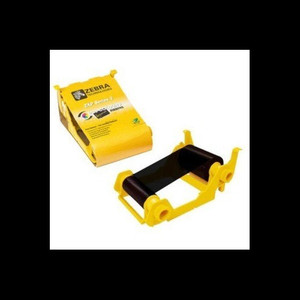
Product images are provided for reference and may not represent the exact model, configuration, or included components.

Overview

SKU: 800010-101
Condition: New
Write a Review 25% OFF

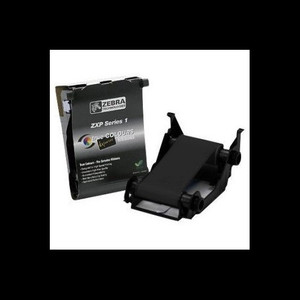
Zebra RBN Black 2000 Images ZC10L - 800010-101

Zebra 800010-101 Concise Descriptor Overview The Zebra 800010-101 is a black monochrome ribbon specifically designed for the Zebra ZC10L card printer.…

$280.00 $208.99 SAVE $71
Ships same business day
In stock

Quantity:

Adding to cart… The item has been added
Compatibility guidance available for your deployment
Senior specialists for pre and post-sales support
Authorized sourcing and documentation support
Shipping and lead-time confirmation before install

Laura Bennett, IPSD Senior Specialist

Talk to Laura

200+ hrs training • U.S - based

Senior Specialist • 877-277-7147

Zebra RBN Black 2000 Images ZC10L - 800010-101

$280.00
$208.99

Overview

SKU: 800010-101
Condition: New

No Bots, Just Experts

Questions about this product? Free pre-sales support from a senior specialist — product questions, compatibility checks, BOM quotes, price confirmation — typically answered within one business day. Need camera placement or system design work? Engineering time is $175 per hour (qty 1 = 1 hour). Hardware buyers get up to one hour ($175) credited back on their order.

Description

Zebra 800010-101 Concise Descriptor

Overview

The Zebra 800010-101 is a black monochrome ribbon specifically designed for the Zebra ZC10L card printer. This ribbon enables the printing of up to 2000 full-color images, making it suitable for high-volume card printing applications where consistent black text and graphics are required. Its monochrome formulation ensures sharp, durable prints for identification cards, access badges, and event passes.

Compatibility

This ribbon is exclusively compatible with the Zebra ZC10L card printer. It is not designed for use with other Zebra printer models or third-party card printers. Ensure your printer model is the ZC10L before purchasing to guarantee proper functionality and print quality.

Installation Notes

Install the ribbon following the standard procedure for the Zebra ZC10L printer. Ensure the printer is powered off before installation. Align the ribbon spool correctly with the printer's ribbon path. Avoid touching the ribbon surface to prevent print defects. For optimal performance, store the ribbon in a cool, dry environment away from direct sunlight.

What's in the Box

  • 1x Zebra 800010-101 Black Monochrome Ribbon
Q&A
Reviews
Have Questions?

RELATED PRODUCTS

System Design, Deployment & Technical Support

Support services and planning resources for commercial surveillance, access control, and infrastructure deployments.

Fixed scope • Fixed price

System Design Assistance

  • Get help validating product compatibility
  • Coverage requirements
  • Storage planning and deployment architecture before you buy.
Request Design Help

Deployment & Configuration Support

  • Access fixed-scope support for rollout planning
  • User setup guidance
  • Migration and system standardization across single-site or multi-site deployments
View Support Services

Guides, Tools & Calculators

  • PoE requirements
  • Storage retention
  • Camera selection and deployment methodology
Open Technical Resources