Image coming soon
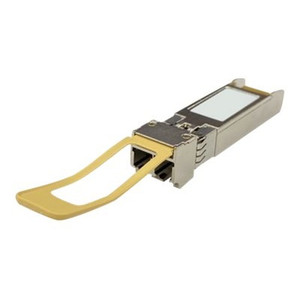
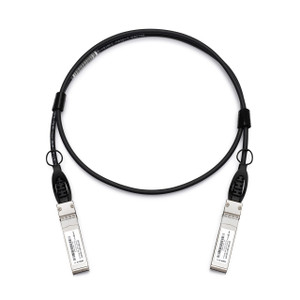
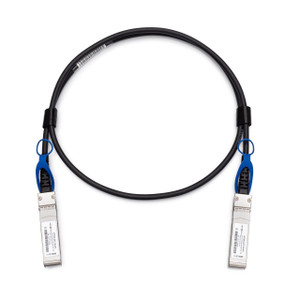
Product images are provided for reference and may not represent the exact model, configuration, or included components.

Overview

SKU: CAB-DAC15M-Q28
UPC: 885022023776
Condition: New
Write a Review

QNAP QSFP28 100GBE Twinaxial Direct Attach - CAB-DAC15M-Q28

QNAP CAB-DAC15M-Q28 QSFP28 100GbE Direct Attach Twinax CableOverviewThe CAB-DAC15M-Q28 is a QSFP28 100GbE passive direct attach copper (DAC) twinaxial…

$199.99
Ships same business day
In stock

Quantity:

Adding to cart… The item has been added
Compatibility guidance available for your deployment
Senior specialists for pre and post-sales support
Authorized sourcing and documentation support
Shipping and lead-time confirmation before install

Laura Bennett, IPSD Senior Specialist

Talk to Laura

200+ hrs training • U.S - based

Senior Specialist • 877-277-7147

QNAP QSFP28 100GBE Twinaxial Direct Attach - CAB-DAC15M-Q28

$199.99

Overview

SKU: CAB-DAC15M-Q28
UPC: 885022023776
Condition: New

No Bots, Just Experts

Questions about this product? Free pre-sales support from a senior specialist — product questions, compatibility checks, BOM quotes, price confirmation — typically answered within one business day. Need camera placement or system design work? Engineering time is $175 per hour (qty 1 = 1 hour). Hardware buyers get up to one hour ($175) credited back on their order.

Description

QNAP CAB-DAC15M-Q28 QSFP28 100GbE Direct Attach Twinax Cable

Overview

The CAB-DAC15M-Q28 is a QSFP28 100GbE passive direct attach copper (DAC) twinaxial cable in a 1.5-meter length. DAC cables eliminate the cost and power draw of active optical transceivers on short-reach switch-to-server or switch-to-switch links inside the same rack or adjacent racks — the 1.5m length is the right choice when your top-of-rack switch sits within a single rack unit of the target device. Passive copper means no signal conversion electronics, lower latency, and no per-end transceiver licensing fees on platforms that enforce them.

Compatibility

Designed for use with QNAP network switches and NAS appliances that carry QSFP28 100GbE ports, including the QSW-series 100GbE network switches and high-end TVS/TES NAS units with expansion card slots populated by QNAP QSFP28 adapters. The QSFP28 form factor is also broadly compatible with third-party 100GbE infrastructure — Cisco, Arista, Mellanox/NVIDIA, and Juniper QSFP28 ports generally accept DAC cables to MSA specification, though compatibility should be confirmed against each platform's interoperability matrix before deployment. Both ends use the same QSFP28 connector, making the cable symmetric and direction-independent. For longer runs or inter-rack distances beyond 3–5 meters, an active optical cable or SR4 transceiver pair is the appropriate alternative; passive DAC copper is not viable past roughly 5 meters at 100G.

Installation Notes

Seat each QSFP28 connector firmly until the latch clicks — a partially seated DAC is the most common cause of link-down at 100G. No tools required. Bend radius: avoid sharp bends within 50mm of the connector body, which can stress the copper conductors and cause intermittent errors under vibration. Because this is a passive cable, no firmware or driver support is needed beyond standard QSFP28 port bring-up. Verify that both ends are running at the same FEC (Forward Error Correction) mode — mismatched FEC settings will prevent link establishment on 100G ports even when the cable is seated correctly.

Specifications
Brand: QNAP
MPN: CAB-DAC15M-Q28
Type: Cable
Q&A
Reviews
Have Questions?

RELATED PRODUCTS

System Design, Deployment & Technical Support

Support services and planning resources for commercial surveillance, access control, and infrastructure deployments.

Fixed scope • Fixed price

System Design Assistance

  • Get help validating product compatibility
  • Coverage requirements
  • Storage planning and deployment architecture before you buy.
Request Design Help

Deployment & Configuration Support

  • Access fixed-scope support for rollout planning
  • User setup guidance
  • Migration and system standardization across single-site or multi-site deployments
View Support Services

Guides, Tools & Calculators

  • PoE requirements
  • Storage retention
  • Camera selection and deployment methodology
Open Technical Resources