Image coming soon
Product images are provided for reference and may not represent the exact model, configuration, or included components.

Overview

SKU: KS7715U11D1D
Condition: New
Availability: Special Order · Usually Ships in 2-3 Weeks
Warranty Manufacturer Warranty
Write a Review

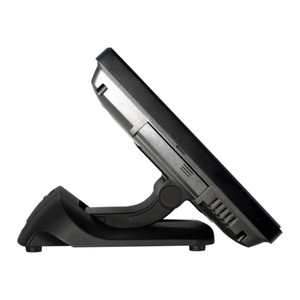
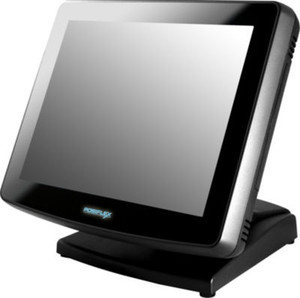
Posiflex KS7715U11D1D 15" KS7715 Intel I3/22G 4GB Ddr Win POS

Posiflex KS7715U11D1D 15" POS Terminal Overview The Posiflex KS7715U11D1D is a 15-inch resistive touchscreen POS terminal running Windows POS Ready on…

$2,049.99
Special Order
Usually Ships in 2-3 Weeks

Quantity:

Adding to cart… The item has been added
Compatibility guidance available for your deployment
Experts for pre and post-sales support
Technical and documentation support
Shipping and lead-time confirmation before install

Laura Bennett, IPSD Senior Specialist

Talk to Laura

Specialized training • U.S - based

Senior Specialist • 877-277-7147

Posiflex KS7715U11D1D 15" KS7715 Intel I3/22G 4GB Ddr Win POS

$2,049.99

Overview

SKU: KS7715U11D1D
Condition: New
Availability: Special Order · Usually Ships in 2-3 Weeks
Warranty Manufacturer Warranty

No Bots, Just Experts

Questions about this product? Free pre-sales support from a senior specialist — product questions, compatibility checks, BOM quotes, price confirmation — typically answered within one business day. Need camera placement or system design work? Engineering time is $175 per hour (qty 1 = 1 hour). Hardware buyers get up to one hour ($175) credited back on their order.

Description

Posiflex KS7715U11D1D 15" POS Terminal

Overview

The Posiflex KS7715U11D1D is a 15-inch resistive touchscreen POS terminal running Windows POS Ready on an Intel Celeron i3 processor clocked at 2.2GHz with 4GB DDR memory. This model is purpose-built for retail and hospitality environments where a fixed-position checkout or order-entry station needs reliable performance without excess compute overhead. The resistive touch surface tolerates wet fingers, gloved operation, and casual contact — common in food service and quick-service restaurants — where capacitive screens often frustrate staff. The KS7715U11D1D integrates a minimal footprint at the point of sale, reducing counter clutter while maintaining responsiveness for transaction processing and payment integration.

Compatibility

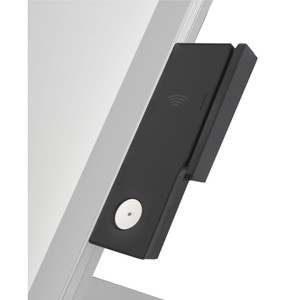
The KS7715U11D1D runs Windows POS Ready, a legacy OS variant optimized for dedicated retail environments. It integrates with POS platforms and payment processors that support legacy Windows-based endpoints — common in independent retail shops, small hospitality chains, and sites where system upgrades are deferred or unnecessary. Verify your POS software vendor's Windows POS Ready compatibility before deployment; not all modern cloud-based POS systems support this OS generation. The resistive touchscreen uses standard USB or serial interfaces for external peripherals (barcode scanners, card readers, receipt printers), widely supported across legacy and current retail integrations.

Installation Notes

Mount the KS7715U11D1D on a counter pedestal or wall bracket using the standard VESA pattern on the rear bezel. Power via a dedicated AC outlet; this model is not fanless and requires ventilation clearance on all sides to prevent thermal throttling during shift peaks. Allow adequate cable routing for USB and serial connections to payment hardware and network infrastructure. Test touchscreen calibration after installation — resistive screens occasionally drift with heavy use and require periodic recalibration via the Windows control panel.

Q&A
Reviews
Have Questions? Ask an Expert.

RELATED PRODUCTS

System Design, Deployment & Technical Support

Support services and planning resources for commercial surveillance, access control, and infrastructure deployments.

Fixed scope • Fixed price

System Design Assistance

  • Get help validating product compatibility
  • Coverage requirements
  • Storage planning and deployment architecture before you buy.
Request Design Help

Deployment & Configuration Support

  • Access fixed-scope support for rollout planning
  • User setup guidance
  • Migration and system standardization across single-site or multi-site deployments
View Support Services

Guides, Tools & Calculators

  • PoE requirements
  • Storage retention
  • Camera selection and deployment methodology
Open Technical Resources