Posiflex EB100EK Mounting Bracket for Payment Devices
Overview
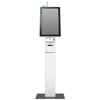
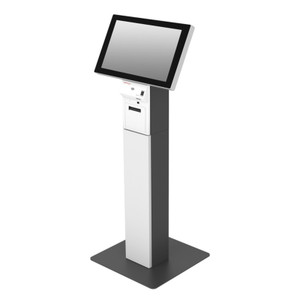
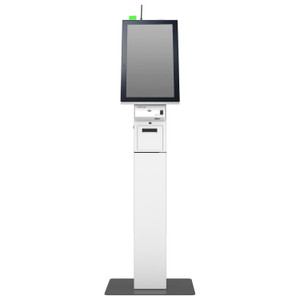
The Posiflex EB100EK is a dedicated mounting bracket designed to secure and position the IPP350 payment device in retail, hospitality, and point-of-sale environments. This white bracket provides stable tabletop installation, allowing the payment terminal to be mounted at an optimal angle for customer interaction and staff visibility. The EB100EK solves the common deployment challenge of integrating payment terminals into POS stations without consuming counter space or requiring permanent installation.
Key Features
- IPP350 Compatibility: Engineered specifically for the Posiflex IPP350 payment device — ensures precise fit and secure seating, eliminating wobble or misalignment that can interrupt transaction flow.
- White Finish: Neutral color blends into standard retail and hospitality environments without drawing visual attention away from customer-facing displays or signage.
- Tabletop Mounting: Places the payment terminal at ergonomic working height, reducing strain on cashier wrists and improving card-reader accessibility for standing customers.
- Compact Footprint: Bracket design minimizes counter real estate, critical in high-density POS configurations where multiple terminals share limited counter space.
- Stable Base: Weighted or friction-based mounting prevents tipping or shifting during high-transaction-volume periods, especially in environments with frequent customer hand-off or accidental contact.
- Tool-Free or Tool-Minimal Installation: Reduces commissioning time — most retail deployments require no special fixtures or permanent modifications to counters or walls.
Integration & Compatibility
The EB100EK is part of the payment device mounting bracket family. It pairs exclusively with the Posiflex IPP350 terminal and should not be used with other payment device models. When integrating the EB100EK into a multi-terminal POS setup, confirm counter depth and adjacent fixture spacing to avoid cable routing conflicts or customer collision hazards. The bracket supports power and network connectivity to the IPP350 — ensure that PoE or dedicated power feeds to the terminal are routed safely behind or alongside the bracket to prevent tripping hazards or accidental disconnection.
For broader Posiflex payment device deployments, coordinate the bracket choice with terminal quantity, counter layout, and customer traffic flow patterns. Environments with high transaction velocity or standing-customer interactions benefit most from stable, height-optimized mounting.
Frequently Asked Questions
Q: Is the EB100EK VESA-compatible or does it mount only to the IPP350?
A: The EB100EK is engineered specifically for the Posiflex IPP350. It is not a generic VESA mount and should not be adapted for other payment terminals or displays.
Q: Can the bracket be wall-mounted, or is it tabletop only?
A: The EB100EK is designed for tabletop installation. Wall or pendant mounting of the IPP350 requires a different bracket model from the Posiflex accessory family.
Q: Does the bracket interfere with card reader or receipt printer access on the IPP350?
A: No. The bracket is engineered to position the terminal at an angle that allows cashiers and customers full access to the card slot, printer tray, and control buttons. Verify counter layout and adjacent fixtures before installation to ensure unobstructed approach angles.
Q: What is the weight capacity of the EB100EK?
A: The bracket supports the IPP350 terminal safely in standard retail use. Do not apply additional load or mount secondary devices to the bracket without contacting Posiflex technical support.
Q: Does the bracket include power or network cable routing?
A: The bracket provides mechanical mounting only. Power and network cables must be routed separately to the IPP350, following your standard POS cable management practices.
Q: Can the EB100EK be used in outdoor or high-moisture environments?
A: The bracket is intended for indoor retail, hospitality, and office environments. Outdoor, automotive, or wet-environment installations require verification with Posiflex — the white finish and standard materials may not withstand UV, salt spray, or continuous moisture exposure.
The Posiflex EB100EK is a straightforward accessory that does one job — hold the IPP350 payment terminal upright and stable on a retail counter. That simplicity is its strength. Unlike generic tablet stands or improvised mounting, the EB100EK is purpose-built for the IPP350's weight distribution and dimensions, which means no rocking, no tipping, and no frustrated staff members constantly adjusting a terminal that slides backward under customer hand-off pressure.
Deployment Considerations:
- Counter Depth: Measure counter depth from front edge to back wall or POS terminal. The EB100EK extends approximately 4–6 inches rearward (typical for payment device stands); confirm this won't block staff sight lines or bump into existing displays, signage, or camera mounts positioned above checkout areas.
- Cable Management: The bracket itself is mechanical only. Run power and network cables behind the stand or along the counter edge using cable clips or conduit. This keeps the work surface clean and prevents customers from accidentally unplugging the terminal.
- Angle and Ergonomics: The EB100EK positions the IPP350 at a fixed angle optimized for standing customer input (chip/tap readers, pin pad) and seated cashier operation. If your checkout workflow requires a different angle (e.g., terminal rotated 90° for landscape display), test the bracket before full deployment.
- White Finish Maintenance: In high-traffic retail environments, white brackets show fingerprints and dust. Wipe periodically with a damp cloth; avoid harsh solvents that may degrade the finish.
Position the EB100EK for mid-to-high-volume transaction environments where payment terminals must be secure, accessible, and maintained without constant manual intervention. It's the right choice for retail chains, hospitality chains, and quick-service restaurants deploying standardized IPP350 terminals across multiple locations — predictable, reliable, and no assembly surprises.