Posiflex CD3603JK 2D Scanner for 32" JK Series Kiosk
Overview
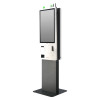
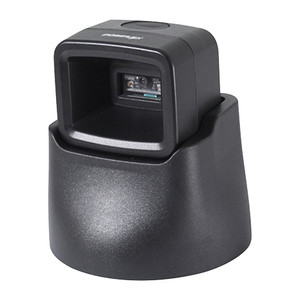
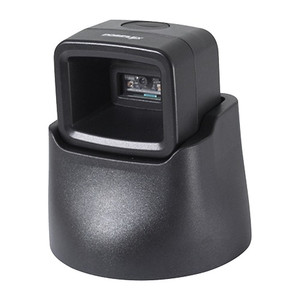
The CD3603JK is an embedded 2D barcode scanner module designed specifically for Posiflex's 32-inch JK series kiosk platform. It uses the Zebra SE4107 scanning engine, which reads 1D and 2D codes (QR, PDF417, DataMatrix, Code 128, and standard barcodes) at typical distances of 2–12 inches depending on code size and print quality. This scanner integrates directly into the JK kiosk bezel without requiring external USB or serial attachments — the mount and electrical connectors are purpose-built for the 32" form factor. Choose this module if you're building or servicing a Posiflex JK series system and need proven OEM-level barcode capture for retail self-checkout, ticketing, or document verification workflows.
Compatibility
The CD3603JK is compatible exclusively with Posiflex 32-inch JK series kiosks. It is not interchangeable with other Posiflex scanner models or external USB scanning peripherals. Verify your kiosk model number matches the JK series designation before ordering — incorrect scanner selection will not fit the mounting bracket or connector interface.
Installation Notes
The CD3603JK mounts flush into the lower bezel area of the 32" JK kiosk enclosure. Installation requires disconnecting power to the kiosk, removing the mounting frame (typically 4–6 Phillips-head screws), disconnecting the legacy scanner module's internal ribbon cable, and inserting the CD3603JK into the keyed connector. The module draws power directly from the kiosk's internal power distribution — no external USB hub or power brick is required. Alignment is critical; the scanner lens should be positioned at 90 degrees to the expected barcode placement on the transaction surface. After mounting, test barcode reads at your most common transaction distances before returning the kiosk to service. If barcode reads are inconsistent, check for dust or scratches on the scanner window and clean with a soft, lint-free cloth.