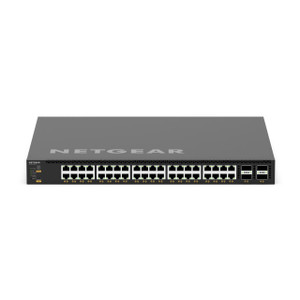
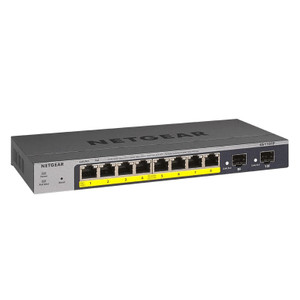
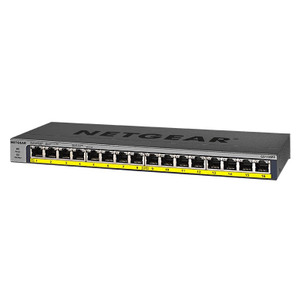
NETGEAR XSM4340V-100NES 24-Port 10G Managed Switch
Overview
The XSM4340V-100NES is a managed network switch designed for enterprise and high-performance data center deployments where 10G connectivity is non-negotiable. This unit delivers 24 ports of 10 Gigabit Ethernet, enabling you to move bulk data without the bottlenecks that plague conventional Gigabit infrastructure. If you're deploying wireless access points, high-resolution surveillance systems, or warehouse automation equipment that demands consistent, low-latency throughput, 10G switching is the foundation.
The NETGEAR XSM4340V-100NES (often searched as XSM4340V 100NES) supports single-mode fiber on its SFP+ uplink ports, giving you the distance and isolation advantages of fiber without the cost penalty of copper-only infrastructure. For security integrators and IT architects building out surveillance backbone networks or disaster-recovery links spanning multiple buildings, this is a practical choice.
Port configuration and throughput
Twenty-four 10G ports provide ample room for high-bandwidth devices. In a typical surveillance deployment, each 10G port can aggregate multiple 1G or multi-Gig cameras without causing congestion at the switch level — a real benefit when you're managing dozens of 4K or multi-sensor cameras on a single backbone. The switch is managed, meaning you configure VLANs, quality-of-service rules, and port mirroring from a web GUI or CLI. This control is essential when you need to isolate camera traffic from office networks or prioritize critical streams during peak recording periods.
Single-mode fiber support on the uplink ports extends your reach beyond the 100-meter limit of copper. If your main surveillance or access control server is in a separate building, fiber eliminates the need for costly repeaters or intermediate equipment.
PoE delivery
The XSM4340V-100NES itself does not integrate PoE delivery — it is a layer-2/layer-3 switching fabric. If your downstream devices (cameras, access points, or sensors) require PoE power delivery, you will need to provision dedicated PoE-capable uplinks or midspan injectors on the source side. This is common in enterprise deployments where power distribution is centralized on a separate infrastructure.
Management and monitoring
Full managed capabilities include SNMP monitoring, syslog support, and web-based configuration. You can assign Quality of Service (QoS) rules to prioritize surveillance or VoIP traffic, configure port trunking for redundancy, and set up VLAN segmentation to keep camera networks isolated from corporate data. The managed feature set is essential if you're building a production surveillance network where you need visibility into bandwidth consumption and the ability to react quickly if a port or link fails.
Environmental ratings
No specific IP or environmental rating was detailed in the available product data. This switch is intended for controlled data center or network closet environments, not outdoor or harsh-site deployment. If you need outdoor or industrial-grade switching, you'll need to evaluate purpose-built rugged variants.
Installation notes
The XSM4340V-100NES requires standard 19-inch rack mounting. Ensure adequate cooling and power supply capacity for the unit itself. Single-mode fiber cabling and proper termination (LC or SC connectors, depending on your SFP+ module selection) must be planned ahead. Working with a qualified cabling contractor is recommended to avoid performance loss from improper fiber handling.
Frequently Asked Questions
Q: Is the XSM4340V-100NES suitable for a building with multiple surveillance systems?
A: Yes. The 24 ports and VLAN capability allow you to segment camera networks, NVRs, and access control systems into separate virtual networks while maintaining them on a single physical switch. This simplifies management and reduces cabling requirements.
Q: Can I mix copper and fiber connections on the XSM4340V-100NES?
A: The 24 main ports are 10G Ethernet (copper or DAC). The SFP+ uplink ports support single-mode fiber modules. You select the appropriate SFP+ transceiver for your uplink distance and media type.
Q: What is the warranty on the XSM4340V-100NES?
A: NETGEAR typically offers a limited hardware warranty; refer to the manufacturer documentation or your reseller for specific coverage terms and duration.
Q: Do I need a separate power supply for PoE injection?
A: The XSM4340V-100NES is a non-PoE switch. If your cameras or access points require PoE, you will deploy PoE injectors or a separate PoE-enabled switch upstream from this unit.
Q: What cabling standard should I use for the fiber uplinks?
A: Single-mode fiber (SM) is required. Use LC or SC connectors matching your SFP+ module specifications. Consult the manufacturer's fiber compatibility guide for exact transceiver part numbers.
The XSM4340V-100NES occupies a specific niche: you choose it when 10G throughput is the constraint you're solving, not a nice-to-have. The single-mode fiber support on the uplinks is the real differentiator here — it lets you span larger campuses and avoid the distance limitations and electromagnetic noise that plague long copper runs in industrial environments.
Technical Highlights:
- 24x 10G ports: Each port delivers 10 Gbps full-duplex, so you can aggregate high-bitrate surveillance feeds or data center traffic without queueing delays at the switch fabric level. In a 4K multi-camera deployment, this eliminates the bottleneck that kills frame rates on Gigabit infrastructure.
- Single-mode fiber uplinks: Fiber extends your reach to 10+ km depending on module type. More importantly, it isolates your surveillance backbone from electrical noise common in warehouses and industrial facilities — no more strange packet loss on rainy days.
- Managed Layer 3 switching: VLAN, QoS, and port mirroring capability means you can prioritize critical camera streams during peak hours and segment networks by department or function without adding appliances.
Deployment Considerations:
- This is not a PoE switch — if you're building a greenfield surveillance network where cameras hang off this unit, budget for PoE injectors or a separate PoE distribution layer.
- Single-mode fiber requires professional termination. Sloppy fusion splices or bent cable will degrade signal and cause intermittent link errors that are maddening to troubleshoot.
- Watch the SFP+ transceiver cost — single-mode modules are more expensive than multi-mode. Budget $200–$400 per uplink module depending on distance rating.
The XSM4340V-100NES is purpose-built for campus-scale surveillance backbones or disaster-recovery links where distance and bandwidth are both hard constraints. It's not the right choice for small-office VoIP or general-purpose Gigabit patching — save your capital and deploy a lower-cost managed Gigabit switch in those cases. But if you're architecting a multi-building security network or serving a data center that demands 10G fabric, this is a reasonable, field-proven foundation.