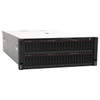
Lenovo 4M27A11830 SR860 V2 Dummy PCIe Slot Filler
Overview
The Lenovo 4M27A11830 is a dummy PCIe filler designed for the ThinkSystem SR860 V2 platform. Empty PCIe slots in rack servers are not merely aesthetic concerns — an uncovered slot disrupts the engineered airflow path inside the chassis, allowing hot exhaust air to recirculate across components and potentially triggering thermal throttling or fault conditions. Installing the 4M27A11830 in any unpopulated PCIe bay restores the intended pressure differential across the server's cooling zone, keeping thermals predictable across the full Lenovo SR860 V2 server line.
The UNSPSC code 43211600 classifies this as a computer hardware component — it is a genuine Lenovo factory part, not an aftermarket cover. If you are commissioning an SR860 V2 with fewer PCIe cards than available slots, this filler should be part of the initial build order rather than an afterthought.
Key Features
- PCIe Interface Compatibility: Engineered specifically for the PCIe slot bays on the SR860 V2 chassis — correct mechanical fit matters here, since an ill-fitting blank can vibrate loose or fail to fully close the airflow gap.
- Airflow Integrity: Covering empty slots maintains the positive-pressure cooling design of the SR860 V2. In high-density rack environments, even a single open slot can raise adjacent component temperatures measurably — this is not optional in a production deployment.
- Genuine Lenovo Component: Sourced as a factory Lenovo part under MPN 4M27A11830, ensuring dimensional compliance with SR860 V2 tolerances. Aftermarket blanks frequently mis-fit, defeating the purpose.
Integration & Compatibility
The 4M27A11830 is designed for the Lenovo ThinkSystem SR860 V2. Verify slot type and chassis revision against Lenovo's SR860 V2 hardware maintenance manual before ordering — PCIe filler compatibility is chassis-generation specific. If you are sourcing fillers for a different SR860 revision or a separate ThinkSystem platform, confirm the correct part number through Lenovo server accessories before purchase.
Frequently Asked Questions
Q: What server is the Lenovo 4M27A11830 designed for?
A: The 4M27A11830 is a dummy PCIe filler designed for the Lenovo ThinkSystem SR860 V2 server platform. Verify compatibility with your specific chassis revision before ordering.
Q: Why do I need a PCIe filler in an empty slot?
A: Open PCIe slots break the engineered airflow path inside the server chassis. This allows hot exhaust air to recirculate across active components, which can cause thermal throttling or trigger fault conditions. A properly fitted filler restores the intended cooling pressure differential.
Q: Is the 4M27A11830 a genuine Lenovo part?
A: Yes. The 4M27A11830 is a genuine Lenovo factory component classified under UNSPSC code 43211600 (computer hardware). It is not an aftermarket or third-party cover.
Q: Can I use a generic PCIe filler instead?
A: Aftermarket blanks frequently do not match the exact dimensional tolerances of the SR860 V2 chassis bays. An imprecise fit can leave airflow gaps or vibrate loose. Using the correct Lenovo part number ensures a proper mechanical seal.
The 4M27A11830 is one of those parts that gets overlooked at build time and then causes a service call six months later. The SR860 V2 is a high-core-count 4-socket platform — thermal management is engineered tightly, and the PCIe zone is part of that system. Leaving slots open is not a minor deviation.
Technical Highlights:
- PCIe Interface Fit: Dimensioned for SR860 V2 PCIe bays specifically — the mechanical tolerances matter more than buyers typically expect from a passive blank.
- Genuine Factory Part: UNSPSC 43211600 classification confirms this is a Lenovo hardware component, not a reseller fabrication — important when the chassis warranty or support contract requires genuine parts.
- Airflow Restoration: On a 4-socket server like the SR860 V2, an open PCIe slot in the wrong zone can create measurable hotspot conditions under full CPU load — the filler is a thermal management component, not cosmetic.
Deployment Considerations:
- Order fillers at the same time as the server build — tracking them down post-deployment on a live rack is avoidable friction, and SR860 V2 chassis blanks are not interchangeable with other ThinkSystem generations.
- Evidence for this part is limited to interface type (PCIe) and UNSPSC classification — confirm the exact slot count and filler part numbers needed for your specific SR860 V2 configuration against Lenovo's hardware maintenance manual before finalizing the order.
The right scenario for the 4M27A11830 is straightforward: any SR860 V2 deployment where PCIe slots are not fully populated at commissioning — data center builds, high-performance compute nodes, or virtualization hosts where card loadout will expand over time. Order the blanks with the initial hardware, not after the server is already racked.