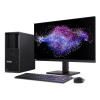
Lenovo 30GS0063US ThinkStation P3 Tower Workstation
The Lenovo ThinkStation P3 Tower (30GS0063US) is a commercial-grade tower workstation built around Intel's 24-core i9-13900 processor — a practical choice for security operations centers, VMS server deployments, and workstation-class surveillance management where sustained multi-stream processing headroom matters. The P-series ThinkStation line is Lenovo's professional-grade workstation family, distinct from the consumer IdeaCentre line, meaning this system is specced and validated for continuous-duty commercial environments.
Key Features
- Intel Core i9-13900 (13th Gen, 24 Cores / 32 Threads): The hybrid core architecture pairs 8 Performance cores (up to 5.2GHz turbo) with 16 Efficient cores (up to 4.2GHz turbo), giving the system 32 threads of parallel compute. In a network video recorder or VMS workstation context, that thread count lets you run simultaneous decode streams, analytic pipelines, and management console tasks without one starving the others.
- 5.6GHz Max Boost Frequency: Single-threaded burst performance at 5.6GHz means latency-sensitive tasks — live video decoding, operator UI response, alert correlation — stay snappy even while background threads are saturated.
- 36MB Intel Smart Cache: The large on-die cache reduces memory round-trips for workloads with repeating data patterns, which matters in analytics-heavy configurations where the same frame data is processed by multiple pipeline stages.
- 16GB DDR5 System RAM: Ships with 16GB, which covers a baseline VMS management workstation. For deployments running GPU-accelerated analytics, server-side decoding across 64+ streams, or memory-intensive forensic review, budget for a RAM upgrade — the P3 Tower platform supports expansion beyond the base configuration.
- 65W Base / 219W Max Turbo Power Envelope: The i9-13900 runs a 65W base power draw, climbing to 219W under sustained all-core turbo. That spread matters for UPS sizing and rack thermal planning — spec your cooling and power capacity against the 219W ceiling, not the 65W idle figure.
- Windows 11 Pro (W11P): Ships with Windows 11 Pro, which includes BitLocker drive encryption, Hyper-V virtualization, and domain join — all relevant for enterprise security deployments where endpoint management and data security are baseline requirements. No additional OS licensing needed out of the box.
- Tower Form Factor (9.00 lb): At 9 lbs, the P3 Tower is desk- or rack-adjacent deployable. The tower chassis accommodates standard ATX expansion, making it practical for adding capture cards, additional NICs, or GPU acceleration later without a system replacement.
- Country of Origin: Mexico: Manufactured in Mexico under Lenovo's commercial production chain — relevant for procurement teams tracking supply chain origin for compliance purposes.
Integration and Compatibility
The ThinkStation P3 Tower slots into standard enterprise IT environments without friction. Windows 11 Pro domain join means it integrates directly with Active Directory for user management and group policy enforcement. For video management software deployments, the 24-core i9-13900 provides enough compute headroom to run server-side VMS engines — Milestone XProtect, Genetec Security Center, Hanwha Wisenet WAVE, and similar platforms — alongside the management console on the same machine in mid-scale deployments.
If you are building a dedicated NVR or VMS server, assess whether the base 16GB RAM and storage configuration match your channel count and retention requirements before ordering. The P3 Tower platform is designed for component-level upgrades, but validate your specific VMS vendor's hardware compatibility list against the i9-13900 and chipset before commissioning. For GPU-accelerated analytics workloads, confirm that your chosen analytics software supports Intel Arc or NVIDIA add-in card configurations in the P3 Tower chassis.
The 30GS0063US pairs naturally with a managed PoE network switch in camera-centric deployments, where the workstation handles VMS processing while the switch delivers power and data to the camera endpoints. For complete physical security build-outs, see the broader IP camera catalog to match camera selections to the processing capacity this workstation provides.
Frequently Asked Questions
Q: What processor does the 30GS0063US use, and how many cores does it have?
A: The 30GS0063US uses an Intel Core i9-13900 (13th Generation), a 24-core, 32-thread processor with 8 Performance cores and 16 Efficient cores. Max boost frequency is 5.6GHz.
Q: How much RAM does the ThinkStation P3 Tower 30GS0063US ship with?
A: It ships with 16GB of system memory. The P3 Tower platform supports memory expansion if your VMS or analytics workload requires more.
Q: What operating system is included with the 30GS0063US?
A: The 30GS0063US ships with Windows 11 Pro, which includes BitLocker encryption, Hyper-V, and Active Directory domain join support.
Q: What is the power consumption of the i9-13900 in the 30GS0063US?
A: The i9-13900 has a 65W processor base power and a maximum turbo power of 219W. Size your UPS and power infrastructure against the 219W figure for worst-case planning.
Q: Is the 30GS0063US suitable for running VMS software like Milestone or Genetec?
A: The 24-core i9-13900 and Windows 11 Pro base provide a capable platform for mid-scale VMS deployments. Verify your specific VMS vendor's hardware compatibility list and confirm RAM and storage meet their minimum requirements for your channel count before commissioning.
Q: What does the UNSPSC code 43211515 indicate for the 30GS0063US?
A: UNSPSC 43211515 classifies this product as a personal computer or workstation — relevant for procurement systems that use UNSPSC codes for purchasing category management and compliance reporting.
The spec that stands out on the 30GS0063US for physical security workstation deployments is the i9-13900's hybrid core layout: 8 P-cores hitting 5.2GHz and 16 E-cores at 4.2GHz gives you 32 threads without the power and heat profile of a fully P-core design. For a VMS management workstation running simultaneous live view, background recording, and analytic event processing, that architecture is genuinely useful — the E-cores absorb the steady background load while P-cores handle burst decode and UI response.
Technical Highlights:
- 24-Core / 32-Thread i9-13900: Hybrid architecture delivers sustained multi-stream parallel compute; P-core turbo to 5.2GHz handles latency-sensitive decode while 16 E-cores absorb background analytic and recording threads simultaneously.
- 36MB Intel Smart Cache: Larger L3 cache than mainstream desktop processors reduces DRAM round-trips in frame-processing workloads — translates to lower per-stream CPU overhead in analytics-heavy VMS configurations.
- 219W Max Turbo Power: The gap between 65W base and 219W all-core turbo is wide — if you are UPS-sizing or specifying a PDU for a security ops rack, plan to the 219W ceiling, not the idle figure, to avoid brownout risk during peak analytic load.
Deployment Considerations:
- The base 16GB RAM configuration is adequate for a dedicated VMS management console workstation, but falls short for server-side GPU analytics or high channel-count recording — validate your VMS vendor's RAM minimums against your stream count before ordering, and budget the RAM upgrade at time of purchase rather than post-deployment.
- The 219W max turbo power draw is a non-trivial consideration in dense security rack environments; confirm your rack PDU and UPS capacity before commissioning multiple P3 Towers in the same physical space.
This system is best positioned as a dedicated VMS workstation for mid-scale deployments — security operations centers running 32–128 camera environments where a purpose-built commercial workstation outperforms a repurposed desktop, and where Windows 11 Pro's BitLocker and domain-join capabilities are baseline requirements for the IT environment.