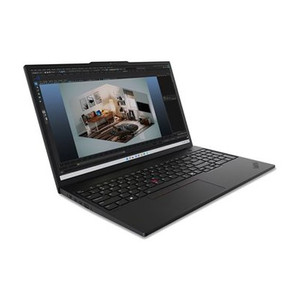
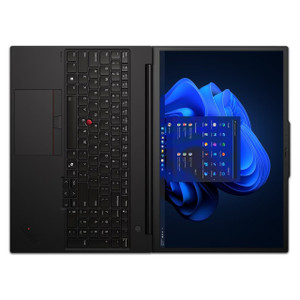
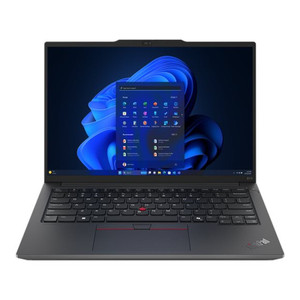
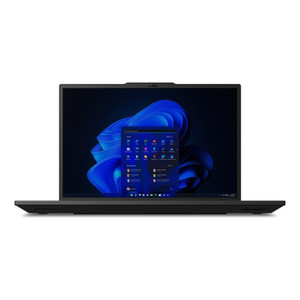
Lenovo 21KS0024US ThinkPad P16s Gen 3 Mobile Workstation
Overview
The Lenovo ThinkPad P16s Gen 3, model 21KS0024US, is a 16-inch mobile workstation built for engineers, architects, and security system designers who need desktop-grade compute on-site — at a customer's facility, in a server room, or at a remote deployment. Powered by the Intel Core Ultra 7 165H vPro with efficiency cores reaching 3.80GHz and 24MB of cache, paired with 96GB of RAM and a 2TB PCIe Gen4 TLC Opal SSD, this machine handles the simultaneous workloads that kill lesser laptops: running a VMS platform locally while rendering site plans, processing video exports, or managing large configuration databases. The discrete NVIDIA RTX 500 Ada Generation GPU with 4GB of dedicated VRAM adds hardware-accelerated rendering and AI inference — relevant if you're running analytics workbench tools or working in CAD/BIM environments alongside your security integration work.
Key Features
- Intel Core Ultra 7 165H vPro, E-cores to 3.80GHz, 24MB Cache: The vPro platform matters in enterprise environments — it enables hardware-level remote management (Intel AMT), out-of-band access, and platform security features that IT departments require before approving a device on a managed network. The 24MB cache absorbs large sequential workloads without thrashing to RAM, keeping multi-application sessions responsive under load.
- 96GB RAM: This isn't a spec for show — 96GB means you can run a full VMS client, a virtual machine for testing configurations, a browser-based NVR UI, and a CAD package simultaneously without a single memory swap to SSD. For integrators who provision systems on-site and demo configurations in real time, this headroom matters operationally.
- 2TB PCIe Gen4 Performance TLC Opal SSD: PCIe Gen4 delivers roughly double the sequential read bandwidth of Gen3, which matters when transferring large video archives, disk-imaging a deployment unit, or running software installs that would otherwise eat 20 minutes of a customer visit. The Opal (TCG Opal 2.0) self-encrypting drive capability supports hardware-based full-disk encryption — a compliance requirement in many government and healthcare security deployments — without the CPU overhead of software encryption.
- NVIDIA RTX 500 Ada Generation, 4GB VRAM: The Ada Lovelace architecture brings hardware ray tracing and NVIDIA DLSS capabilities alongside reliable CUDA support. For security integrators, the practical use is GPU-accelerated video decoding in high-channel-count VMS sessions, hardware-rendered 3D floor plans, and AI workbench tools that leverage CUDA for analytics model testing. 4GB VRAM is sufficient for most professional visualization workflows at this screen resolution.
- 16-inch OLED 3840×2400 (WQUXGA), 400 nit, 100% DCI-P3: The 3840×2400 resolution at 16 inches yields a pixel density that makes fine detail — wiring diagrams, camera placement overlays, multi-stream video grids — genuinely readable without zooming. OLED at 400 cd/m² delivers true blacks and per-pixel contrast, which is useful when reviewing low-light surveillance footage where shadow detail matters. The 100% DCI-P3 gamut and anti-reflective coating make the display usable in variable lighting conditions at a customer site. The anti-glare coating reduces window and overhead light reflections that wash out IPS panels under the same conditions.
- Windows 11 Pro 64-bit: Pro is the correct license tier for enterprise environments — it supports BitLocker (which pairs with the Opal SSD's hardware encryption), domain join, Hyper-V for local virtualization, Remote Desktop host capability, and Group Policy management. Home edition lacks these features, which is why professional deployments specify Pro explicitly.
- Aluminium Clamshell, Low Blue Light Display: The aluminium chassis signals structural rigidity over a full workday of carry — relevant for technicians moving between rack rooms and office spaces. Low Blue Light certification is a minor but real quality-of-life feature for engineers who spend extended sessions reviewing footage or writing documentation.
- Bluetooth 5.1/5.3: Current Bluetooth spec supports wireless peripherals, wireless audio, and short-range data transfer without the latency issues of earlier BT versions. In a workstation context this primarily matters for wireless keyboard/mouse setups at temporary workstations and wireless headset use during remote support calls.
Integration and Compatibility
The ThinkPad P16s Gen 3 21KS0024US runs Windows 11 Pro, which provides broad compatibility with enterprise video management software platforms including Milestone XProtect, Genetec Security Center, Axis Camera Station, Hanwha Wisenet WAVE, and similar tools. The vPro platform integrates with Intel's Active Management Technology for remote provisioning and out-of-band management, which is relevant for IT administrators managing a fleet of field workstations. The Opal-compliant SSD supports TCG Opal 2.0 encryption, compatible with BitLocker and third-party encryption management tools used in regulated environments. For security integrators working across IP camera deployments and physical security infrastructure, this machine's combination of high RAM, fast storage, and dedicated GPU makes it a credible on-site deployment and configuration workstation — not just an office device. Pair it with a managed PoE switch and a compact NVR for a fully self-contained deployment kit.
Frequently Asked Questions
Q: What processor does the Lenovo ThinkPad P16s Gen 3 21KS0024US use?
A: The 21KS0024US ships with the Intel Core Ultra 7 165H vPro processor, with efficiency cores reaching up to 3.80GHz and 24MB of total cache. The vPro designation enables hardware-level remote management and platform security features required in managed enterprise environments.
Q: What display does the 21KS0024US use, and is it touchscreen?
A: The display is a 16-inch OLED panel running at 3840×2400 (WQUXGA) resolution, 400 cd/m² brightness, with 100% DCI-P3 color coverage, anti-glare and anti-reflective coatings. It is not a touchscreen. LED backlighting is confirmed; OLED provides per-pixel contrast control.
Q: Is the SSD in the 21KS0024US self-encrypting?
A: Yes. The included 2TB M.2 2280 PCIe Gen4 SSD carries Opal (TCG Opal 2.0) self-encrypting drive capability, which supports hardware-based full-disk encryption compatible with BitLocker and enterprise encryption management tools — important for regulated security deployments.
Q: What GPU is included, and is it sufficient for multi-stream video monitoring?
A: The 21KS0024US includes an NVIDIA RTX 500 Ada Generation GPU with 4GB of dedicated VRAM. It supports hardware-accelerated video decoding via NVDEC, CUDA-based workloads, and handles multi-stream VMS sessions more efficiently than integrated graphics. For high-channel VMS work (32+ streams at high resolution), confirm your VMS platform supports GPU-accelerated decoding with this specific Ada-generation card.
Q: Does the 21KS0024US come with Windows 11 Pro or Home?
A: It ships with Windows 11 Pro 64-bit — the correct tier for enterprise deployments requiring BitLocker, Hyper-V, domain join, Remote Desktop host, and Group Policy support.
Q: What is the aspect ratio and color gamut of the display?
A: The display has a 16:10 native aspect ratio (3840×2400 is 16:10, not 16:9 — more vertical workspace than standard widescreen) and covers 100% of the DCI-P3 color space. This provides noticeably more on-screen height than 16:9 panels, useful for multi-application workflows.
The spec that stands out to me on the 21KS0024US is the combination of 96GB RAM with a PCIe Gen4 Opal SSD — that pairing is what separates a genuine field deployment workstation from a laptop someone repurposed for integration work. When you're on-site provisioning a 64-channel NVR, running a VMS client, and simultaneously pulling a firmware update over a local network, you need that memory headroom and storage throughput to avoid the machine becoming the bottleneck in your day.
Technical Highlights:
- OLED 3840×2400 at 400 cd/m²: The 16:10 aspect ratio gives you more vertical real estate than a 16:9 panel — meaningful when you're stacking a VMS grid on top of a floor plan or documentation window. OLED contrast lets you read shadow detail in low-light footage without cranking brightness in a dim server room.
- RTX 500 Ada 4GB VRAM: Ada Lovelace architecture supports hardware NVDEC acceleration, which offloads multi-stream H.265 decoding from the CPU. In a 16-32 channel live-view session, the difference between integrated and discrete GPU decoding is measurable in both CPU headroom and display smoothness.
- TCG Opal 2.0 SSD: Hardware-level encryption on the 2TB Gen4 drive means full-disk encryption has no CPU overhead — the drive handles it in silicon. In a government or healthcare physical security deployment where FDE is a contract requirement, this matters for procurement approval and audit compliance.
Deployment Considerations:
- The vPro platform requires IT enrollment to unlock AMT remote management — if you're deploying this into a client's managed environment, coordinate with their IT team on provisioning before the site visit to avoid delays.
- 96GB is a non-standard RAM configuration — verify upgrade path and whether slots are occupied or if this is a single high-density module before assuming future expandability without replacing existing RAM.
This machine is well-suited for senior integrators who function as both the field technician and the on-site engineer — running live VMS sessions, configuring analytics, and producing documentation from a single device during multi-day commissioning projects at enterprise or campus-scale deployments.