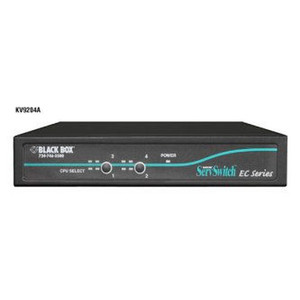
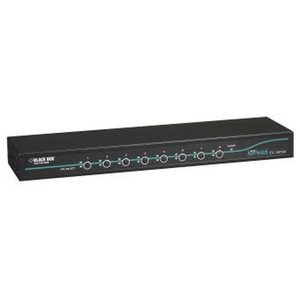
Black Box KV9204A-K PS/2 and USB KVM Switch
Overview
The Black Box KV9204A-K is a KVM (keyboard, video, mouse) switch designed to manage both PS/2 and USB servers from a single console — a practical solution for server rooms and equipment closets that run a mixed installed base of legacy PS/2 systems alongside newer USB-connected hardware. If you're consolidating control in a space where ripping out older PS/2-interfaced servers isn't yet justified, the KV9204A-K addresses that dual-interface requirement directly rather than forcing a parallel infrastructure.
The unit is finished in black and ships in a form factor suited for rack-adjacent or desktop deployment. The KV9204A-K (often searched as KV9204A K) is a Black Box product, and the broader Black Box switching and KVM catalog covers a range of port counts and interface combinations for environments with more complex requirements.
Key Features
- Dual-interface support (PS/2 and USB): Manage legacy PS/2 servers and current USB-connected systems from a single console — eliminates the need for separate switches or adapters when your server room spans hardware generations. This is the primary reason to select this model over a USB-only unit.
- USB console connectivity: The local console connects via USB, meaning modern keyboards and mice work without adapters on your side of the switch — only the server connections require PS/2 cabling on legacy machines.
- Compact black enclosure: The black finish suits standard equipment room environments; verify rack or shelf dimensions against your installation before ordering, as exact chassis measurements are not confirmed in current available evidence.
Integration and Compatibility
The KV9204A-K is positioned for KVM switches environments where server-side interface heterogeneity is the constraint. Pair it with appropriate PS/2 and USB server cable kits — consult the Black Box accessories line for matched cabling. For larger deployments requiring IP-remote access or more than four ports, review higher-port-count models in the Black Box KVM family before committing to this unit. A server management strategy built around KVM-over-IP may be a better fit if out-of-band remote access across sites is a priority.
Frequently Asked Questions
Q: What server interface types does the KV9204A-K support?
A: The KV9204A-K supports both PS/2 and USB server connections, making it suitable for mixed-generation server environments where legacy PS/2 and current USB-interfaced servers coexist.
Q: How many servers can the KV9204A-K manage?
A: Based on the model designation, this is a 4-port unit, though exact port count should be confirmed against the Black Box product datasheet before purchase, as detailed specification documentation was not available in the evidence reviewed for this listing.
Q: Does the KV9204A-K support IP-based remote access?
A: Available evidence does not confirm IP-over-KVM or remote access capability for this model. If out-of-band remote management is required, review Black Box's KVM-over-IP product line.
Q: What console interface does the KV9204A-K use?
A: The KV9204A-K connects the local console via USB, so standard USB keyboards and mice work on the operator side without adapters.
The KV9204A-K occupies a specific niche in the Black Box KVM line: dual PS/2-and-USB server-side support with a USB local console. That combination matters in equipment rooms where server refresh cycles have staggered over a decade — you end up with a mix of older PS/2-interfaced 1U servers and newer USB-only blades sitting in the same rack bay, and a USB-only KVM forces you into adapter stacks that introduce failure points.
Technical Highlights:
- Dual server-side interface: Handles both PS/2 and USB server connections natively — no passive adapters required on the server side for either interface type, which matters for signal integrity on longer cable runs.
- USB console port: Local operator console connects via USB, eliminating the need to source legacy PS/2 keyboards or mice for the operator position — reduces consumable sourcing complexity in a managed equipment room.
- Black Box KVM family: The KV9204A-K sits within a broader Black Box switching line, meaning compatible cable kits and extenders are available through the same product family rather than requiring third-party sourcing.
Deployment Considerations:
- Confirm exact port count and supported video resolution against the Black Box datasheet before deploying in environments requiring specific video standards (e.g., 1920×1200 for high-DPI server consoles) — these specs were not available in the evidence base for this listing.
- This is an analog local KVM — if your operations team needs remote out-of-band access across a WAN or from a NOC, this unit does not address that requirement; plan for a KVM-over-IP solution in parallel or as a replacement.
The KV9204A-K is a practical fit for a co-location cage or on-premises server closet where an operator is physically present and the server inventory spans PS/2-era and USB-era hardware — a narrow but real scenario that pure USB-only switches cannot cover without adapter risk.