Black Box KV9508A 8-Port DVI/USB KVM Switch
Overview
The Black Box KV9508A is an 8-port KVM switch engineered for environments where operators need centralized keyboard, video, and mouse control over multiple DVI-equipped USB servers from a single console. If you're managing a rack of servers or workstations and need to eliminate the clutter of individual peripherals per machine, this switch consolidates control without requiring dedicated monitors and input devices at every bay.
The KV9508A connects to servers via USB, which means no legacy PS/2 infrastructure is required — a practical advantage in modern server rooms where USB host ports are the standard. DVI video output preserves digital signal integrity to the console display, avoiding the analog conversion artifacts that plague older VGA-based KVM installations.
For integrators building out KVM switch deployments or IT architects consolidating Black Box infrastructure, the KV9508A fits environments with up to 8 servers requiring shared-console access. This is a rack-appropriate, commercial-grade unit suited to server rooms, NOCs, and broadcast control environments where DVI output at the console is a hard requirement.
Key Features
- USB Server Connectivity: USB host connections to each server mean plug-and-play compatibility with modern rack servers — no PS/2 adapter kits, no legacy port hunting.
- DVI Video Path: Digital video from server to console avoids analog signal degradation, which matters if your console monitor is high-resolution or positioned at any meaningful cable run distance.
- 8-Port Capacity: Consolidates up to 8 servers under one keyboard, monitor, and mouse — reduces per-rack peripheral spend and simplifies operator workflow in dense deployments.
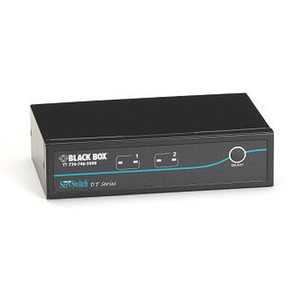
- Black Form Factor: Rack-neutral black finish integrates cleanly into mixed-vendor rack environments without visual inconsistency.
Integration & Compatibility
The KV9508A is designed for DVI USB server environments. Verify that each connected server has an available USB host port and a DVI video output before deployment. Consult the KVM accessories category for compatible cables and console extenders if your operator station is not co-located with the rack.
Frequently Asked Questions
Q: What type of servers does the KV9508A support?
A: The KV9508A is designed for servers with DVI video outputs and USB host ports. It does not support VGA or DisplayPort server connections natively.
Q: How many servers can the KV9508A control simultaneously from one console?
A: The KV9508A supports up to 8 servers, all managed from a single keyboard, monitor, and mouse console.
Q: Does the KV9508A require special drivers on connected servers?
A: The USB connectivity is designed for standard USB HID compatibility. Consult Black Box documentation for any platform-specific driver requirements.
Q: Is the KV9508A rack-mountable?
A: The KV9508A is a commercial-grade unit intended for rack or console environments. Verify rack-mount hardware availability with Black Box product documentation before installation.
The KV9508A addresses a specific gap in server room deployments: DVI-native KVM switching over USB without forcing a mixed analog/digital signal chain. If you're running a rack where servers output DVI and your console is a DVI monitor, introducing a VGA-stage KVM defeats the purpose — the KV9508A keeps the video path fully digital end-to-end.
Technical Highlights:
- USB Server Interface: USB host connections to all 8 ports mean no PS/2 adapter stacks — cleaner cabling and genuine hot-swap compatibility on modern server hardware.
- DVI Console Output: Preserving digital video to the console is the right call for high-resolution monitors; analog conversion at 1920x1200 or above introduces visible signal quality loss over even moderate cable runs.
- 8-Port Density: Eight servers under one console is the right density for a half-rack or single-rack NOC station — enough to cover a standard server cluster without cascading switches.
Deployment Considerations:
- Confirm DVI output availability on every connected server before ordering — servers with only DisplayPort or HDMI will require active adapters, which can introduce latency or compatibility issues.
- Source data on this unit is limited; pull the Black Box KV9508A datasheet directly from Black Box before finalizing a multi-rack deployment to verify maximum cable run lengths and any cascading limitations.
The KV9508A is the right fit for a NOC or server room operator station managing up to 8 DVI/USB rack servers from a single console — particularly where maintaining a clean digital video path to a high-resolution console display is non-negotiable.