Black Box EMD100USB-T KVM-over-IP Switchable Extender Transmitter
Overview
The Black Box EMD100USB-T is the transmitter unit in Black Box's KVM-over-IP extender line, designed for deployments where keyboard, video, and mouse control needs to cross network infrastructure rather than dedicated cabling. The "-T" designation identifies this as the transmitter (local) end of the extension pair — it connects to the source computer and encodes the signal for transport across IP.
KVM-over-IP extenders like the EMD100USB-T are a practical fit for data centers, control rooms, broadcast facilities, and industrial automation environments where operators need to control headless servers or workstations from a remote console without running long dedicated KVM cables. Because it rides standard IP network infrastructure, distance is limited only by your network topology rather than fixed cable runs.
The EMD100USB-T (often searched as EMD100USB T) is built for enterprise and commercial deployments where centralized server management, thin-client console access, or operator workstation separation are operational requirements. Pair it with the corresponding Black Box receiver unit to complete the extension link.
Deployment Context
This unit is the source-side component. Before ordering, confirm you have or are ordering the matching receiver unit — the EMD100USB-T transmitter alone does not create a functional extension link. Consult the Black Box product line for compatible receiver units and complete KVM-over-IP solutions.
For environments managing multiple sources, consider reviewing the broader KVM switches and extenders category to evaluate whether a matrix or multi-port solution better fits your console management architecture. If PoE-capable networking is part of your infrastructure plan, a PoE network switch may simplify power delivery for networked AV and KVM equipment.
Frequently Asked Questions
Q: Is the EMD100USB-T a transmitter or receiver?
A: The EMD100USB-T is the transmitter (local/source) unit. It connects to the host computer. A separate Black Box receiver unit is required to complete the KVM-over-IP extension link.
Q: What does the USB in EMD100USB-T indicate?
A: The USB designation indicates this unit supports USB connectivity for keyboard and mouse (HID) signals over the IP extension link. Verify the full specification sheet from Black Box for supported USB device classes.
Q: Can the EMD100USB-T work over a standard enterprise LAN?
A: KVM-over-IP extenders in this class are designed to operate over standard IP network infrastructure. Consult the Black Box datasheet for specific network requirements including latency tolerances and bandwidth consumption.
Q: What is the warranty on the EMD100USB-T?
A: Warranty terms for the EMD100USB-T should be confirmed directly from the manufacturer documentation or product packaging, as duration varies by product line.
The EMD100USB-T is Black Box's transmitter unit for KVM-over-IP extension — the source-side half of a pair that moves keyboard, video, and mouse signals across an IP network rather than dedicated point-to-point cabling. The USB support in the model designation is the key differentiator to note when specifying this unit for console deployments.
Technical Highlights:
- IP-based transport: Unlike analog KVM extenders limited to fixed cable distances (typically 150–300ft), IP transport means the distance between operator console and host machine is bounded by your network, not the cable run — useful for data center floor-to-NOC separations or multi-building campus deployments.
- USB HID support: The USB designation covers keyboard and mouse (HID class) signal transport — verify with Black Box whether USB mass storage or other device classes are supported on this specific unit before specifying for non-HID USB peripheral needs.
- Transmitter-only unit: The "-T" suffix is not cosmetic — this is half of a two-piece system. The receiver unit must be ordered separately and must be from the compatible Black Box EMD100 receiver pairing.
Deployment Considerations:
- Confirm network switch latency specs before deploying in real-time control applications — KVM-over-IP is sensitive to jitter in ways that file transfers are not. Sub-5ms end-to-end latency is a common threshold for comfortable operator experience.
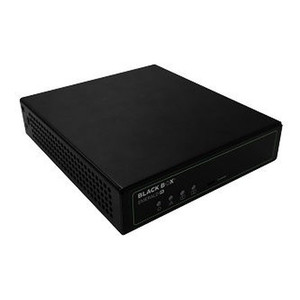
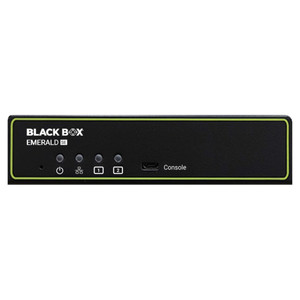
- This unit is black in color and rack-adjacent in form factor; verify physical mounting or shelf requirements with the Black Box installation guide before finalizing rack layout.
The EMD100USB-T is a practical fit for NOC and data center console management where running structured KVM cabling to every rack is cost-prohibitive — particularly in multi-floor or multi-building facilities where IP infrastructure already exists.