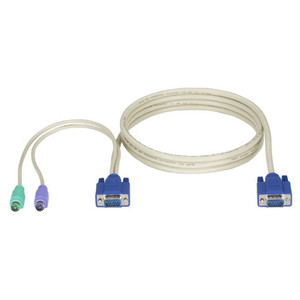
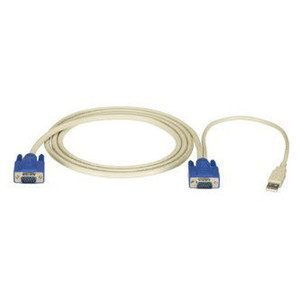
Black Box EHN151A-0010 KVM CPU/Server Cable with Audio
Overview
The Black Box EHN151A-0010 is a KVM CPU/server cable designed for PC environments where audio signal transmission is required alongside keyboard, video, and mouse connectivity. If you are building or expanding a KVM switching infrastructure, selecting the correct CPU cable is critical — the wrong connector type or cable grade will create signal degradation or simply not mate with your switch port. This cable is part of the broader Black Box KVM and connectivity line, a catalog well established in enterprise data center and server room environments.
KVM CPU cables are often overlooked during project planning, but they are the physical link that determines whether your switch investment performs as specified. The EHN151A-0010 specifically adds audio support, which matters in deployments where operators need speaker or headset connectivity at the remote console — think IT help desk stations, command centers, or broadcast control rooms where audio feedback from the server-side is operationally relevant.
Because the evidence available for this SKU is limited to brand, model, and color (black), buyers should verify the cable length, connector types (HD15/USB/audio jack configurations), and compatible Black Box switch models directly against the KVM cable and accessories specifications before ordering. Black Box cables are typically engineered to specific switch families, and using a mismatched cable can leave ports unused or require adapters that introduce latency.
Key Features
- Audio Integration: Carries audio signals alongside KVM data — allows operators to hear server-side audio at the console without a separate audio cable run, reducing cable clutter in structured server room environments.
- PC Platform: Designed for PC/x86 server connections, not Sun or Mac pinouts — confirm your server type before ordering to avoid the connector mismatch that sidelines installs.
- Black Box Engineering: Produced under the Black Box KVM ecosystem, which uses proprietary connector profiles on several switch families — pairing with genuine Black Box cables avoids the compatibility uncertainty that comes with third-party substitutes.
Frequently Asked Questions
Q: What length is the EHN151A-0010?
A: Length data is not confirmed in available evidence. The MPN suffix may indicate a specific length in the Black Box naming convention — consult the Black Box product datasheet or contact pre-sales engineering to confirm before ordering.
Q: What connectors does the EHN151A-0010 use?
A: Specific connector types (HD15, USB, audio jack) are not confirmed in the evidence available for this SKU. Verify against the Black Box datasheet for your specific switch model to ensure compatibility.
Q: Is the EHN151A-0010 compatible with all Black Box KVM switches?
A: Black Box KVM cables are typically model-specific. The EHN151A-0010 is designed for PC server connections with audio — match it to the compatible switch model listed in the Black Box compatibility matrix for your switch family.
Q: Does this cable support USB or PS/2 keyboard and mouse?
A: Interface type (USB vs. PS/2) is not confirmed in available evidence. Check the full product datasheet for the EHN151A-0010 to confirm the correct interface for your server environment.
The EHN151A-0010 fills a specific gap in Black Box KVM deployments: audio carriage on the CPU side without a secondary cable run. In environments like NOCs, help desks, or AV-integrated control rooms, that audio channel is not optional — operators need server-side sound at the console, and pulling a separate audio cable alongside every KVM drop is the kind of overhead that compounds fast across a 16- or 32-port switch installation.
Technical Highlights:
- Audio on CPU cable: Combines KVM and audio in one cable run — eliminates a parallel audio cable per server drop, which matters when you are dressing a high-density patch panel or running cables through conduit.
- PC platform targeting: Engineered for PC/x86 server pinouts — not a universal cable. This specificity is a feature in managed installs where connector discipline matters, not a limitation.
- Black Box ecosystem fit: Black Box KVM families use matched cable sets; the EHN151A-0010 is sourced as a genuine component, avoiding the signal integrity questions that come with off-brand substitutes in long cable runs.
Deployment Considerations:
- Confirm cable length and connector pinout against your specific Black Box KVM switch model before procurement — Black Box maintains separate cable families for different switch generations and the wrong cable will not seat correctly.
- Audio support is PC-side only; if your environment mixes PC and non-PC servers on the same switch, you will need separate cable SKUs for the non-PC drops — plan your cable inventory by server type, not just by port count.
The EHN151A-0010 is the right choice for IT managers standardizing a PC-based server room or help desk KVM installation where audio at the operator console is a hard requirement — not a nice-to-have.