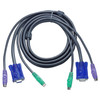
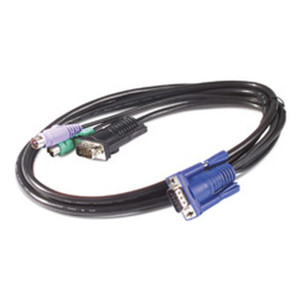
Product images are provided for reference and may not represent the exact model, configuration, or included components.

No Bots, Just Experts

Questions about this product? Free pre-sales support from a senior specialist — product questions, compatibility checks, BOM quotes, price confirmation — typically answered within one business day. Need camera placement or system design work? Engineering time is $175 per hour (qty 1 = 1 hour). Hardware buyers get up to one hour ($175) credited back on their order.

Description

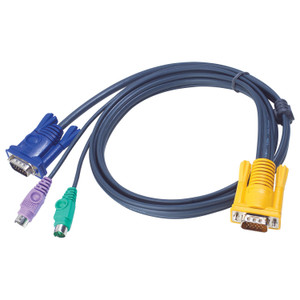
ATEN 2L5002P KVM Cable

Overview

The ATEN 2L5002P is a 1.8-meter (6 ft) KVM cable designed to connect a computer's VGA video output and dual PS/2 keyboard/mouse ports to a compatible KVM switch. This cable ensures a stable, direct connection for managing multiple systems from a single console, specifically within environments that still utilize PS/2 peripherals and VGA displays. It consolidates video, keyboard, and mouse signals into a single, manageable assembly, reducing cable clutter for cleaner workstation setups.

Compatibility

This cable is engineered for direct compatibility with specific ATEN KVM switch models. It is confirmed to work with the ATEN CS114A, CS142, CS82AC, CS84A, CS88A, CS9134, CS9138, and KH98 KVM switches. Using this cable with other KVM switch models or non-KVM devices is not supported and may lead to system malfunction.

Installation Notes

The cable features a VGA HD-15 male connector for video and two 6-pin PS/2 male connectors for keyboard and mouse on one end, connecting to the computer. The other end also has a VGA HD-15 male connector and two 6-pin PS/2 male connectors, designed to plug into the corresponding ports on the compatible ATEN KVM switch. Ensure the PS/2 connectors are aligned correctly with the keyboard and mouse ports on both the computer and the KVM switch to avoid damage. The 1.8m length provides moderate reach for typical desktop deployments.

Specifications
Cable length: 1.8 m
Keyboard port type: PS/2
Mouse port type: PS/2
Video port type: VGA
Connector 1: VGA, 2xPS/2
Connector 2: VGA, 2xPS/2
Compatible products: CS114A CS142 CS82AC CS84A CS88A CS9134 CS9138 KH98
Harmonized System (HS) code: 84733080
Q&A
Reviews
Have Questions?

ATEN Keyboard / Video / Mouse (kvm) Cable - 6 PIN PS/2 (m) HD-15 (m) - 6 PIN PS/2 (m - 2L5002P

$33.00
$32.99

RELATED PRODUCTS

Save $0.01
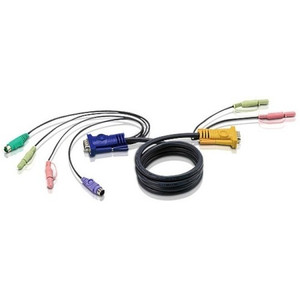
ATEN Keyboard / Video / Mouse / Audio Cable - DB-15 Mini-phone 3.5 MM - 6 PIN PS/2 - 2L5303P
Add to Cart The item has been added

ATEN 2L5303P

ATEN Keyboard / Video / Mouse / Audio Cable - DB-15 Mini-phone 3.5 MM - 6 PIN PS/2 - 2L5303P

KVM combination cable that consolidates keyboard, video, mouse, and audio connections into a single run between a host system and a compatible ATEN

    In stock · Ships same business day Free shipping over $499
    $51.00 $50.99 Save $0.01
    The item has been added Add to quote
    $51.00 $50.99 Save $0.01
    Save $0.01 Add to cart Add to quote
    Save $0.01
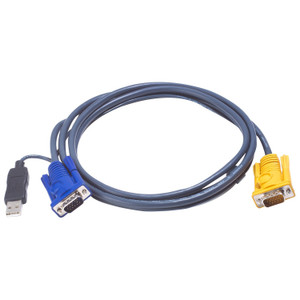
    ATEN 2L5206UP Video / USB Cable - 15 PIN Sphd (m) - 4 PIN USB Type A HD-15 (m) - 19.
    Add to Cart The item has been added

    ATEN 2L5206UP

    ATEN 2L5206UP Video / USB Cable - 15 PIN Sphd (m) - 4 PIN USB Type A HD-15 (m) - 19.

    19-foot KVM combo cable that combines a USB Type-A (4-pin) keyboard/mouse lead with an HD-15 (VGA) video lead terminated in a single 15-pin SPHD male

      In stock · Ships same business day Free shipping over $499
      $88.00 $87.99 Save $0.01
      The item has been added Add to quote
      $88.00 $87.99 Save $0.01
      Save $0.01 Add to cart Add to quote

      System Design, Deployment & Technical Support

      Support services and planning resources for commercial surveillance, access control, and infrastructure deployments.

      Fixed scope • Fixed price

      System Design Assistance

      • Get help validating product compatibility
      • Coverage requirements
      • Storage planning and deployment architecture before you buy.
      Request Design Help

      Deployment & Configuration Support

      • Access fixed-scope support for rollout planning
      • User setup guidance
      • Migration and system standardization across single-site or multi-site deployments
      View Support Services

      Guides, Tools & Calculators

      • PoE requirements
      • Storage retention
      • Camera selection and deployment methodology
      Open Technical Resources