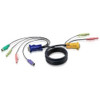
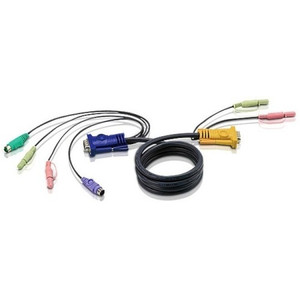
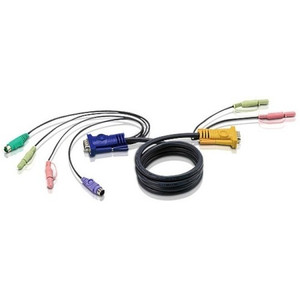
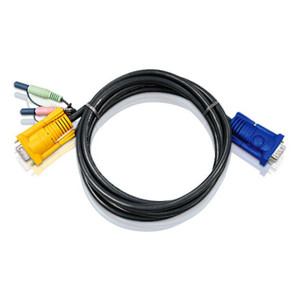
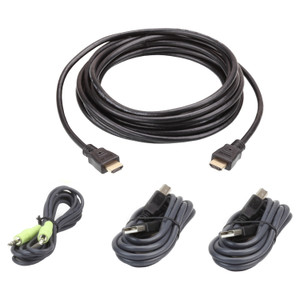
ATEN 2L5305U KVM Combo Cable — DB-15, 3.5mm Audio, 4-Pin USB
Overview
The ATEN 2L5305U is a combined keyboard, video, mouse, and audio cable designed to connect a workstation to a compatible ATEN KVM switch in a single, managed run. The 2L5305U consolidates VGA video (DB-15), USB HID (4-pin), and stereo audio (3.5mm mini-phone) into one cable assembly — eliminating the tangle of separate runs between the host and the switch port, and reducing slack at the rear of the rack or desktop enclosure. This cable is the correct replacement or supplemental run for installations where the original cable is damaged, undersized for the rack depth, or missing from a previously purchased switch kit.
Compatibility
The 2L5305U is engineered for ATEN KVM switches that use the DB-15 combo-port interface with integrated USB HID and 3.5mm audio passthrough — specifically the CS series desktop and rack-mount units that accept this connector format. Verify your KVM switch model's port type before ordering: ATEN switches using a proprietary SPHD-15 or RJ-45 port require a different cable family. This cable is not cross-compatible with KVM accessories designed for PS/2 keyboard and mouse signaling. Check your switch's port label and the user manual cable specification table to confirm DB-15 USB+Audio compatibility before installing.
Installation Notes
Route the 2L5305U from the KVM switch's host port to the workstation's VGA output, USB port, and 3.5mm audio jack. Finger-tighten the DB-15 connector's thumbscrews — do not use a screwdriver or torque tool, as over-tightening the VGA shell can crack the port housing on thin-chassis workstations. Keep the cable run away from high-current AC lines to avoid induced noise on the audio channel. If deploying in a server rack cabinet, use a cable manager arm to support the cable weight and prevent strain on the DB-15 connector at the switch port. Verify USB enumeration after connecting — if the keyboard or mouse is not recognized, reseat the 4-pin USB connector and confirm the host port is active in the KVM switch configuration.