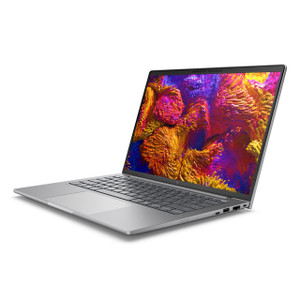
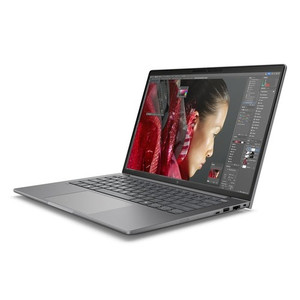
HP Inc D08C7AT#ABA 14-Inch Mobile Workstation PC
Overview
The HP ZBook 8 G1A (D08C7AT#ABA) is a 14-inch mobile workstation built around AMD's Ryzen AI Pro 350 platform — a processor designed for professional compute workloads that demand both sustained throughput and burst performance. With 64GB of RAM and 1TB of onboard storage, this machine is configured for users who cannot afford to offload work to a cart or a desk: field engineers, on-site technicians, security architects, and integrators who need desktop-class horsepower in a 5.20-lb chassis. The HP Inc mobile workstation line targets deployments where the laptop itself is a productivity tool, not a thin client.
Key Features
- AMD Ryzen AI Pro 350 — 8 cores / 16 threads, up to 5.0 GHz boost: The 16-thread count matters when you are running VMS client software, a remote desktop session, and a spreadsheet simultaneously on a job site. The 5.0 GHz single-core boost keeps latency-sensitive UI tasks snappy, while the 8-core base keeps multi-threaded workloads from throttling. The "AI Pro" designation indicates on-chip NPU acceleration — relevant if your VMS or analytics platform offloads inference tasks to the NPU rather than the CPU.
- 64GB RAM: 64GB is the threshold where most enterprise VMS platforms, including those running local analytics engines or managing large camera counts via a client interface, stop paging to disk. For integrators running configuration tools, video review, and browser-based management consoles in parallel, 64GB means fewer forced application restarts during long site visits.
- 1TB onboard storage: 1TB gives enough headroom for local video clips, project documentation, installer software repositories, and OS overhead without requiring an external drive on every job. For mobile workstation deployments where network access is intermittent or unavailable, local storage capacity is a genuine operational constraint.
- 14-inch WUXGA display — 1920×1200 at 400 nits, 16:10 aspect ratio: The 1920×1200 resolution (versus standard 1080p's 1920×1080) adds a meaningful strip of vertical real estate — useful when reviewing camera layouts, reading long configuration logs, or working in split-screen with a VMS and a documentation window. At 400 nits, the panel holds up in moderately bright environments. The anti-glare coating and Low Blue Light certification reduce eye strain on extended site surveys.
- UWVA (Ultra Wide Viewing Angle) panel technology: UWVA means color and brightness remain consistent when you are showing a camera view or a floor plan to a colleague standing at an angle — no color washout at 45 degrees, which matters during client walk-throughs.
- ALS (Ambient Light Sensor): The ambient light sensor adjusts display brightness automatically based on surrounding conditions — useful when moving between a dim server room and a sunlit lobby in the same visit, keeping the display readable without manual adjustment.
- 5.20 lb chassis: For a 14-inch workstation carrying 64GB RAM and a full AMD mobile platform, 5.20 lb sits at a practical carry weight for full-day field use. Compare this against desktop-replacement 15-inch workstations that typically run 6–7 lb before accessories.
Integration and Compatibility
The D08C7AT#ABA runs on the AMD Ryzen AI Pro 350 platform, which carries broad driver support across Windows 11 Pro enterprise environments. The "SmartBuy" designation indicates this is an HP commercial channel configuration — standardized BOM, consistent driver stacks, and enterprise imaging support. For organizations managing device fleets via MDM or SCCM, SmartBuy SKUs simplify imaging because the hardware configuration does not vary between units. Integrators deploying this alongside network video recorders or VMS servers will find the AMD platform supported by major VMS vendors' Windows client applications. The 64GB RAM configuration also supports running local virtual machines for testing or sandboxed VMS instances without impacting primary workstation performance. For teams standardizing on HP Inc commercial hardware, the ZBook 8 G1A line integrates with HP's device management ecosystem including HP Wolf Security at the firmware level.
Frequently Asked Questions
Q: What processor does the D08C7AT#ABA use and what are the clock speeds?
A: The D08C7AT#ABA is configured with the AMD Ryzen AI Pro 350 — 8 cores, 16 threads, 3.50 GHz base clock, boosting up to 5.00 GHz. The processor includes an integrated NPU for AI-accelerated workloads.
Q: How much RAM and storage does this model ship with?
A: This configuration ships with 64GB of RAM and 1TB of onboard storage as configured from the factory under the SmartBuy program.
Q: What is the display resolution and brightness on the D08C7AT#ABA?
A: The 14-inch panel runs at 1920×1200 (WUXGA, 16:10 aspect ratio) with a rated brightness of 400 nits. It uses UWVA technology for wide viewing angles and includes an anti-glare coating and ambient light sensor.
Q: What does the HP SmartBuy designation mean for IT procurement?
A: SmartBuy is HP's commercial channel program for standardized, volume-optimized configurations. SmartBuy SKUs have fixed hardware BOMs, which simplifies enterprise imaging, driver management, and fleet standardization through MDM or SCCM environments.
Q: How much does the D08C7AT#ABA weigh and what are the dimensions?
A: The workstation weighs 5.20 lb and measures 11.00 × 2.25 × 19.00 inches (L × W × H).
Q: Is this workstation suitable for running VMS client software on-site?
A: The 64GB RAM configuration and 16-thread AMD Ryzen AI Pro 350 processor handle multi-application VMS scenarios well — running a VMS client, remote desktop, and documentation tools simultaneously without resource contention is a realistic use case for this hardware tier.
The D08C7AT#ABA sits at a specific intersection that matters for field-based security integration work: the AMD Ryzen AI Pro 350's 5.0 GHz single-core boost and 16-thread count handle the mixed workload of VMS client, network config tools, and documentation software without the thermal throttling you see on lighter business laptops, and the 64GB RAM means you are not paging when three applications are open simultaneously on a long commissioning day.
Technical Highlights:
- AMD Ryzen AI Pro 350 (8C/16T, up to 5.0 GHz): The 16-thread ceiling keeps multi-tasking headroom wide — relevant when a VMS client is decoding live streams locally while a remote desktop session is open to a server rack across the facility.
- 64GB RAM + 1TB storage: 64GB eliminates the RAM-pressure scenarios that cause VMS clients to drop frames or freeze on large camera-count sites; 1TB provides enough local capacity for project archives, firmware repositories, and recorded clip exports without an external drive.
- 14-inch WUXGA 1920×1200 @ 400 nits, anti-glare: The 16:10 format adds vertical pixels over standard 1080p — that extra row height is genuinely useful when reviewing camera layout diagrams or scrolling long event logs side-by-side with a config window.
Deployment Considerations:
- The SmartBuy SKU (D08C7AT#ABA) locks the BOM — if your organization images laptops via SCCM or a similar MDM, this is the right variant to standardize on; avoid mixing with non-SmartBuy ZBook 8 G1A configurations to keep driver stacks uniform across the fleet.
- GPU and external display port specifications are not confirmed in available documentation — verify connectivity requirements (Thunderbolt, HDMI, DisplayPort count) against your specific multi-monitor or AV-presentation needs before committing to a quantity purchase.
This workstation is the right call for enterprise security integrators and IT architects who need a standardized, high-RAM mobile platform for on-site commissioning, VMS configuration, and multi-application field work — particularly in organizations already managing HP commercial fleets where SmartBuy BOM consistency reduces imaging overhead.