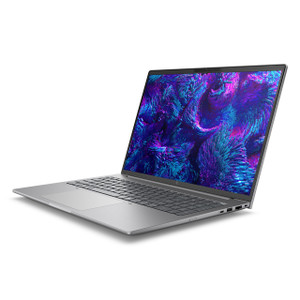
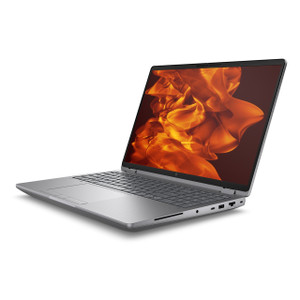
HP Inc BX7T3UT#ABA ZBook 8 G1i 14-Inch Mobile Workstation
Overview
The HP ZBook 8 G1i (BX7T3UT#ABA) is a 14-inch mobile workstation built around Intel's 15th-generation Core Ultra 7 265H processor — a 16-core chip with a 5.3 GHz boost ceiling that handles compute-heavy workloads without forcing a compromise between portability and processing headroom. At 6.5 lbs in a clamshell chassis measuring 18.6 × 10.9 × 2.7 inches, it fits within a standard laptop footprint while packing the display and silicon that field engineers, security integrators running VMS configuration sessions, and architects managing large surveillance or BIM projects actually need. If you've been running your HP Inc workstation lineup and need a current-gen upgrade, this sits at the intersection of mobility and sustained performance.
Key Features
- 14-inch 2.5K WLED UWVA Display (2560 × 1600, 16:10): The 16:10 aspect ratio adds roughly 11% more vertical screen real estate compared to a standard 16:9 panel — meaningful when you're reviewing multi-camera VMS layouts, reading long configuration logs, or working in spreadsheet-heavy environments. The 2560 × 1600 resolution at 14 inches delivers sharp text at native scaling, reducing eye fatigue during long sessions. Anti-glare and Low Blue Light treatments make it practical in mixed-lighting field offices or warehouses with overhead fluorescents.
- 400-nit brightness (UWVA panel): 400 nits is bright enough to remain readable in moderately lit environments without cranking backlight to maximum — which also means the panel isn't bottlenecking battery draw unnecessarily in typical office or job-site conditions.
- 120Hz refresh rate: At 120Hz, on-screen motion — scrolling dense configuration interfaces, panning live map views, or reviewing recorded video feeds in a VMS — is noticeably smoother than a standard 60Hz panel. This matters for sustained productivity work, not just gaming scenarios.
- Intel Core Ultra 7 265H (16 cores / 16 threads, 1.7–5.3 GHz, 15th Gen): The H-series designation signals a higher sustained TDP envelope versus U-series mobile chips — which means the processor doesn't immediately throttle under sustained encoding, video analysis, or multi-VM workloads. 16 cores provide genuine multi-threaded headroom for running a local NVR software stack, VMS server instance, or parallel simulation workloads alongside daily productivity tasks.
- 32GB RAM: 32GB is the practical minimum for running a modern VMS server, virtual machine environments, or BIM/CAD applications simultaneously with a browser and communication tools. It avoids the bottleneck that 16GB configurations hit when memory pressure forces excessive paging on complex projects.
- 1TB SSD: 1TB of local storage provides room for a substantial local recording buffer, project file archives, or VM images without immediately requiring external drives. For integrators who carry job-site configurations, firmware packages, and local test recordings, this is a workable baseline rather than a minimum.
- 6.5 lb chassis (18.6 × 10.9 × 2.7 in): Not ultrabook-light, but within the expected range for a 14-inch workstation-class machine. The depth and thickness reflect the thermal design needed to sustain the Core Ultra 7 265H under load — a tradeoff that's worth it if consistent performance under extended workloads matters more than shaving a pound off the bag.
Integration & Compatibility
The ZBook 8 G1i fits naturally into enterprise and commercial deployment environments where Windows-based mobile workstations are the standard platform. The Core Ultra 7 265H's 16-core architecture handles demanding VMS software clients and server-side applications simultaneously, making it a viable field configuration and commissioning machine for large-scale surveillance deployments. For teams deploying or managing network video recorders and requiring a portable but compute-capable device for on-site programming, testing, and monitoring, the 32GB RAM and 1TB SSD reduce the friction of running full software stacks locally. Pair with a docking station for a stationary multi-display setup back at the office without re-configuring the machine each time.
Frequently Asked Questions
Q: What processor is in the BX7T3UT#ABA and what does that mean for workload capacity?
A: The BX7T3UT#ABA uses an Intel Core Ultra 7 265H — a 15th-generation H-series chip with 16 cores, 16 threads, a 1.70 GHz base clock, and a 5.30 GHz boost. The H-series thermal profile supports sustained multi-threaded workloads, making it capable of running VMS software, video encoding tasks, and virtual machine environments under extended load without heavy throttling.
Q: What is the display resolution and panel type on the BX7T3UT#ABA?
A: The display is a 14-inch WLED UWVA panel at 2560 × 1600 (2.5K, 16:10 aspect ratio), 400 nits brightness, 120Hz refresh rate, with anti-glare and Low Blue Light treatment.
Q: How much RAM and storage does the BX7T3UT#ABA include?
A: The BX7T3UT#ABA ships with 32GB RAM and a 1TB SSD as configured.
Q: What does the SmartBuy designation mean for the BX7T3UT#ABA?
A: SmartBuy indicates this is an HP commercial channel configuration — a fixed, pre-defined spec that is stocked through commercial distribution, as opposed to a custom-configured CTO build. This typically means faster availability and consistent specs across units, which matters when deploying multiple identical machines across a team.
Q: What is the weight and footprint of the BX7T3UT#ABA?
A: The ZBook 8 G1i weighs 6.5 lbs and measures 18.6 × 10.9 × 2.7 inches — consistent with a 14-inch commercial workstation rather than a consumer ultrabook.
Q: Is the BX7T3UT#ABA a clamshell or convertible form factor?
A: Clamshell. The BX7T3UT#ABA is a traditional non-convertible laptop form factor.
The BX7T3UT#ABA sits in a specific niche: the 14-inch ZBook 8 G1i gives you a Core Ultra 7 265H running up to 5.3 GHz across 16 cores in a clamshell chassis that stays under 6.5 lbs. That combination is what separates it from the consumer side of HP's lineup — the H-series TDP envelope means you're not watching performance drop off a cliff when you're 45 minutes into a VMS configuration session or running a local recording test with a dozen IP cameras feeding the machine simultaneously.
Technical Highlights:
- 2560 × 1600 at 120Hz: The 16:10 panel at 2.5K gives you more working vertical space than a standard 1920 × 1080 or 1920 × 1200 machine — when you're reviewing camera coverage maps, scrolling through event logs, or managing multi-pane dashboards, the extra rows of pixels reduce how often you're scrolling rather than reading.
- 32GB RAM + 1TB SSD: 32GB is enough headroom to run a full VMS client, a VM for isolated network testing, and standard tooling in parallel without hitting swap. The 1TB SSD provides local buffer space for test recordings, firmware archives, and project exports without immediately needing external drives on site.
- 400-nit UWVA panel with anti-glare: 400 nits handles overhead-lit field offices and semi-outdoor setups (near windows, open bay doors) without the panel washing out — a practical spec for integrators who aren't always working in ideal lighting.
Deployment Considerations:
- The H-series processor runs warmer than U-series equivalents under load — if this machine will live in a soft bag on a crowded bench, make sure airflow isn't blocked during extended encoding or simulation sessions, or you'll see thermal throttling undo the performance advantage.
- At 6.5 lbs, this is a carry-it-to-site machine, not a walk-around machine — factor that into deployment planning if your team moves between floors or job sites on foot for extended periods.
Best fit: security integration teams and IT architects who need a single machine capable of running a full VMS software stack, local NVR testing, and standard productivity workloads on-site at enterprise camera deployments — where the Core Ultra 7 265H's sustained multi-threaded performance is the deciding factor over lighter, lower-TDP alternatives.