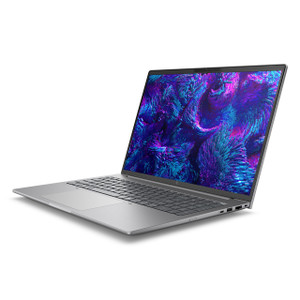
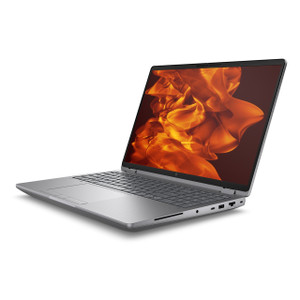
HP Inc BX7L8UT#ABA ZBook 8 G1ak 14-Inch Mobile Workstation
The HP ZBook 8 G1ak (BX7L8UT#ABA) is a 14-inch commercial mobile workstation built around AMD's Ryzen AI 7 Pro 350 — an 8-core/16-thread processor with a base clock of 3.50 GHz and a boost ceiling of 5.00 GHz. Positioned as an AI PC platform, it pairs that processor with a 2560×1600 (2.5K) WLED display running at 120 Hz, making it a practical choice for security operations center analysts, VMS configuration work, and field deployment engineers who need reliable compute performance and a sharp, high-refresh display in a package that weighs 5.70 lb.
Key Features
- AMD Ryzen AI 7 Pro 350 (8 cores / 16 threads, up to 5.00 GHz): The Pro suffix signals vPro-platform manageability support, which matters for enterprise IT departments managing a fleet of field workstations remotely. Eight cores handle multi-threaded VMS client workloads, video decoding, and concurrent application stacks without the thermal throttling common on lower-core-count mobile chips.
- 14-inch 2.5K WLED UWVA Display (2560×1600, 16:10 aspect ratio): The 16:10 format gives you more vertical real estate than a standard 16:9 panel — practically useful when reviewing camera layouts, timelines, or reading long configuration documents without constant scrolling. At 400 nits brightness with anti-glare treatment, the screen stays readable under mixed office and warehouse lighting conditions.
- 120 Hz Refresh Rate: At 120 Hz, live video feeds and UI interactions render without the judder visible on standard 60 Hz panels. For analysts monitoring multi-stream VMS dashboards, smoother motion rendering reduces eye strain during extended shifts.
- Low Blue Light Panel: The factory-calibrated low-blue-light treatment reduces high-energy wavelength output without color-shifting the display — a meaningful factor for operations staff working 8–12 hour monitoring rotations.
- 16 GB RAM: 16 GB is the functional floor for running a full VMS client, browser-based management consoles, and remote desktop sessions simultaneously. It handles typical enterprise field-deployment workflows without memory pressure forcing page file activity.
- 512 GB SSD: A 512 GB solid-state drive provides enough local headroom for OS, VMS client software, recorded clip exports, and project documentation — without the speed penalty of a spinning drive that would slow boot times and application launches in time-sensitive field scenarios.
- Integrated AMD Graphics (UMA): The integrated Radeon graphics inside the Ryzen AI 7 Pro 350 handles display output and video decode acceleration for typical VMS client workloads. If your workflow includes GPU-intensive tasks like on-device AI analytics processing, forensic video enhancement, or running local AI inference models, verify that UMA performance meets your specific workload threshold — a discrete GPU SKU in the ZBook line would be the alternative.
- 5.70 lb / 14-inch Form Factor: At 5.70 lb with a 14-inch footprint (18.60 × 10.80 × 2.70 in), this sits at the boundary between ultraportable and full-featured workstation. It fits in a standard laptop bag for site visits, while the chassis depth accommodates a full-size keyboard and sufficient thermal headroom for sustained all-core loads.
Integration & Compatibility
The BX7L8UT#ABA ships with Windows 11 Pro (WE edition), which maintains compatibility with enterprise domain join, Group Policy, BitLocker encryption, and remote management platforms including Microsoft Intune and SCCM. The Ryzen AI 7 Pro 350 platform includes AMD's integrated NPU for on-device AI acceleration — relevant for workflows using AI-assisted video review tools or copilot-style productivity software that routes inferencing to the NPU rather than CPU cores, preserving compute headroom for primary applications.
For security integrators deploying HP Inc mobile workstations in the field, the ZBook 8 G1ak fits within HP's commercial device management ecosystem. As a mobile workstation, it's compatible with HP's standard commercial accessories including docking stations, monitors, and peripherals — verify connector specification against your docking infrastructure before ordering. When pairing with a network video recorder or VMS server for client workstation use, ensure your VMS vendor supports Windows 11 Pro at the version shipping with this unit. For teams planning multi-unit fleet purchases, consult a workstation selection guide to align processor tier with your specific concurrent-stream count requirements.
Frequently Asked Questions
Q: What processor does the BX7L8UT#ABA use?
A: The AMD Ryzen AI 7 Pro 350 — an 8-core, 16-thread mobile processor with a base clock of 3.50 GHz and a boost clock up to 5.00 GHz.
Q: What is the display resolution and refresh rate?
A: The 14-inch panel runs at 2560×1600 (2.5K, 16:10 aspect ratio) at 120 Hz with 400 nits brightness, anti-glare UWVA treatment, and low-blue-light certification.
Q: Does the BX7L8UT#ABA have a discrete GPU?
A: No. It uses UMA (unified memory architecture) integrated graphics from the AMD Ryzen AI 7 Pro 350. For GPU-intensive workloads such as on-device AI inferencing beyond the NPU, consider a ZBook variant with a discrete GPU.
Q: How much RAM and storage does it include?
A: 16 GB RAM and a 512 GB SSD as configured.
Q: What operating system does it ship with?
A: Windows 11 Pro (WE — Windows edition), suitable for enterprise domain environments, BitLocker, and remote management platforms.
Q: What does the SmartBuy designation mean for procurement?
A: HP SmartBuy SKUs are fixed-configuration commercial units designed for straightforward B2B procurement — the configuration is standardized and sourced through commercial channels, simplifying PO processing for IT departments that need consistent specs across a fleet order.
The BX7L8UT#ABA hits a configuration sweet spot I see integrators and IT teams reach for repeatedly: the Ryzen AI 7 Pro 350's 8-core/16-thread design with a 5.00 GHz boost ceiling handles the concurrent workloads of a real deployment day — VMS client open, remote desktop to the NVR, browser-based access control console, and a Teams call running simultaneously — without the fan screaming or frame drops you get on a 4-core ultrabook pushed past its thermal limits.
Technical Highlights:
- 2.5K 120 Hz Display (2560×1600): The 16:10 aspect ratio is the practical win here — more vertical pixels mean fewer scroll actions when working through camera-by-camera configuration lists or reviewing event timelines in a VMS. 400 nits keeps it usable in the bright utility rooms and warehouse floors where a lot of this work actually happens.
- AMD NPU (Next Gen AI PC Platform): The on-chip neural processing unit offloads AI inferencing tasks from CPU cores — relevant if your team runs AI-assisted clip review or copilot productivity tools. It keeps the 8 CPU cores available for primary application workloads rather than burning them on background AI tasks.
- SmartBuy Fixed Configuration: For fleet procurement, SmartBuy means no spec drift between units ordered at different times. Every BX7L8UT#ABA is 16GB/512GB/Ryzen AI 7 Pro 350 — no build-to-order variation that creates support headaches when imaging and deploying a batch of 20 units.
Deployment Considerations:
- The UMA graphics configuration is appropriate for VMS client use and video decode, but if you're running local AI-based video analytics engines or forensic enhancement software that lists discrete GPU as a requirement, validate against your software vendor's minimum GPU spec before ordering at scale.
- At 5.70 lb, this is not the lightest 14-inch on the market — factor that in for technicians doing long site-walk installs where the laptop rides in a bag all day. It's a workstation-class chassis, not an ultrabook.
This unit is a strong fit for security operations center analysts and field deployment engineers who need a fixed, predictable commercial configuration they can image once and roll out across a team — particularly in enterprise environments already standardized on HP commercial device management and AMD platform tooling.