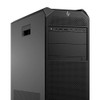
HP Inc BG9C4UT#ABA Z8 G5 Workstation
The HP Z8 G5 (BG9C4UT#ABA) is a build-to-order tower workstation configured with an NVIDIA RTX 2000 Ada professional GPU, 16GB of system memory, and a 512GB storage volume, running Windows 11 Pro out of the box. It's positioned for engineering, CAD, and visualization workloads where a workstation-class GPU and OS matter more than consumer-grade hardware. The BG9C4UT#ABA configuration code reflects this specific memory, storage, GPU, and OS combination as HP ships it from the factory.
Overview
This SKU (W53535X build) pairs the Z8 G5 chassis with an NVIDIA RTX 2000 Ada card — a Ada Lovelace-generation professional GPU line built for ISV-certified applications rather than gaming. The 16GB/512GB configuration is an entry point into the Z8 G5 platform; buyers running larger simulation, rendering, or dataset workloads should confirm whether this base memory and storage allocation fits their actual workload before ordering, since evidence available for this listing does not detail upgrade paths or additional configuration options.
Key Features
- NVIDIA RTX 2000 Ada GPU: A workstation-class graphics card intended for ISV-certified professional applications (CAD, BIM, visualization) rather than general desktop use — relevant if your software stack requires certified professional drivers instead of consumer GeForce drivers.
- 16GB System Memory: Adequate for standard office and light professional workloads; teams running memory-intensive simulation or multi-application engineering pipelines should evaluate whether this base allocation meets project requirements.
- 512GB Storage: Sufficient for the OS, applications, and working project files on a single-drive configuration; large asset libraries or extensive local caching may warrant supplemental storage.
- Windows 11 Pro: Ships with business-grade OS licensing, supporting domain join, BitLocker, and standard enterprise management tooling expected in a commercial IT deployment.
- Z8 G5 Tower Platform: HP's workstation-tier chassis line, built for the sustained thermal and power demands of professional GPU and CPU configurations rather than consumer desktop use.
Integration & Compatibility
As a Windows 11 Pro workstation, the BG9C4UT#ABA integrates into standard domain-joined IT environments and supports typical enterprise device management tooling. Specific I/O, expansion slot, and certified-application compatibility details were not available in the evidence provided for this listing — confirm port configuration and expansion needs against your specific engineering software requirements before deployment.
Frequently Asked Questions
Q: What GPU does the BG9C4UT#ABA include?
A: This configuration ships with an NVIDIA RTX 2000 Ada professional graphics card.
Q: How much memory and storage does the BG9C4UT#ABA have?
A: This build includes 16GB of system memory and 512GB of storage.
Q: What operating system ships on the BG9C4UT#ABA?
A: Windows 11 Pro is preinstalled on this configuration.
Q: What does the 3/3/3 designation mean for this HP Z8 G5?
A: The 3/3/3 designation reflects HP's standard commercial warranty structure for this configuration; confirm exact coverage terms before purchase.
The BG9C4UT#ABA is a Z8 G5 build I'd flag as an entry-tier configuration within the Z8 line — the RTX 2000 Ada is a real professional GPU, but pairing it with only 16GB of memory and a 512GB drive tells me this is meant for lighter CAD or visualization tasks, not heavy simulation work.
Technical Highlights:
- NVIDIA RTX 2000 Ada: ISV-certified professional GPU class — the right driver stack for CAD/BIM software that specifically validates against workstation cards rather than consumer GPUs.
- 16GB memory / 512GB storage: A base allocation — fine for standard workloads, but I'd size this against your actual dataset and application memory footprint before committing to it for anything render- or simulation-heavy.
- Windows 11 Pro: Gives you domain join and standard enterprise management out of the box, which matters if this is going into a managed IT fleet rather than a standalone workstation.
Deployment Considerations:
- Confirm your CAD or engineering application's certified hardware list against the RTX 2000 Ada specifically — professional software vendors often validate against exact GPU models.
- The 16GB/512GB spec on this BG9C4UT#ABA build is on the lean side for a Z8-class chassis; if your workload grows, budget for a higher-memory configuration rather than expecting to run everything on this base build.
Reasonable fit for a single CAD or drafting seat running lighter professional visualization software — not the configuration I'd spec for a rendering farm or large-assembly simulation seat.