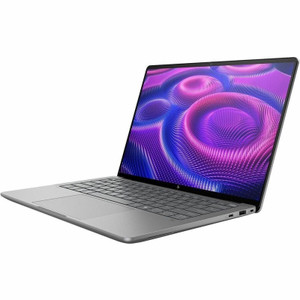
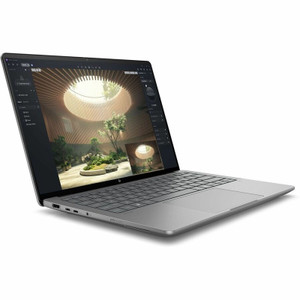
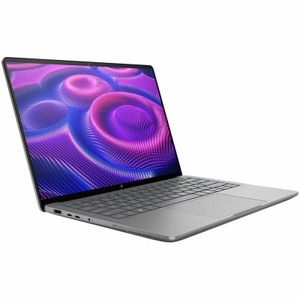
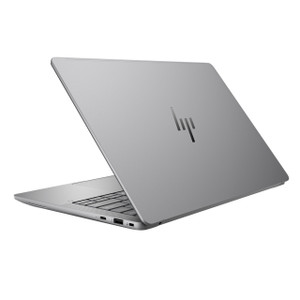
HP Inc BF6U0UT#ABA ZBook Ultra 14 G1a Mobile Workstation
Overview
The HP ZBook Ultra 14 G1a (BF6U0UT#ABA) is a 14-inch mobile workstation built around AMD's Ryzen AI MAX Pro 390 processor — a 12-core chip with up to 5.0 GHz max boost — paired with 32GB of RAM and a 2TB solid-state drive. It targets field engineers, security architects, and technical buyers who need workstation-class compute in a sub-6-pound chassis. At 5.77 lb, it's one of the lighter options in the professional mobile workstation segment without sacrificing processing headroom for compute-intensive tasks like video analysis, simulation, or large dataset processing.
Key Features
- AMD Ryzen AI MAX Pro 390 (12 cores, up to 5.0 GHz): Twelve cores with a 5.0 GHz max boost means multi-threaded workloads — compiling, rendering, running security analytics tools — complete faster without being throttled back to efficiency cores mid-task. The "AI MAX Pro" designation includes integrated NPU acceleration, relevant if your VMS or analytics platform leverages on-device AI inferencing.
- 2880x1800 OLED Touchscreen at 120Hz: The 2.8K OLED panel (16:10 aspect ratio) delivers sharper pixel density than standard 1080p displays — useful for reviewing surveillance footage, reading dense network diagrams, or working with multi-pane terminal layouts. The 120Hz refresh rate reduces motion blur during scrolling. BrightView Low Blue Light certification matters for technicians doing extended on-site commissioning sessions.
- 400-nit brightness: 400 nits is sufficient for indoor use and moderately lit field environments. It's not a high-brightness outdoor panel — users in direct sunlight will need shade or a hood.
- 32GB RAM: 32GB keeps a full VM stack, a VMS client, and browser-based management consoles running simultaneously without paging to disk — a realistic workflow for integrators doing on-site system commissioning or remote site audits.
- 2TB SSD storage: 2TB onboard gives meaningful buffer for local video capture, large project files, or staging software deployments without relying on network shares in the field.
- 5.77 lb chassis (14-inch form factor): Under 6 pounds in a 14-inch package is a practical carry weight for technicians moving between job sites. The 18.50 x 11.00 inch footprint fits standard laptop bags and backpacks without the bulk of a 15- or 17-inch workstation.
Integration and Compatibility
The Ryzen AI MAX Pro 390 platform runs Windows natively and is compatible with standard enterprise imaging workflows (MDM, SCCM, Intune). The AMD Pro designation includes commercial-grade manageability features. For security integrators, this workstation can run mobile computing tools, VMS clients, and design software concurrently. Buyers sourcing this alongside other HP Inc workstations and endpoints will find consistent driver and management tooling across the fleet. If you're speccing a deployment kit that includes network infrastructure, pair with a managed PoE switch for a complete on-site commissioning kit. For teams evaluating the right compute tier, review our commercial workstation selection for comparative options.
Frequently Asked Questions
Q: What processor does the BF6U0UT#ABA use and how many cores does it have?
A: The BF6U0UT#ABA is equipped with the AMD Ryzen AI MAX Pro 390, a 12-core processor with a maximum boost clock of up to 5.0 GHz.
Q: What is the display resolution and panel type on this ZBook Ultra 14 G1a?
A: The display is a 14-inch OLED UWVA touchscreen running at 2880x1800 (2.8K, 16:10 aspect ratio) with a 120Hz refresh rate, 400-nit brightness, and BrightView Low Blue Light treatment.
Q: How much RAM and storage does the BF6U0UT#ABA include?
A: It ships with 32GB of RAM and a 2TB solid-state drive.
Q: How much does the HP ZBook Ultra 14 G1a weigh?
A: The unit weighs 5.77 lb.
Q: Is this a SmartBuy configuration?
A: Yes — the BF6U0UT#ABA is an HP SmartBuy SKU, which means it is a pre-configured, channel-direct configuration optimized for B2B procurement with stable pricing and consistent availability through commercial distribution.
Q: What operating system does the HP ZBook Ultra 14 G1a ship with?
A: Operating system details are not specified in the available distribution data for this SKU. Confirm with your procurement team or the order documentation for the specific OS build included in this SmartBuy configuration.
The BF6U0UT#ABA lands in a narrow band of mobile workstations where you actually get a 12-core AMD Ryzen AI MAX Pro 390 — boosting to 5.0 GHz — inside a 5.77 lb chassis with a 2.8K OLED display. That combination is not common at this weight class, and it's the core reason integrators and field architects are looking at this SKU.
Technical Highlights:
- Ryzen AI MAX Pro 390 (12c / 5.0 GHz): Enough headroom to run a VMS client, a network management console, and a virtual machine concurrently without hitting thermal throttle on tasks like video decoding or configuration scripting.
- 2880x1800 OLED at 120Hz: The 16:10 panel adds roughly 11% vertical screen real estate compared to 16:9 — meaningful when you're reviewing multi-camera layouts or working in a CLI split-pane. OLED contrast makes dark-scene footage review more useful than a standard IPS panel.
- 32GB RAM + 2TB SSD: 32GB gives you comfortable headroom for enterprise imaging and multi-app field workflows; 2TB means you're not rationing local storage on extended site visits or offline deployments.
Deployment Considerations:
- The 400-nit display rating is adequate for indoor commissioning and office use, but integrators working in outdoor or high-ambient-light environments should factor in a screen hood or adjust work positioning — this is not a high-brightness ruggedized panel.
- Dimensions on record (18.50 x 11.00 x 3.00 in) reflect distribution packaging, not the bare unit — verify chassis dimensions directly against your bag or case spec before ordering in volume.
The BF6U0UT#ABA is the right call for security architects and senior field integrators who need a single machine to handle VMS configuration, video review, network design, and documentation on-site — and who are willing to carry 5.77 lb to get genuine 12-core workstation performance in a 14-inch form factor.