HP Inc 2Z273AA 8TB Enterprise SATA Hard Drive
Overview
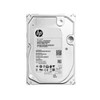
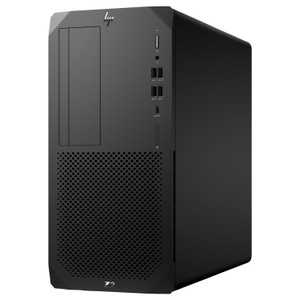
The HP Inc 2Z273AA is an 8TB, 7200RPM, 3.5-inch enterprise-class SATA hard drive sourced and validated for use in HP Z2 workstations. If you're expanding storage in an HP Z2 G8 SFF, Z2 G8 Tower, Z2 G5 SFF, or Z2 G5 Tower, this is the drive HP qualifies for those systems — not a generic desktop drive adapted to fit. The 2Z273AA slots into HP's official upgrade path, which matters when workstation stability and warranty integrity are priorities for your organization.
At 8TB and 7200RPM, it delivers enough raw capacity for large project archives, rendering scratch space, video editing timelines, or local backup repositories without stepping up to the cost and complexity of NVMe. SATA remains the right call when sequential throughput is sufficient and cost-per-terabyte is a real consideration in your budget cycle.
Key Features
- 8TB Capacity at 7200RPM: 8TB gives workstation users enough local headroom to keep active project files, working datasets, and media archives on-drive without constantly offloading to network storage. The 7200RPM spindle speed maintains solid sequential read/write performance for tasks like large file transfers, video ingest, and database reads — without the latency floor of 5400RPM consumer drives.
- Enterprise-Class Drive in a Workstation Form Factor: This is not a consumer desktop drive rebadged for workstation use. The enterprise classification matters for duty-cycle tolerance and mean-time-between-failure (MTBF) ratings — relevant when the drive runs continuously in a production environment or handles sustained write workloads.
- SATA Interface: Serial ATA remains universally supported across Z2 platform BIOS and storage controllers. If your Z2 chassis already has available SATA data and power connectors, installation requires no additional adapter or bracket beyond what HP supplies — straightforward for in-house IT teams managing their own hardware upgrades.
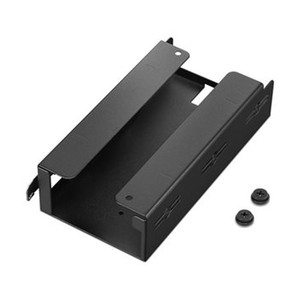
- 3.5-Inch Form Factor: At 146mm wide × 101mm deep × 26mm tall, the 2Z273AA fits standard 3.5-inch drive bays. The Z2 Tower configurations have dedicated 3.5-inch bays; Z2 SFF configurations may require a carrier or bracket — confirm your chassis bay spec before ordering if you're working with the SFF platform.
- Verified Platform Compatibility: HP qualifies this drive specifically for the Z2 G8 SFF, Z2 G8 Tower, Z2 G5 SFF, and Z2 G5 Tower. Buying a drive your workstation vendor has validated reduces the risk of firmware-level incompatibility, unexpected SMART reporting discrepancies, or storage controller conflicts that can surface with non-validated drives.
- Low Carbon Footprint Documentation: HP reports a total product carbon footprint of 10 kg CO2e for the 2Z273AA — relevant for organizations tracking Scope 3 emissions or operating under ESG procurement guidelines. HP's General Product Safety documentation is available through HP support channels.
Integration and Compatibility
The 2Z273AA is validated for the following HP Z2 workstation configurations:
- HP Z2 G8 Small Form Factor (SFF)
- HP Z2 G8 Tower
- HP Z2 G5 Small Form Factor (SFF)
- HP Z2 G5 Tower
Outside of these four platforms, HP does not publish validated compatibility for the 2Z273AA. If you're populating storage in a different HP workstation line or a non-HP system, confirm your chassis accepts 3.5-inch SATA drives and that your storage controller firmware supports the drive. The SATA interface is broadly compatible, but HP's qualification testing covers only the platforms listed above.
For workstations running HP's recommended storage configuration guides, pairing this drive with a supported network-attached storage solution provides tiered local-plus-network storage for larger workgroups. Organizations managing a fleet of HP workstations across multiple Z-series generations should verify per-generation compatibility before bulk ordering.
What's in the Box
- 1x 8TB 7200RPM SATA 3.5-inch Enterprise Hard Drive
- 1x Install Guide
- 1x Warranty Card
- 1x Product Notices
Frequently Asked Questions
Q: Which HP workstation models is the 2Z273AA compatible with?
A: HP validates the 2Z273AA for the Z2 G8 SFF, Z2 G8 Tower, Z2 G5 SFF, and Z2 G5 Tower. These are the four confirmed compatible platforms per HP's product data.
Q: Is the 2Z273AA a consumer or enterprise-class drive?
A: It is classified as an enterprise-class drive — not a consumer desktop HDD. The enterprise designation indicates a higher duty-cycle rating and MTBF specification compared to standard desktop drives sold for home use.
Q: Does the 2Z273AA work in the Z2 G8 SFF as well as the Tower?
A: Yes, both SFF and Tower variants of the Z2 G8 and Z2 G5 are listed as compatible. However, SFF chassis may require a drive carrier or bracket for 3.5-inch drives — verify your specific SFF bay configuration before installing.
Q: What interface does the 2Z273AA use?
A: Serial ATA (SATA). It connects via standard SATA data and power connectors already present in the Z2 platform — no additional controller card or adapter is required in most configurations.
Q: What is the drive's spindle speed and how does that affect performance?
A: The 2Z273AA spins at 7200RPM, which is the standard enterprise HDD speed tier. It offers meaningfully better sequential read/write performance compared to 5400RPM consumer drives, making it suitable for active project storage, video ingest, and database workloads — not just cold archival use.
Q: What is included in the box with the 2Z273AA?
A: The package includes the 8TB enterprise hard drive, an install guide, a warranty card, and product notices. No mounting screws or SATA cables are included — those are typically available in the workstation chassis or sourced separately.
The 2Z273AA is a straightforward call when you're expanding storage in an HP Z2 G8 or G5 workstation and need validated compatibility rather than a best-guess fit. At 8TB and 7200RPM on a SATA interface, it sits in the right tier for sustained workstation workloads — enough capacity to keep active datasets local, enough spindle speed to avoid the latency drag you get from 5400RPM archive drives, and a form factor the Z2 platform is explicitly built to accept.
Technical Highlights:
- 8TB Enterprise Capacity: Enough headroom for large CAD assemblies, video editing projects, or local backup jobs without constant data tiering to network storage — practical for small workgroups where NAS bandwidth is a bottleneck.
- 7200RPM Spindle Speed: Maintains consistent sequential throughput for sustained read/write workloads. The difference between 5400RPM and 7200RPM is measurable on large file operations — expect roughly 20–30% better sequential performance in day-to-day workstation use.
- Enterprise Drive Classification: Rated for higher continuous duty cycles than consumer desktop HDDs. If this workstation runs 24/7 or handles sustained write workloads (rendering output, data logging, backup targets), the enterprise-class MTBF rating is worth the price delta over a consumer drive of equivalent capacity.
Deployment Considerations:
- The Z2 G8 and G5 SFF chassis use 3.5-inch drive carriers — confirm your SFF bay has an available carrier before installation. Tower configurations are more straightforward, with dedicated 3.5-inch bays and standard SATA routing already in place.
- No SATA cable or mounting hardware is included in the box. For Z2 workstations, HP typically includes spare SATA cables in the chassis accessory kit — check the chassis bay inventory before ordering additional cabling separately.
This drive is the right fit for a Z2 G8 Tower being deployed as a local render node or a video post-production workstation where the operator needs 8TB of fast, always-available local scratch space and the IT team needs a drive HP has already qualified for that exact chassis.