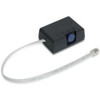
Epson C32C890634 External Buzzer for POS Printers
Overview
The Epson C32C890634 is an external buzzer accessory designed to integrate with Epson thermal receipt and kitchen display system printers. This accessory provides audible alert capabilities to signal transaction completion, print job status, and operational notifications in retail point-of-sale and food service environments. Installation connects directly to compatible printer models via the printer's external device port, eliminating the need for additional firmware or driver modifications.
Compatibility
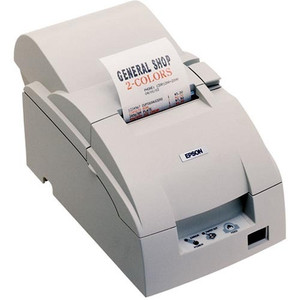
The C32C890634 is compatible with the following Epson printer models: T88V, TM-T70, TM-T70II, and TM-T20II. Direct connection to the printer's external device port means you avoid custom integration work or software patches. The buzzer operates as a passive peripheral—no special configuration required beyond physical attachment.
Deployment Considerations
In multi-terminal retail or kitchen environments, audible feedback prevents transaction delays caused by missed visual indicators on the receipt printer display. The buzzer alert supplements the printer's existing notification methods, reducing staff reliance on continuous printer monitoring. This is particularly useful in high-volume food service kitchens where kitchen staff may be attending to multiple stations simultaneously.
The C32C890634 pairs well with POS printer mounting and integration hardware when upgrading existing single-printer installations. If your deployment involves multiple printers feeding a shared kitchen display system, verify that each printer model in your fleet is listed in the compatible models above before purchasing multiple units.
Integration Notes
Because the C32C890634 connects to the printer's external device port rather than through network or serial interfaces, physical cable routing and port availability on the printer mount should be confirmed before installation. If your printer is already populated with other external devices (barcode scanner, drawer kick, etc.), ensure the external device port is available. Consult your printer's physical installation layout and port map before ordering.
Frequently Asked Questions
Q: Does the C32C890634 work with all Epson thermal printers?
A: No. The C32C890634 is compatible only with T88V, TM-T70, TM-T70II, and TM-T20II models. If you have a different Epson printer model, verify compatibility before purchasing.
Q: Does the buzzer require separate power?
A: The C32C890634 draws power directly from the printer's external device port. No separate power supply is needed.
Q: Can I control the buzzer volume or tone?
A: Consult the printer's manual and firmware settings. Alert customization depends on the printer model and software configuration. Check your specific printer's documentation for available alert tone and volume options.
Q: How is the C32C890634 physically installed?
A: The buzzer connects directly to the external device port on the compatible printer model. Installation requires access to the printer's rear or side panel port. Refer to your printer's installation guide for exact port location and connection procedure.
Ted PerryPerspective based on aggregated IP Security Depot and affiliated engineering team experience.
The C32C890634 is a straightforward accessory that addresses a real operational gap in multi-station retail and kitchen environments. When your receipt printer finishes a job, visual-only feedback becomes unreliable if staff are facing away from the device. Adding audible confirmation eliminates that friction.
Deployment Highlights:
- External Device Port Connection: No software integration or firmware updates required. Power and signal come directly from the printer's external port, so installation is purely physical.
- Backward Compatibility: Works with field-deployed T88V and TM-T70/TM-T70II/TM-T20II units without requiring printer replacement or retrofit.
- Multi-Unit Scaling: If you're expanding a POS environment from two terminals to six, you can add C32C890634 units to each printer independently—no centralized configuration.
Real-World Gotchas:
- Port Availability: Verify the external device port is free. If you're already running a cash drawer or barcode scanner on that port, you'll need to multiplex or choose a different alert method.
- Model Specificity: Out-of-scope Epson models (T20, T82, T90, etc.) are not listed as compatible. Don't assume cross-model compatibility—verify part number before ordering multiples for a mixed printer fleet.
Best fit: Quick-service restaurants with open kitchens where cook stations sit ten feet away from printers, or retail environments running multiple checkout lanes where a single cashier watches two terminals. For single-printer setups or applications where visual feedback is sufficient, the incremental cost and installation labor may not justify deployment.