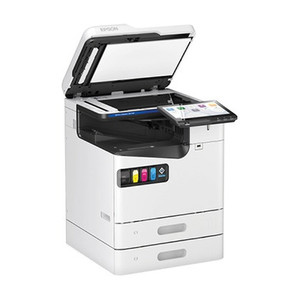
Epson C31CK00A9961 P80II+ Wireless Receipt Printer
Overview
The Epson C31CK00A9961 P80II+ is a portable wireless receipt and label printer designed for mobile and on-site operations where cable routing is impractical or impossible. Built around inkjet technology and equipped with Wi-Fi connectivity, this unit delivers 600 dpi print resolution — sharp enough for clear text, barcodes, and QR codes on standard receipt stock. The auto-cut mechanism handles separation automatically, reducing manual labor at each transaction. An integrated battery cradle enables true untethered deployment, making it ideal for roaming point-of-sale applications, field service technicians, warehouse picking operations, and retail environments where mobility trumps stationary infrastructure.
Key Features
- Wi-Fi Connectivity: Wireless operation eliminates ethernet or USB tethering, letting you position the printer anywhere within range of your network. No cables to route through congested workspaces — a real advantage in retail fitting rooms, outdoor venue ticketing, or delivery van operations.
- 600 dpi Print Resolution: Produces sharp, legible text and barcode output suitable for retail receipts, shipping labels, and warehouse picking tickets. At 600 dpi, thermal-barcode readability is reliable even when labels are folded or creased during transit.
- Inkjet Print Method: Unlike thermal printers, inkjet allows color receipt printing and works with standard commodity receipt paper — no specialty thermal stock required. If you need color logos or promotional messaging on receipts, inkjet is your path forward.
- Auto-Cut Mechanism: Separates receipts and labels automatically at a programmed length, eliminating the need for manual tearing or scissors. Speeds up transactions and reduces paper waste from irregular cuts.
- Battery Cradle Support: Integrated cradle accepts optional battery modules, decoupling the printer from AC power or USB charging. Critical for field operations lasting 4–8 hours without access to wall outlets or vehicle chargers.
- Receipt and Label Media Compatibility: Handles both receipt paper (typically 80mm width) and adhesive label stock, making it a single device for multiple document types. Reduces the need to carry separate printers for different job types.
Integration & Compatibility
The P80II+ integrates with standard POS software and mobile applications via Wi-Fi — no proprietary gateways or specialized infrastructure required. Most retail management systems (Square, Toast, Shopify, custom web-based POS) support standard ESC/POS commands, which the C31CK00A9961 implements. Pair the printer to your Wi-Fi network once, then print from any client on the same subnet. If your environment requires IP address assignment via DHCP or static allocation, the printer supports both modes. For field technicians using Android or iOS tablets with web-based dispatch systems, Wi-Fi pairing is typically a one-time setup task.
Deployment Scenarios
Retail & Point-of-Sale: Roaming servers in restaurants, bars, or outdoor markets can print orders and payment confirmations without returning to a terminal. Reduces wait times for patrons and improves table turnover.
Field Service & Logistics: Delivery drivers, meter readers, and technicians can print on-demand pickup confirmations, proof-of-delivery documents, and work orders directly at the customer site. Eliminates the need to return to a depot to print batched receipts.
Warehouse & Fulfillment: Pickers printing packing slips and labels at the moment of item confirmation improves accuracy and reduces mispicks. Battery operation means mobility across picking zones without power infrastructure.
Considerations
Inkjet printers require regular cartridge replacement and are slower than thermal printers — expect 2–3 seconds per receipt depending on content. If your transaction volume exceeds 500 receipts per shift, compare thermal-receipt models for throughput. Wi-Fi range is typically 100–150 feet in open air; if your warehouse or venue is larger, you may need multiple Wi-Fi access points or consider a tethered thermal alternative. Battery runtime depends on usage cycle — printing, idle time, and battery age all affect uptime between charges.
Frequently Asked Questions
Q: What is the print speed of the Epson C31CK00A9961?
A: The P80II+ is an inkjet printer and is slower than thermal receipt printers. Exact speed depends on resolution and content complexity, but plan for 2–3 seconds per receipt. If you need high-volume thermal output, consider a dedicated thermal receipt printer.
Q: Can the C31CK00A9961 print in color?
A: Yes. Inkjet technology enables color printing, making it suitable for branded receipts, promotional logos, or color-coded labels — something thermal printers cannot do.
Q: What paper sizes and media does the P80II+ support?
A: The printer supports receipt paper and label media, typically in 80mm width. Consult the datasheet for approved media specifications and thickness ranges to avoid jams.
Q: Does the C31CK00A9961 require special software or drivers?
A: The printer uses standard ESC/POS commands, which most POS and mobile applications support natively. Install drivers only if your specific software vendor requires them; most modern systems print via Wi-Fi without additional setup.
Q: How long does the battery last on a single charge?
A: Battery runtime depends on the optional battery module capacity and usage pattern (printing intervals, Wi-Fi radio duty cycle). Refer to the battery module specifications for rated runtime in your expected duty cycle.
Q: Is the Epson C31CK00A9961 suitable for outdoor use?
A: The P80II+ is a portable indoor/sheltered device. It is not rated for prolonged exposure to rain or extreme temperatures. For outdoor environments requiring weather protection, use a protective housing or mount the printer in an equipment enclosure.
Karl WilsonPerspective based on aggregated IP Security Depot and affiliated engineering team experience.
The Epson C31CK00A9961 P80II+ occupies a specific niche: mobile environments where speed and stationary infrastructure take a back seat to untethered operation and color-capable output. The 600 dpi resolution is clean enough for barcode readability and legible text, but the real differentiator is the inkjet method combined with Wi-Fi and battery support. You're trading throughput for flexibility.
Technical Highlights:
- Inkjet + 600 dpi: Sharp enough for retail barcodes and QR codes, and unlike thermal, you get full color — valuable if logos or promotional content matters on your receipts.
- Wi-Fi Connectivity: Eliminates cable routing, enabling true portability across roaming retail floors, delivery vehicles, or field-service sites. Pairs once, then prints from any POS terminal on the same network.
- Battery Cradle: Optional battery modules decouple the printer from AC/USB power, critical for multi-hour field deployments where access to outlets is zero.
- Auto-Cut: Automatic receipt separation reduces labor per transaction and minimizes paper waste from manual tearing.
Deployment Considerations:
- Print Speed Trade-Off: Inkjet is 2–3 seconds per receipt — acceptable for low-volume transactions (restaurants, field service) but inadequate if you're pushing 500+ receipts per shift. If throughput is your constraint, thermal receipt printers are faster.
- Cartridge Costs: Inkjet printing consumes ink cartridges on every transaction. Factor consumables into cost-per-receipt; thermal ribbons are cheaper per page for high-volume sites.
- Wi-Fi Dependency: Printer must stay within range of your access points. If Wi-Fi is unstable or coverage is sparse, connectivity will frustrate users. Test range in your venue before rollout.
- Battery Runtime Variability: Actual uptime depends on the optional battery module you choose and your printing frequency. A busy roaming server will drain faster than a lightly-used field technician's unit.
Best fit: retail environments with roaming POS (restaurants, bars, outdoor vendors), delivery and field-service operations requiring on-demand receipts/labels, and warehouse picking scenarios where color or promotional content on labels adds value. Skip it if you're processing thousands of receipts per day or require guaranteed all-day uptime without recharging.