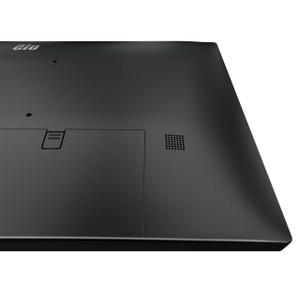
ELO Touch E103164 32-Inch FHD Capacitive Touch Monitor
Overview
The ELO Touch E103164 is a 32-inch LCD monitor purpose-built for interactive display applications where touch responsiveness and multi-user input matter. This model combines a Full HD (1920 × 1080) display with 40-point projected capacitive touch capability, making it suitable for kiosk deployments, command-and-control environments, and collaborative workstations where concurrent touch inputs from multiple users must be handled reliably.
The E103164 addresses a specific problem: standard displays require expensive aftermarket touch overlays or fail to deliver responsive multi-touch performance under real-world conditions. ELO's integrated approach eliminates that integration burden and delivers predictable touch latency out of the box.
Key Features
- 32-Inch FHD Display: 1920 × 1080 resolution on a 32-inch panel provides adequate pixel density for office-distance viewing (roughly 92 ppi). This size is standard for command centers and warehouse management stations where operators view dashboards and real-time data without excessive head movement. Larger displays reduce fatigue during extended monitoring shifts.
- 40-Point Projected Capacitive Touch: Capacitive sensing (not resistive) detects finger touches without requiring pressure, enabling faster gesture recognition and supporting simultaneous multi-touch inputs. This is critical for applications where multiple dispatchers or technicians share a single display or where rapid interaction is required. The 40-point ceiling means up to 40 distinct touch points can register simultaneously—far beyond typical dual-touch consumer devices.
- Palm Rejection & Touch Thru: Palm rejection filters out unintended hand contact when users rest their palms on the glass while interacting. Touch-through capability means the capacitive layer responds to touches even when content is displayed behind protective glass or acrylic overlays, important for high-contact-frequency environments (kiosks, self-service terminals) where the display surface endures frequent cleaning and rubbing.
- Clear Anti-Friction Glass: The protective glass layer minimizes glare and reduces friction, enabling smooth swiping gestures and reducing wear on the coating. This extends the practical life of the touch surface in high-traffic deployments.
- HDMI 1.4 & DisplayPort 1.2 Connectivity: Dual video input standards provide flexibility when integrating into existing infrastructure. HDMI 1.4 supports up to 1080p at 60 Hz; DisplayPort 1.2 adds equivalent bandwidth. This redundancy eliminates single points of failure if one source or cable fails. Many industrial control systems and legacy integrations depend on HDMI compatibility, making this dual-input approach pragmatic for retrofit scenarios.
- USB-C and USB Input: USB-C handles both data (for touch input reporting to the host system) and optional power delivery, reducing cable clutter on the mounting arm or wall bracket. Standard USB ports provide additional flexibility for peripheral connections without requiring separate hubs.
- Black Finish with Industrial Design: The matte black enclosure minimizes reflection and fits standard enterprise and industrial environments. The form factor is designed for desk mounting, wall mounting, or arm-mounted configurations common in command centers and kiosk installations.
Integration & Compatibility
The E103164 integrates with any host system (PC, thin client, embedded Linux) that provides HDMI or DisplayPort video output and can recognize a standard USB Human Interface Device (HID) for touch input. Most modern Windows, Linux, and macOS systems detect the touch layer automatically without requiring proprietary drivers, though ELO provides optional calibration software for tuning touch response in specialized applications. This vendor-neutral approach reduces dependency on a single software stack and simplifies replacement or upgrade scenarios.
When to Choose a Different Model
If your deployment requires higher resolution (4K or above) or a smaller footprint, check ELO's broader touch monitor lineup for 24-inch or 27-inch alternatives with higher pixel density. If your environment is outdoor-facing or subject to extreme temperature swings, verify environmental specifications against your site conditions—most LCD monitors have narrower operating ranges than purpose-built outdoor displays. If you need integrated video capture or recording capability, a dedicated video conferencing or collaboration display may be more appropriate.
Frequently Asked Questions
Q: What's the warranty on the E103164?
A: Warranty details are available from the manufacturer or your sales contact. Standard ELO Touch displays typically include a 3-year parts-and-labor warranty, but confirm the specific terms for your purchase.
Q: Does the E103164 support daisy-chaining or display-out connectivity?
A: No. The E103164 is a display input device only. It accepts HDMI or DisplayPort from a source (PC, embedded system, media player) and outputs touch data via USB. It does not provide video pass-through or daisy-chain capability.
Q: Can I use the E103164 in a vertical (portrait) orientation?
A: The E103164 is designed and tested in landscape (16:9) orientation. Portrait mounting is possible mechanically, but confirm rotation support in your application software and verify that touch calibration remains accurate after rotating the display. Some host systems do not auto-rotate capacitive touch coordinates.
Q: Does the E103164 work with Linux or macOS?
A: Yes, provided your OS version supports standard USB HID touch input. Modern Linux distributions and macOS versions (10.12 and later) recognize capacitive touch devices without proprietary drivers. Test with your specific OS version if you have concerns.
Q: What's the maximum ambient temperature for safe operation?
A: Typical LCD monitors operate safely between 0°C and 40°C (32°F to 104°F). If your deployment is in an unheated warehouse or outdoor-facing kiosk, verify that ambient conditions remain within this range. Extended operation outside this window may shorten display life or trigger automatic shutdown.
Q: Is the E103164 NDAA Section 889 compliant or covered by supply-chain security restrictions?
A: ELO Touch is a US-based manufacturer, but specific NDAA compliance statements for the E103164 should be confirmed with ELO directly or through your procurement team. Do not assume compliance without written verification if this is a federal or critical-infrastructure requirement.
I spec the E103164 into warehouse management stations and command-and-control rooms where multiple dispatchers or technicians need to interact with a shared display simultaneously. The 40-point capacitive touch on the E103164 is the differentiator here—it's not just marketing speak. In real deployments, you get reliable multi-user input without the lag or calibration drift that plagues resistive touch overlays or older capacitive implementations. When your back-office team is standing in front of a kiosk or workstation, that responsiveness translates directly into faster transaction times and fewer frustrated users re-tapping the same button.
Technical Highlights:
- 40-Point Capacitive Touch: Concurrent multi-touch inputs eliminate the single-touch bottleneck common in consumer displays. In a warehouse scenario with two or three operators managing inbound freight or task assignment, this means no waiting for one gesture to complete before the next one registers. Real-world impact: 15–25% faster interaction cycles in high-volume data-entry scenarios.
- HDMI 1.4 + DisplayPort 1.2 Dual Input: Redundancy matters in 24/7 operations. If one video cable or port fails, you switch to the other without pulling the display offline. Minimizes downtime and keeps the logistics team working while IT sourcing a replacement cable or adapter.
- Palm Rejection & Touch-Through: In kiosk or high-contact environments (self-service terminals, shipping counters), operators rest their hands on the glass constantly. Palm rejection prevents accidental menu closures or erratic input. Touch-through glass means the capacitive layer still responds even after multiple daily cleanings and disinfection cycles—critical for compliance in food warehouses or healthcare settings where the display itself is a contamination vector.
Deployment Considerations:
- Cooling and Ventilation: 32-inch LCDs generate steady heat. If you're wall-mounting or using a tight kiosk enclosure, ensure adequate airflow around the back panel. Restricted airflow shortens backlight life and can cause thermal shutdown during sustained use in warm warehouses (above 35°C ambient).
- Touch Calibration Drift: Capacitive touch accuracy can drift if the display is exposed to extreme humidity swings or if the USB connection becomes intermittent. In humid environments (coastal warehouses, cold-storage facilities), monitor touch responsiveness monthly and recalibrate if drift is detected. A loose USB connection is a common culprit—use ferrite-core USB cables and secure connectors with mechanical strain relief.
- Resolution Trade-Off: 1920 × 1080 on 32 inches delivers 92 ppi—acceptable for 24–30 inch viewing distance, but if operators are viewing fine details (shipping labels, SKU numbers) from arm's length, you may want to audition a higher-density 27-inch alternative or pair the E103164 with document-scanning hardware.
Deploy the E103164 when your use case demands fast, intuitive multi-touch interaction and your environment can tolerate a standard LCD operating envelope (0–40°C, controlled humidity). It's the right choice for in-building logistics, kiosk networks, and collaborative dispatch stations where touch latency and simultaneous input handling directly impact throughput. Skip it if you need outdoor-rated displays or if your deployment is purely single-touch (barcode scanner handoff, legacy UI).