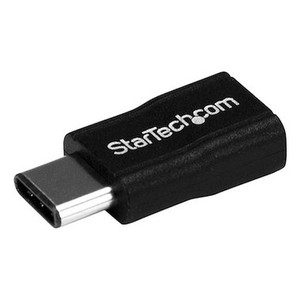
StarTech CDP2HD4K60W USB-C to HDMI Video Adapter
Overview
The StarTech CDP2HD4K60W is a USB-C to HDMI adapter built to take a laptop's USB-C DisplayPort Alt Mode output and hand it off to a standard HDMI 2.0 display at full 3840 x 2160 resolution at 60Hz. For control room workstations, conference room laptops, and NVR/VMS client machines that only offer USB-C but need to feed an HDMI monitor or video wall input, this is the connector that bridges the gap without a docking station in between. At 0.7 oz and 5.9 in long, the CDP2HD4K60W lives in a laptop bag or a rack of AV adapters without adding bulk, and the white housing is built to blend into modern workstation and conference-room hardware rather than stand out as a loose dongle.
Key Features
- 4K60Hz output over HDMI 2.0: full 3840 x 2160 at 60Hz means a 4K monitoring wall or client-side VMS workstation gets smooth motion on live camera feeds instead of the choppy 30Hz cap that older adapters top out at — important when an operator is tracking motion across multiple tiled camera views.
- USB-C (24-pin) DisplayPort Alt Mode input: plugs directly into a laptop's USB-C port and carries video over the same Alt Mode signaling most business laptops already support — no drivers to install, no separate power brick to find a slot for.
- Broad resolution support: steps down cleanly to 1024x768, 1280x720, 1920x1080, 1920x1200, 2560x1440, and 2560x1600 in addition to the 4K60 ceiling, so the same CDP2HD4K60W works whether the display on the other end is a 4K video wall or an older 1080p monitor in a back-office NVR station.
- 32-channel HDMI audio: passes multi-channel audio alongside video, useful when a presentation or training room setup needs sound routed through the display or an AV receiver without a separate audio cable.
- 23 ft maximum cable distance: StarTech rates the signal path to 7m (23 ft) when paired with an appropriate HDMI extension cable, giving installers room to route from a rack-mounted laptop to a wall-mounted display without signal dropout.
- Compact footprint: at 5.9 in x 1.0 in x 0.4 in and 0.7 oz, it rides in a laptop bag, a drawer of spare AV adapters, or stays semi-permanently plugged into a conference room table cable pass-through.
- 0C to 40C operating range: rated for standard office and equipment-room conditions, so it holds up in a network closet or AV rack that runs warmer than a typical office without extra cooling considerations.
- 3-year warranty: the CDP2HD4K60W carries StarTech's 3-year manufacturer warranty, a meaningful data point for a small-form-factor adapter that gets plugged and unplugged daily in a shared conference room.
Integration & Compatibility
The CDP2HD4K60W connects any USB-C laptop with DisplayPort Alt Mode support to an HDMI 2.0 display, making it a straightforward fit for control room workstations running network video recorders or VMS clients that need to output to a shared monitoring wall. Note this adapter has no USB Power Delivery pass-through, so it will not charge the connected laptop — plan for a separate power connection if the laptop needs to stay charged during extended monitoring shifts. Pair it with a quality HDMI cable rated for 4K60 to hit the full 7m distance spec; a marginal cable is the most common reason installers see resolution drop-outs on adapters like this one. For teams standardizing a fleet of control-room laptops on the same video interface, it's worth reviewing a PoE and infrastructure planning guide alongside your NVR and IP camera selections to make sure display and network infrastructure are sized together. The full StarTech catalog includes complementary docking and cabling options if a single adapter isn't enough for a given workstation.
Frequently Asked Questions
Q: Does the CDP2HD4K60W support 4K at 60Hz?
A: Yes. The CDP2HD4K60W outputs up to 3840 x 2160 at 60Hz over HDMI 2.0 when connected to a source and display that both support that resolution and refresh rate.
Q: Will the CDP2HD4K60W charge my laptop through the adapter?
A: No. The CDP2HD4K60W does not include USB Power Delivery pass-through, so it carries video and audio only, not charging power.
Q: What is the maximum cable distance for the CDP2HD4K60W?
A: StarTech rates the CDP2HD4K60W for a maximum cable distance of 23 ft (7m) to the connected display.
Q: What warranty comes with the CDP2HD4K60W?
A: The CDP2HD4K60W includes a 3-year manufacturer warranty.
Q: Does the CDP2HD4K60W pass audio to the display?
A: Yes. It supports 32-channel audio over the HDMI connection.
What gets my attention on the CDP2HD4K60W is the full 4K at 60Hz output over HDMI 2.0 — a lot of USB-C adapters cap out at 4K30, which is a real problem if you're tiling multiple live camera feeds on a monitoring wall and need smooth motion, not a slideshow.
Technical Highlights:
- 3840 x 2160 @ 60Hz: full-bandwidth 4K60 over HDMI 2.0 keeps motion smooth on multi-camera monitoring walls, where a 30Hz cap gets noticeable fast.
- 23 ft (7m) max cable distance: gives you room to route from a rack-mounted laptop to a wall-mounted display without a separate extender.
- 32-channel HDMI audio: carries multi-channel audio through the same cable, useful for training rooms or briefing spaces where the laptop feeds both picture and sound.
Deployment Considerations:
- No USB Power Delivery pass-through on this one — if the laptop needs to stay charged during a long monitoring shift, plan a separate power connection.
- Hitting the full 7m distance spec depends on cable quality; a bargain HDMI cable is the usual culprit when installers see resolution drop at range.
I'd spec the CDP2HD4K60W for a security operations center where analysts run USB-C laptops against a shared 4K monitoring wall — it's the adapter that keeps the frame rate where it needs to be for tracking motion across tiled camera views.