StarTech DP2VGDVHD DisplayPort to VGA/DVI/HDMI Multi-Output Adapter
Overview
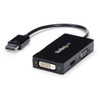
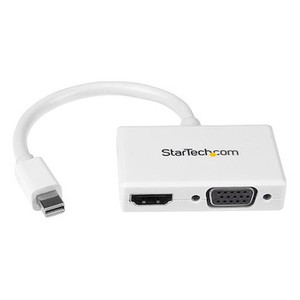
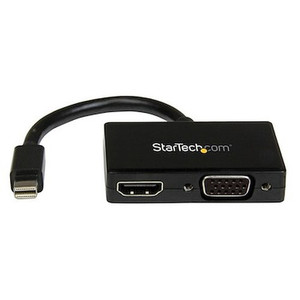
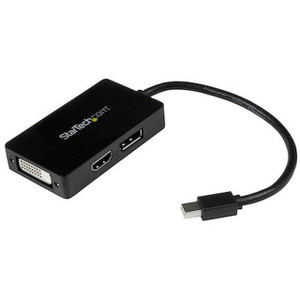
The StarTech DP2VGDVHD is a compact DisplayPort 1.2 adapter that gives a single DisplayPort-equipped PC simultaneous output options across three legacy and modern display interfaces — VGA, DVI-D Single-Link, and HDMI 1.4 — without needing a discrete GPU or docking station. If your workstation has a DisplayPort output and your AV infrastructure, monitor rack, or meeting room display doesn't, this adapter bridges that gap in a package about the size of a thumb drive. At 2.3 oz and 10.5 inches tip-to-tip (including the 5.9-inch pigtail cable), it installs cleanly behind a monitor or inside an AV rack without adding cable clutter.
Key Features
- Three output interfaces, one DisplayPort source: Connect to VGA, DVI-D Single-Link, or HDMI 1.4 — whichever your display or projector requires — without swapping adapters or carrying multiple dongles. One adapter covers most legacy and current-generation displays you'll encounter in commercial AV and control room environments.
- HDMI 4K at 30Hz output: The HDMI 1.4 port delivers up to 3840x2160 at 30Hz, so a 4K monitor or display wall panel connected via HDMI will render at full native resolution. Note: 30Hz is the ceiling — if your application requires 4K at 60Hz, you'll need a DisplayPort 1.4 or HDMI 2.0 solution instead.
- 1920x1200 / 1080p on VGA and DVI-D: Both analog and digital outputs top out at 1920x1200, which covers every 1080p and WUXGA monitor in the field. For surveillance monitoring stations or NOC displays still running DVI or VGA, that's full HD without compromise.
- 7.1-channel audio over HDMI: The HDMI output carries up to 7.1-channel audio from the source, so a conference room or command center display with built-in speakers receives audio without a separate analog run. VGA and DVI-D carry no audio — plan accordingly if your display depends on the cable for sound.
- DisplayPort 1.2 input: Draws directly from the DP1.2 source port, which is standard on most commercial workstations, mini PCs, and thin clients manufactured after 2012. No driver installation required — the adapter is plug-and-play on Windows and compatible OS environments.
- 49.9-foot maximum cable run on output: The adapter supports display connections up to approximately 50 feet from the source — workable for most desktop-to-display runs in open-plan offices, control rooms, or meeting spaces without needing an active extender.
- Compact form factor for tight installs: At 1.8 inches wide and 0.8 inches tall, the adapter body fits behind most monitor stands and inside shallow AV cabinets. The 5.9-inch pigtail prevents strain directly at the PC's DisplayPort jack — a common failure point with rigid dongles.
- Operates 0°C to 45°C: Rated for standard indoor commercial environments. Not suitable for outdoor or uncontrolled-temperature enclosures, but covers any climate-controlled server room, desktop, or AV rack deployment within that range.
Integration and Compatibility
The DP2VGDVHD connects a single display at a time — it is a signal converter and output selector, not a multi-display splitter. Your source PC chooses which output is active based on the connected display's EDID. For AV adapter deployments where a workstation needs to feed different display types at different times (training room projector via VGA one day, 4K presentation monitor via HDMI the next), this adapter eliminates the need to maintain three separate cables or dongles at the desk. It integrates directly into any DisplayPort accessory workflow without software configuration. If your deployment requires extending a DisplayPort signal beyond 50 feet or simultaneously driving multiple independent displays, consider pairing with a video extender or a multi-output DP hub. For more on matching adapters to your display infrastructure, the AV connectivity buying guide covers signal type tradeoffs in detail. Organizations building out monitor walls or control room display arrays should also review video matrix switches for multi-source, multi-display scenarios where a single-output adapter won't scale.
Frequently Asked Questions
Q: Can the DP2VGDVHD output to two or three displays simultaneously?
A: No. The DP2VGDVHD connects one display at a time. It provides three output interface options (VGA, DVI-D, HDMI) on a single adapter, but only one output is active at a time based on which display is connected and detected.
Q: Does the HDMI output on the DP2VGDVHD support 4K resolution?
A: Yes — the HDMI 1.4 port supports up to 4K (3840x2160) at 30Hz. If you need 4K at 60Hz, the HDMI 1.4 specification does not support that, and you would need an adapter with HDMI 2.0 output instead.
Q: Does the VGA output carry audio?
A: No. VGA is a video-only interface and carries no audio signal. The DVI-D Single-Link output also carries no audio. Audio (up to 7.1-channel) is supported only through the HDMI 1.4 output.
Q: What is the warranty on the DP2VGDVHD?
A: StarTech provides a 3-year manufacturer warranty on the DP2VGDVHD.
Q: Is a driver installation required for the DP2VGDVHD?
A: The adapter is designed as a plug-and-play device. No driver installation is specified in the product documentation. It operates off the connected display's EDID for signal negotiation.
Q: What is the maximum cable distance supported with the DP2VGDVHD?
A: The adapter supports display output cable runs up to 49.9 feet (approximately 15 meters) from source to display. Runs beyond that length may require an active extender to maintain signal integrity.
The DP2VGDVHD earns its place on a commercial integrator's bench specifically because of the HDMI 1.4 port's 4K@30Hz ceiling — that's the spec that separates this adapter from older DP-to-HDMI solutions that top out at 1080p. When you're connecting a workstation to a 4K surveillance monitoring display or a 4K boardroom screen via HDMI, this adapter delivers full native resolution without needing to step up to a more expensive active converter.
Technical Highlights:
- HDMI 1.4 at 4K/30Hz: Full 3840x2160 output through the HDMI port — suitable for 4K control room monitors and presentation displays where 30Hz refresh is acceptable (static dashboards, camera feeds, document review).
- 7.1-Channel HDMI Audio: The HDMI output carries full 7.1 audio from the DisplayPort source, eliminating the need for a separate 3.5mm or optical audio run to displays with integrated speakers.
- Pigtail Cable Design at 5.9 inches: The short flexible cable between the adapter body and the source port absorbs the mechanical stress that would otherwise act directly on the PC's DP jack — a real reliability factor in environments where the adapter gets plugged and unplugged repeatedly.
Deployment Considerations:
- The 49.9-foot cable distance limit applies to the output run, not the source connection — plan your display cable lengths accordingly before committing to a mount location.
- Operating temperature tops out at 45°C: confirm your AV cabinet or under-desk install location stays within that range in summer months if the space is not actively cooled.
The DP2VGDVHD is well-matched to NOC or security operations center workstations driving 4K monitoring displays via HDMI, where the operator's PC has DisplayPort output and the display wall uses HDMI inputs — a common mismatch in mixed-vintage AV infrastructure that this adapter resolves cleanly without active electronics or external power.