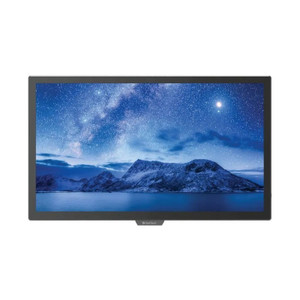
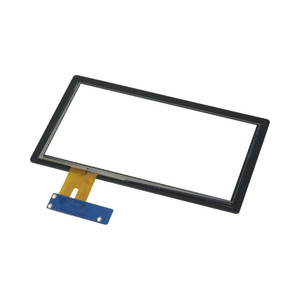
ACTi CDS-TMBDS-WAYP43+TAF 43 Inch Pcap Touch Display
Overview
The ACTi CDS-TMBDS-WAYP43+TAF is a 43-inch projected capacitive (Pcap) touch display designed for security operations centers and surveillance command rooms where operators need tactile interaction with live camera feeds and system controls. The capacitive touch surface responds to finger input without pressure — critical when control room staff are pivoting between multiple monitors and systems for 8–12 hour shifts. This form factor sits between smaller desk-mounted displays and large-format video walls, making it suitable for mid-scale integrations where you need one primary monitoring station with direct touch capability.
Compatibility
The CDS-TMBDS-WAYP43+TAF integrates with ONVIF-compliant video management systems and surveillance platforms that support Pcap input over standard HDMI or USB interfaces. It works alongside ACTi network cameras and third-party IP cameras managed through ONVIF Profile S compatible VMS software. The display functions as a passive I/O device — it sources video from your NVR or management appliance and returns touch commands over USB, making it agnostic to specific recording hardware as long as your VMS supports touch input mapping. Verify your VMS supports Pcap touch event remapping before deployment.
Installation Notes
Mount the display on a VESA-compliant arm or wall bracket rated for 43-inch displays (typical weight 20–30 lbs depending on stand configuration). Position at comfortable arm height for operators — approximately 30–36 inches from the floor for seated control room desks. Cable runs should include power (110–240V AC), HDMI or DisplayPort for video input, and USB for touch return signal. Avoid high-vibration mounting surfaces; shock or sustained vibration can degrade capacitive sensitivity over time. Pcap surfaces are sensitive to fingerprints and dust accumulation — use microfiber cleaning regularly to maintain touch responsiveness in high-traffic control rooms.