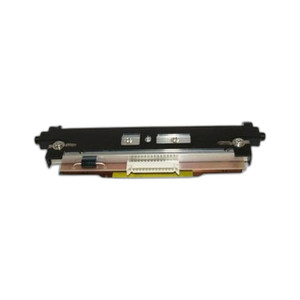
Citizen JM14706-00F Printhead 300dpi CL-S531/631
Overview
The Citizen JM14706-00F is a 300dpi thermal printhead assembly for the CL-S531 and CL-S631 industrial label and barcode printers. This is a direct replacement part that restores print quality when your existing printhead shows signs of wear, clogging, or head strike damage. Printhead replacement is a standard maintenance item in high-volume label operations — the JM14706-00F handles 4-inch-wide media at standard industrial speeds and keeps your compliance labeling and barcode output sharp and scannable.
Compatibility
The JM14706-00F is a genuine Citizen replacement part designed exclusively for the CL-S531 and CL-S631 printer models. These are compact 4-inch desktop thermal printers used in warehouse automation, healthcare labeling, and manufacturing environments. Do not attempt to install this printhead in other Citizen models or brands — the thermal element pitch, connector alignment, and firmware calibration are specific to the S5xx/S6xx series. Before ordering, verify your printer model is either CL-S531 or CL-S631 on the back panel or in your device manager.
Installation Notes
Printhead replacement requires shutting down the printer and allowing the platen roller to cool to ambient temperature — thermal stress during removal can warp the new head. Follow the service manual sequence: unlock the printhead latch, disconnect the ribbon cable (typically a 3-pin or 4-pin connector), remove the old head, clean the platen area of paper dust and adhesive residue with a lint-free wipe, then insert the new head and reattach the cable in the correct orientation. Do not force the connector; misalignment is a common cause of print quality failure after replacement. Once installed, run a test label and verify that all 8 dots per column are firing. Many operators reset the printhead counter in the printer menu after installation to restart maintenance tracking.