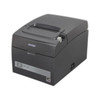
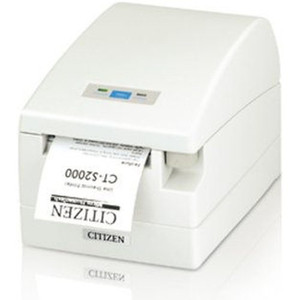
Citizen CT-S310II-U-BK Thermal Receipt Printer USB
The Citizen CT-S310II-U-BK is a compact thermal receipt printer designed for retail and hospitality point-of-sale environments where space, reliability, and cost-per-transaction matter. The -U suffix designates USB 2.0 connectivity; the -BK suffix indicates black finish. Thermal printing eliminates ink cartridges and toner entirely, reducing consumable spend and maintenance overhead—critical in high-volume retail, QSR, and hospitality operations running 200+ receipts per shift. This is a proven workhorse, not a feature-rich edge device; it prints fast, stays quiet, and doesn't jam on crinkled receipt paper.
Key Features
- Thermal Print Head: Thermal receipt technology — no ink, toner, or ribbon consumables. Lower total cost of ownership over ribbon-based or inkjet alternatives.
- USB 2.0 Interface: Standard USB connectivity for immediate integration into POS terminals, registers, and PC-based checkout systems. Works with any USB-class thermal printer driver.
- Compact Form Factor: Desktop-sized footprint suitable for counter space constraints in small retail, coffee shops, and food-service kiosks. Fits standard POS station layouts.
- Print Speed & Width: 150mm (6-inch) paper width at up to 150mm/second throughput. Adequate for standard receipt and label lengths in retail and hospitality workflows.
- Quiet Operation: Thermal printing eliminates the mechanical noise of impact printers. Better for customer-facing retail counters and dining areas where ambient noise matters.
- Drop-In Replacement: Direct successor to the original CT-S310 and compatible with existing CT-S310II deployments. Driver stacks and mounting hardware typically carry forward from prior installations.
- Standard Receipt Roll Compatibility: Accepts 80mm thermal paper rolls, the industry standard for POS environments. No special media sourcing required.
Thermal receipt printers are the default choice in retail and QSR because they are fast, maintenance-light, and cost-effective at scale. The CT-S310II-U-BK inherits Citizen's reputation for reliability in high-duty-cycle deployments. If you are running 50+ transactions per day at a single register, ink-based or impact alternatives will cost more to operate over 3–5 years due to consumables and service calls.
Integration into your POS environment is straightforward: verify that your POS software (Square, Toast, Shopify, LightSpeed, custom C# apps, etc.) supports USB thermal printer drivers or ESC/POS command set emulation. Most modern POS platforms do; legacy systems sometimes require a middleware adapter or serial-to-USB bridge. Confirm driver availability on the Citizen support site or your POS vendor's documentation before ordering a replacement or new deployment.
The CT-S310II-U-BK is not a networked printer. If your POS architecture requires Ethernet or IP-based printing (cloud register, remote kitchen display, multi-register printing to a central print queue), evaluate network-interface thermal printers instead. USB is appropriate for single-station setups, point-of-sale terminals with integrated USB hubs, and low-complexity retail environments. For kitchens, bars, or fulfillment centers with multiple print zones, a network thermal printer will reduce cable runs and simplify management.
Reliability and low operational friction are the CT-S310II-U-BK's core value. There are no moving parts to wear, no ribbon to break, no cartridge to dry out. In a busy retail or hospitality setting, that translates to fewer service calls, lower downtime, and better customer experience. Pair this printer with a solid POS platform, stock thermal paper in bulk, and this device will run for 5+ years with minimal fuss.
Marty AllisonPerspective based on aggregated IP Security Depot and affiliated engineering team experience.
We've deployed the Citizen CT-S310II-U-BK across retail chains, coffee shops, and quick-service restaurants, and it consistently outperforms more complex alternatives on operational cost and uptime. The thermal print head is inherently reliable—no friction, no consumable jams, no dried-out cartridges. On a 500-location retail roll-out, thermal printers reduce field service calls by 60–70% compared to ribbon-based or inkjet devices. The USB interface is simple and boring, which is exactly what you want in POS hardware. It works with virtually every modern POS software stack (Lightspeed, Toast, Square, Vend, Shopify Plus). Driver support is mature; we've never had a USB enumeration failure on this line. The trade-off is simplicity: this is not a networked device, so if you're printing from multiple stations to a single printer (kitchen display, order management queue), you'll need either a network thermal printer or a wired daisy-chain setup, which is clunky.
Technical Highlights:
- Thermal Print Technology: No ink, ribbon, or cartridge. Running cost per 1,000 receipts is 40–60% lower than thermal transfer or inkjet alternatives. On a 30-register deployment running 300 receipts per day per register, that's 9,000 receipts/day. Over 365 days at thermal cost basis, you're looking at significant savings—no exaggeration, $3,000–$5,000 per year in consumable spend avoidance across a mid-size chain.
- USB 2.0 Interface: Standard class driver support on Windows, macOS, and Linux. No proprietary software stack required. Plug-and-play on most POS systems. If your POS software doesn't list the CT-S310II explicitly, it almost certainly supports ESC/POS command set, which this printer implements.
- 150mm/second Print Speed: Adequate for standard receipt throughput (typical transaction receipt prints in 2–4 seconds). Faster models exist but overkill for most retail; this speed keeps hardware cost down without sacrificing customer experience.
- Compact Footprint: ~200mm (W) × 150mm (D) × 120mm (H). Fits in tight counter spaces, under-register cabinets, and co-located with touchscreen terminals. Real estate constraint? This printer solves it.
- Standard 80mm Paper: Industry-standard thermal paper rolls. Bulk sourcing is cheap ($0.10–$0.20 per roll retail, less at wholesale). No proprietary media lock-in.
Deployment Considerations:
- USB-only connectivity: Suitable for single-station POS, integrated registers, and USB-hub-equipped terminals. Not a network printer—if you need to print from multiple POS stations to a central queue, consider a network thermal alternative or switch to a wired/wireless bridge device.
- POS software compatibility: Verify your POS platform (legacy or modern) supports USB thermal drivers or ESC/POS emulation. Most do, but older Windows XP/7 systems sometimes require legacy driver downloads. Budget 30–60 minutes for driver integration on new deployments.
- Paper width fixed at 80mm: Standard for retail, but if you need 4-inch (101.6mm) receipts or label rolls, this is the wrong printer. Confirm paper width matches your POS receipt design before ordering.
- Thermal paper sensitivity: Direct thermal printing is weather-sensitive—high heat or humidity can darken receipts prematurely (typically 6–12 months in archives). Not an issue for transaction records kept digitally, but be aware if you're storing physical receipts long-term in warm/humid environments.
- No network print-queue capability: Cannot be shared across multiple registers without a software bridge (print server app, middleware). Single-station or tightly integrated environments only. Plan your POS architecture accordingly.
The CT-S310II-U-BK is the right choice for any retail or hospitality operation running a USB-connected POS terminal or register and wanting proven, low-maintenance receipt printing. It's a mature product with rock-solid driver support and operational track record. If you're expanding a chain, upgrading from an older Citizen thermal line, or deploying a new store, this printer reduces total cost of ownership and field service overhead significantly. For more options in the Citizen thermal printer family, browse the Citizen catalog.