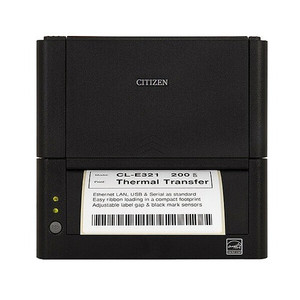
Citizen CL-E331EXXUBWD Thermal Label Printer
Overview
The Citizen CL-E331EXXUBWD is a 300dpi desktop thermal printer built for barcode label and receipt printing in warehouse, retail, and shipping environments. 300dpi resolution delivers crisp, scannable barcode output at standard label widths — sufficient for most logistics, cross-dock, and retail point-of-sale workflows where print quality directly impacts WMS and inventory scanning reliability.
Connectivity and Network Integration
Dual connectivity: wired LAN and dual-band WiFi (2.4/5 GHz) eliminate the need to choose between stable Ethernet and flexible wireless placement. The 5 GHz band reduces interference in dense retail or warehouse environments where 2.4 GHz congestion is common. USB connectivity supports direct computer connections for single-printer setups or backup access. This mix of options fits both fixed dock stations and mobile cart deployments.
Compatibility
The CL-E331EXXUBWD integrates with standard thermal label stock and receipt roll media through universal paper-path design. SNMP and standard printing protocols (ESC/P, ZPL emulation via driver) allow integration with WMS systems, shipping software (ShipStation, FedEx/UPS label engines), and point-of-sale platforms. Verify your label size and media weight compatibility with your application before deployment — maximum platen width and supported media types are printed on the device itself.
Installation Notes
Mount on a stable desk or cart near power and network infrastructure. Ensure adequate clearance above the paper feed path for media loading and ribbon/label changes. Network configuration: static IP or DHCP mode can be set via the device menu or management utility. WiFi: configure SSID and security credentials before deployment to avoid on-site troubleshooting delays in high-traffic environments.