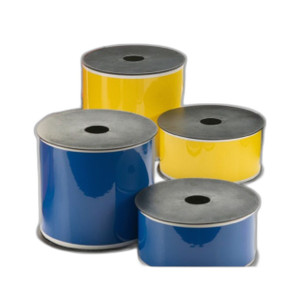
Brother PTP750WVP Portable Industrial Thermal Transfer Label Printer
Overview
The Brother PTP750WVP is a portable, industrial-grade thermal transfer label printer built for on-demand label production in warehouse, logistics, and asset management environments. Delivering 360 dpi resolution with monochrome thermal transfer output, the PTP750WVP eliminates dependency on pre-printed stock and centralized labeling infrastructure. Wi-Fi connectivity lets operators print barcode labels, asset tags, and identification strips directly from Windows computers, iOS, and Android devices — critical when labeling operations move across multiple facility locations or field teams require immediate label output without returning to a central station.
Key Features
- 360 dpi Print Resolution: Produces sharp, scannable barcode labels and legible text at small font sizes. High resolution means QR codes, Code 128, and other linear barcodes remain readable even when printed at compact dimensions — a real advantage when label real estate is constrained on small packages or asset tags.
- 70.9 inches per minute Print Speed: Keeps pace with high-volume labeling demands. At this throughput, the PTP750WVP handles batch label runs without becoming a production bottleneck — important for facilities processing hundreds of items per shift.
- Thermal Transfer Print Technology: Produces durable monochrome output suitable for harsh warehouse environments. Unlike thermal direct (which fades under UV and abrasion), thermal transfer ink bonds to media — labels maintain readability through rough handling, temperature extremes, and chemical exposure common in logistics hubs.
- Wi-Fi Connectivity (802.11b/g/n): Eliminates USB cable tethering. Operators can print from mobile devices or stationary workstations without repositioning hardware. Particularly valuable in multi-room warehouses where a single printer serves several labeling stations or mobile fulfillment teams.
- Standard Label Media Compatibility: Accepts easy-peel label formats without proprietary media lock-in. Stock label rolls from multiple vendors reduce vendor dependency and support cost optimization across large deployments.
- Portable Form Factor: Weighs and dimensions support quick deployment to secondary labeling stations, temporary fulfillment zones, or field operations. Unlike desktop label systems, the PTP750WVP integrates into mobile workflows and integrates into standardized racks without dedicated mounting infrastructure.
Connectivity & Integration
Wi-Fi printing removes cable dependencies and supports label printer integration into existing warehouse management and inventory systems. Database-driven label jobs can be triggered from barcode scanners, mobile applications, or supervisory software — enabling real-time labeling that tracks with inventory movement. The PTP750WVP supports standard label layout formats, making migration from older thermal printers straightforward when upgrading existing operations.
Deployment Scenarios
Deploy the PTP750WVP in fulfillment centers where high-frequency labeling demands favor on-site thermal transfer over outsourced pre-printed labels. Position in receiving departments to label inbound pallets, cases, and items immediately upon intake. Install in secondary warehouses, cross-docks, or temporary fulfillment zones where mobile label printing reduces shipping delays caused by label scarcity. Pair with mobile devices to support field asset tracking, equipment tagging, and inventory correction workflows without returning to a central office.
When to Choose a Different Model
If your operation requires color labels or photo-quality image printing, evaluate a color inkjet or dye-sublimation thermal printer instead — the PTP750WVP is strictly monochrome. If label volume is extremely light (fewer than 50 labels per week), a desktop thermal label printer with lower throughput may reduce capital spend. If labels must persist in extreme UV exposure or full chemical immersion, consult Brother on recommended label media types — thermal transfer durability depends partly on substrate selection.
Frequently Asked Questions
Q: What label widths does the Brother PTP750WVP support?
A: Exact media width specifications are not detailed in the available product evidence. Contact the manufacturer or specialty distributor for precise roll width and maximum label size parameters.
Q: Can the PTP750WVP connect to warehouse management software like SAP or Manhattan Associates?
A: The printer supports standard connectivity (Wi-Fi, print drivers for Windows/iOS/Android). Integration with specific WMS platforms depends on whether the software supports network printing to a TCP/IP printer. Work with your WMS vendor or IT team to confirm driver compatibility.
Q: What is the warranty on the Brother PTP750WVP?
A: Warranty terms are not specified in the current product documentation. Contact Brother directly or your specialty distributor for coverage details and support options.
Q: Does the PTP750WVP require calibration for different label media types?
A: Thermal transfer printers typically require minimal calibration across standard media. However, non-standard substrates may require adjustments to print density or temperature. Consult the user guide for media type settings and density adjustment procedures.
Q: Is the PTP750WVP suitable for outdoor warehouses or unheated facilities?
A: Operating temperature range and environmental protection ratings are not provided in the available specifications. For deployments in unheated, high-humidity, or extreme-temperature environments, confirm operating specifications with the manufacturer before purchase.
Q: How often do print heads need replacement on the Brother PTP750WVP?
A: Thermal transfer print head lifespan depends on print volume, media type, and maintenance practices. Refer to the operator manual for recommended maintenance intervals and head replacement procedures.
Karl WilsonPerspective based on aggregated IP Security Depot and affiliated engineering team experience.
The Brother PTP750WVP hits a sweet spot for warehouse operations that need label flexibility without the footprint or complexity of a desktop industrial printer. The 360 dpi resolution delivers crisp barcode output at small label sizes, and the 70.9 ipm print speed keeps up with moderate-to-high-volume labeling without stalling fulfillment workflows. Wi-Fi connectivity is the real win here — it eliminates cable tethering and lets you position the printer where labeling actually happens, not where IT infrastructure happens to be.
Technical Highlights:
- 360 dpi Resolution: Sharp enough for dense barcodes and small fonts. Matters when label real estate is tight or when barcode readers need crisp edges to scan reliably on the first read.
- 70.9 ipm Throughput: Handles 100+ labels per hour without becoming a bottleneck. Important for fulfillment centers and high-velocity labeling stations where printer speed directly impacts labor efficiency.
- Thermal Transfer Technology: Ink-on-media approach resists fading and abrasion far better than thermal direct printing. Crucial for labels that sit in warehouses for weeks or move through harsh handling environments.
- 802.11 Wi-Fi: No USB cables means the printer can move to different labeling zones or temporary fulfillment areas without infrastructure changes. Real advantage when scaling temporary capacity during peak seasons.
Deployment Considerations:
- Media Dependency: Thermal transfer requires compatible label rolls with the right coating. Stock the right media type or you'll have print quality issues. Confirm roll widths and lead times with your supplier before full deployment.
- Operating Environment: Environmental operating specs (temperature range, humidity tolerance) are not detailed in the available data. If you're deploying in an unheated warehouse or outdoor receiving area, confirm thermal specs with Brother before ordering — thermal printers have tighter tolerances than you might expect.
- Integration Expectations: The PTP750WVP is a standard network printer. It works with any system that can print via network drivers (Windows, iOS, Android). If you need deep integration with a warehouse management system, that's a software/configuration question, not a printer limitation — but test the driver stack with your WMS vendor before going all-in.
Position the PTP750WVP in fulfillment centers where label agility and portability matter more than absolute enterprise integration. It's a tactical asset for operations that want to cut label procurement lead times and print on demand — not a replacement for centralized enterprise label systems, but a strong alternative for facilities that can run modular labeling workflows.